4. Installing the Equipment: Base Stand (Optional)
50 vatech A9 (Model:PHT-30CSS) Installation Manual
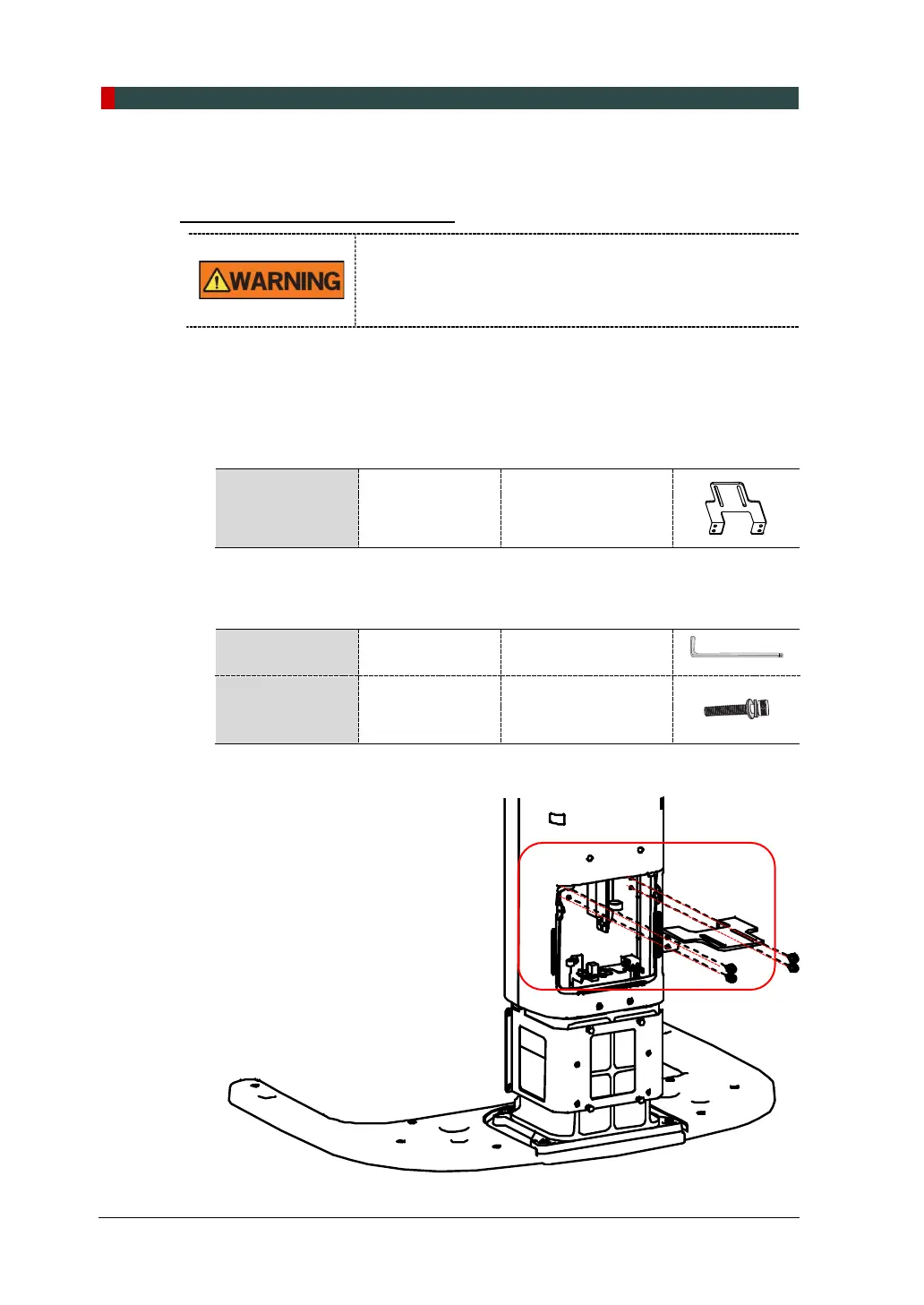
Combining Column and Wall Brackets
1. Prepare the Wall Bracket.
Parts and
Accessory
Wall Bracket -
2. Connect the Wall Bracket to the Column Bracket previously assembled in the
Column Unit's back, using two bolts and nuts provided.
Required Tool
Allen Wrench 6 mm / 0.24”
Monkey Wrench -
Parts and
Accessory
Wrench Bolt
M8 x 20 w/ Spring
and Flat Washers
(Part No. 34)
Nut
M8 - 2 pcs
(Part. No. 34)
DO NOT tighten the bolts fully yet.















 To Next Page