Getting started PLRF10C/15C-2.0en
12
Getting started
Changing the batteries
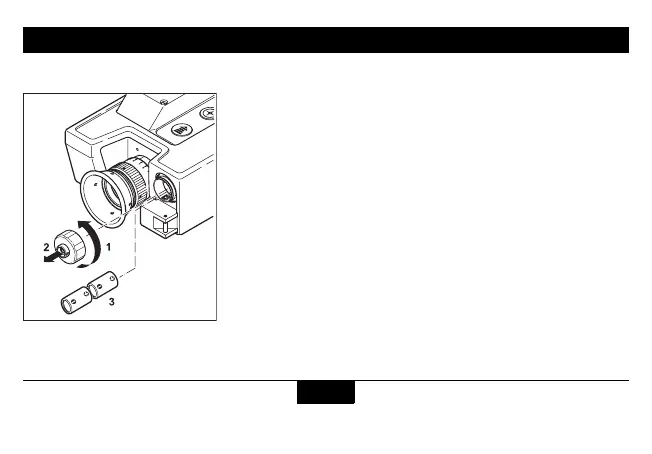
Open the battery compartment.
Insert two lithium batteries type CR123 with +(positive) pole
ahead.
Refit the battery cover. Tighten it completely until it stops.
The device monitors the condition of the batteries. If the display
shows "LobA", this indicates that the batteries are used up. You
can still get readings, but the batteries need to be replaced.
The "LobA" display may also appear under cold conditions, since
low temperature reduces the performance of the batteries.
L
Remove batteries before storing.


 To Next Page