35
6 Set up the sensor with the display and adjustment module
VEGAPULS 63 • Modbus and Levelmaster protocol
41364-EN-170711
1
2
4
5
3
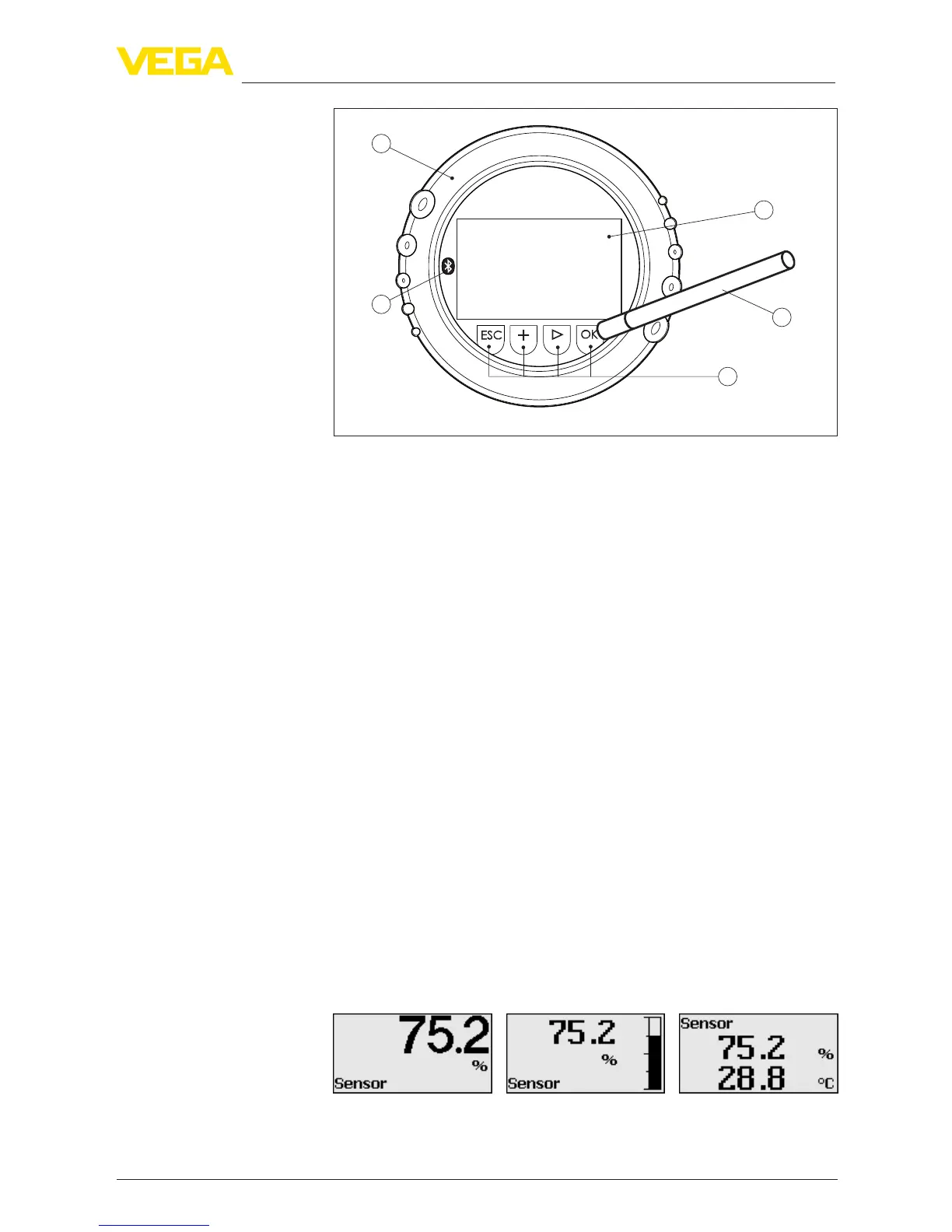
Fig. 24: Display and adjustment elements - with adjustment via magnetic pen
1 LC display
2 Magnetic pen
3 Adjustment keys
4 Bluetooth symbol
5 Lid with inspection window
When the [+] and [->] keys are pressed quickly, the edited value,
or the cursor, changes one value or position at a time. If the key is
pressed longer than 1 s, the value or position changes continuously.
When the [OK] and [ESC] keys are pressed simultaneously for more
than 5 s, the display returns to the main menu. The menu language is
then switched over to "English".
Approx. 60 minutes after the last pressing of a key, an automatic reset
tomeasuredvalueindicationistriggered.Anyvaluesnotconrmed
with [OK] will not be saved.
6.4 Measured value indication - Selection of
national language
With the [->]keyyoumovebetweenthreedierentindicationmodes.
Intherstview,theselectedmeasuredvalueisdisplayedinlarge
digits.
In the second view, the selected measured value and a correspond-
ing bar graph presentation are displayed.
In the third view, the selected measured value as well as a second se-
lectable value, e.g. the temperature of the electronics, are displayed.
During the initial setup of an instrument shipped with factory settings,
use the "OK" key to get to the menu "National language".
Time functions
Measured v
alue indica-
tion










 To Next Page