37
6 Set up the sensor with the display and adjustment module
VEGAPULS 63 • Modbus and Levelmaster protocol
41364-EN-170711
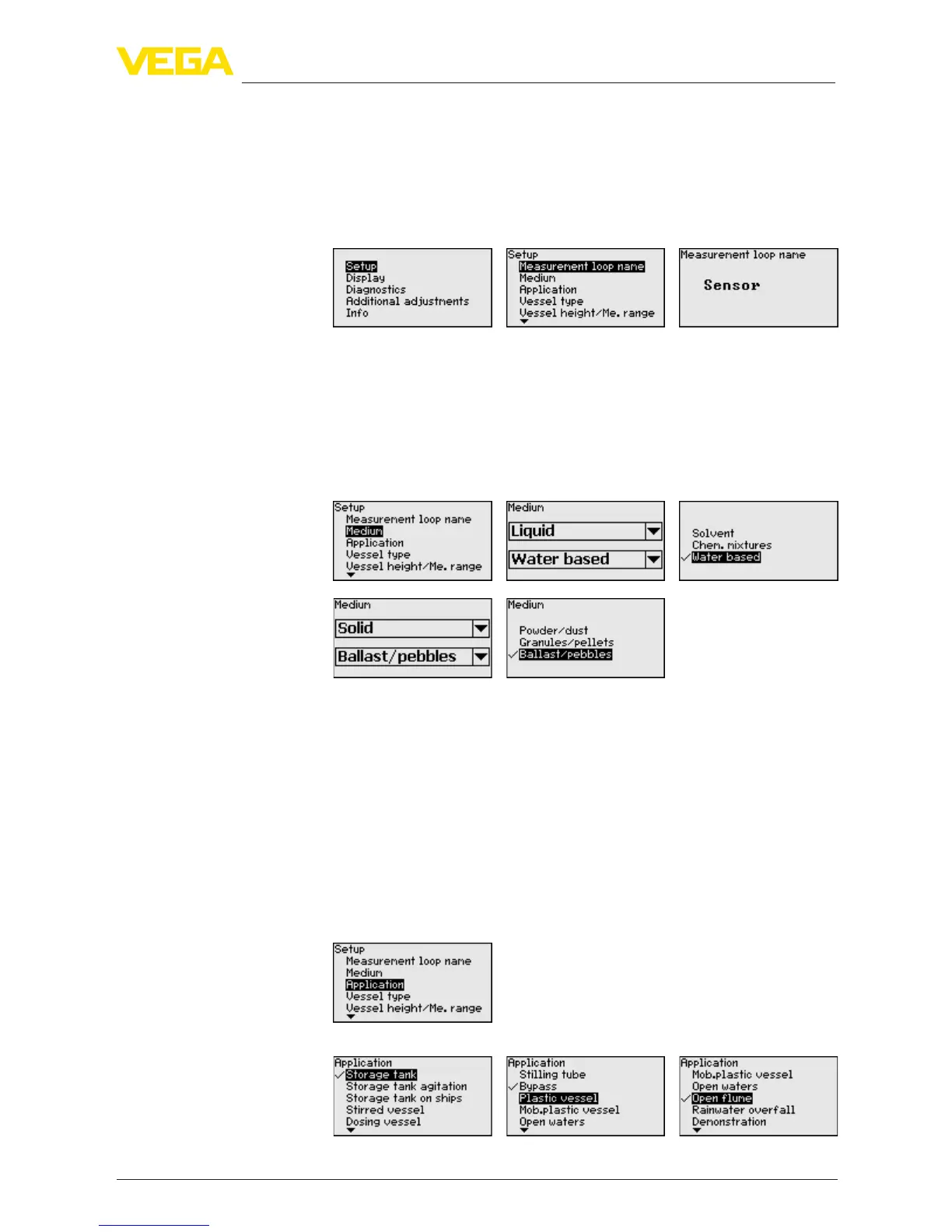
nationmustbeenteredforexactidenticationofindividualmeasuring
points.
The available digits include:
•
Letters from A … Z
•
Numbers from 0 … 9
•
Special characters +, -, /, -
Everymediumhasdierentreectiveproperties.Withliquids,there
are additional interfering factors such as turbulent product surface
and foam generation. With bulk solids, the additional interfering fac-
tors are dust generation, angle of repose and secondary echoes from
the vessel wall.
Toadaptthesensortothesedierentmeasuringconditions,the
selection "Liquid" or "Bulk solid" should be made in this menu item.
Through this selection, the sensor is optimally adapted to the product,
andmeasurementcertainty,particularlyinproductswithpoorreec-
tive properties, is considerably increased.
Enter the requested parameters via the appropriate keys, save your
settings with [OK] and jump to the next menu item with the [ESC] and
the [->] key.
In addition to the medium, also the application, i.e. the measuring site,
caninuencethemeasurement.
With this menu item, the sensor can be adapted to the applications.
The adjustment possibilities depend on the selection "Liquid" or "Bulk
solid" under "Medium".
The following options are available when "Liquid" is selected:
Setup - Medium
Setup - Application





 To Next Page