55
6 Set up with the display and adjustment module
VEGAPULS 64 • Two-wire 4 … 20 mA/HART
51141-EN-210219
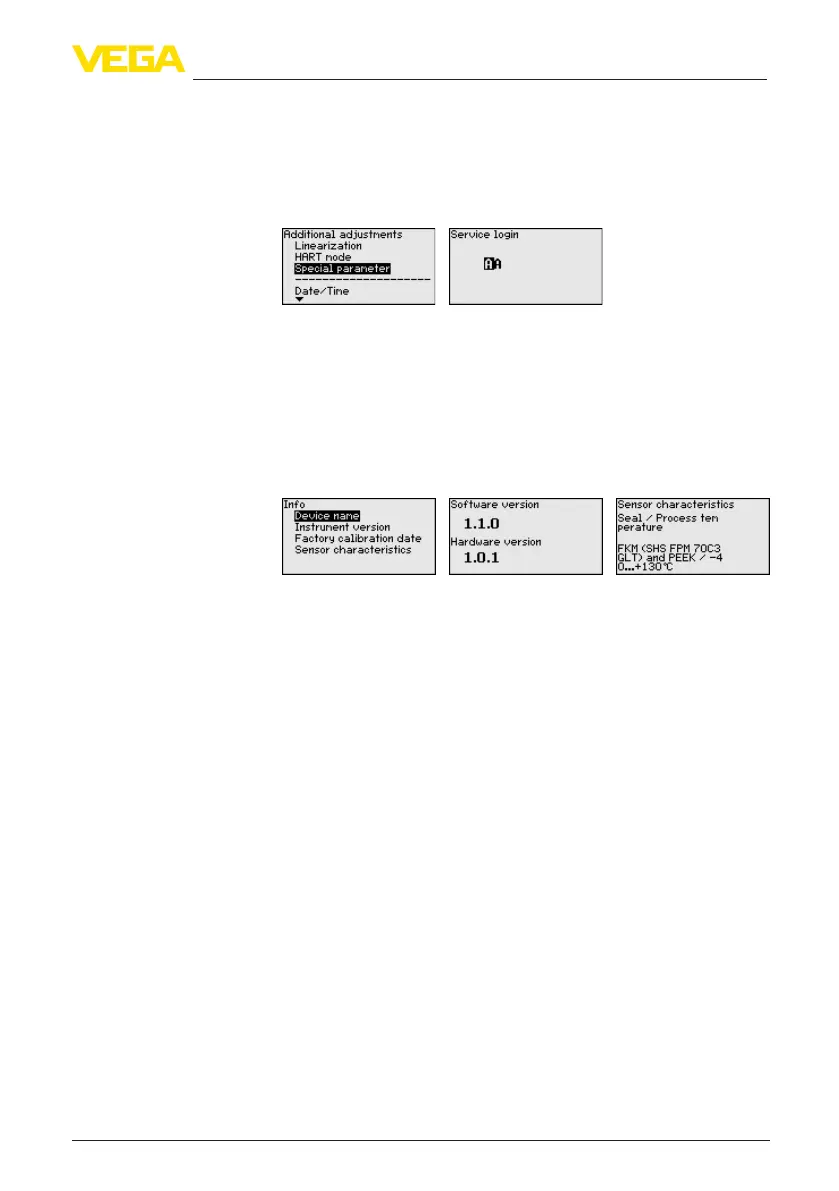
In this menu item you gain access to the protected area where
you can enter special parameters. In exceptional cases, individual
parameterscanbemodiedinordertoadaptthesensortospecial
requirements.
Change the settings of the special parameters only after having con-
tactedourservicesta.
In this menu item the following information of the instrument can be
read out:
•
Instrument name and serial number
•
Hardware and software version
•
Date of the factory calibration as well as the last change via adjust-
ment instruments
•
Sensorcharacteristicssuchasapproval,processtting,seal,
meas. range etc.
6.6 Saving the parameterisation data
We recommended writing down the adjustment data, e.g. in this op-
erating instructions manual, and archiving them afterwards. They are
thus available for multiple use or service purposes.
If the instrument is equipped with a display and adjustment module,
the parameter adjustment data can be saved therein. The procedure
is described in menu item " Copy device settings".
Additional settings - Spe-
cial parameters
Info
On paper
In the display and adjust-
ment module



 To Next Page