39
6 Set up with the display and adjustment module
VEGAPULS 64 • Two-wire 4 … 20 mA/HART
51141-EN-210219
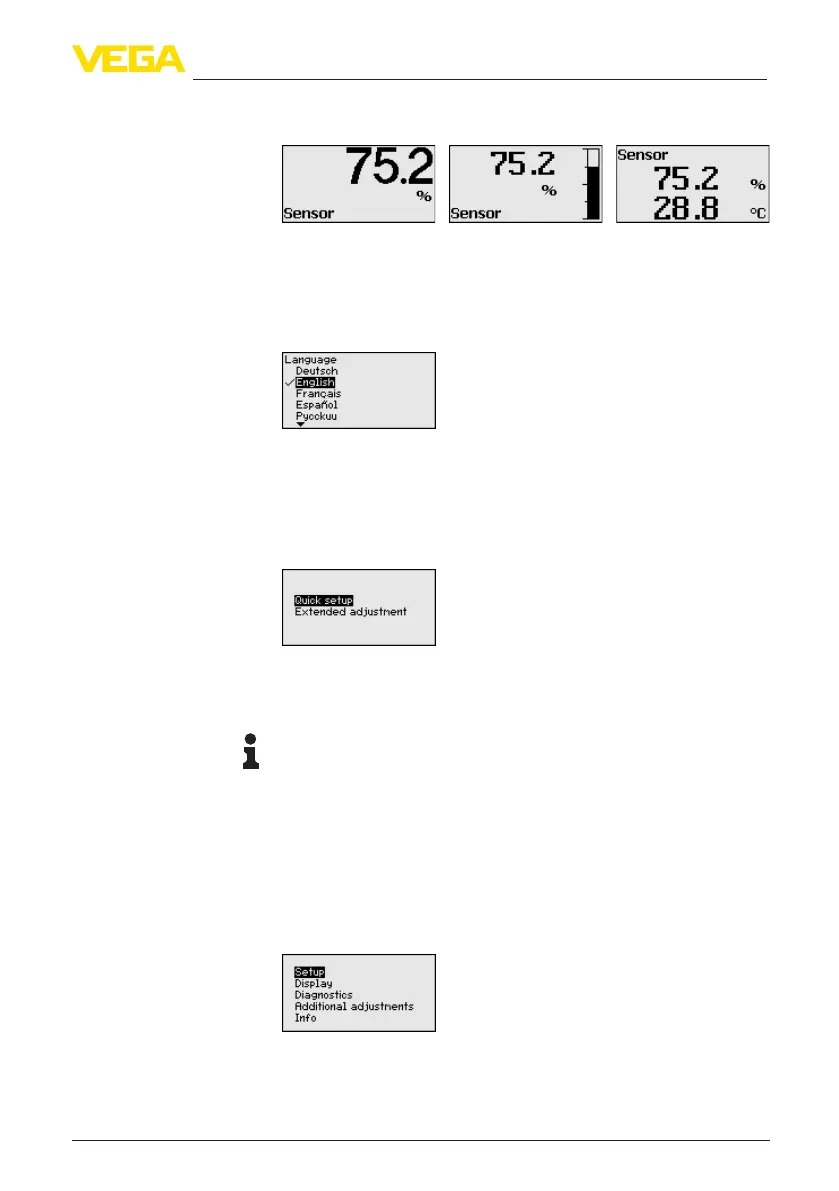
In the third view, the selected measured value as well as a second se-
lectable value, e.g. the temperature of the electronics, are displayed.
During the initial setup of an instrument shipped with factory settings,
use the " OK" key to get to the menu " National language".
This menu item is used to select the national language for further pa-
rameter adjustment. You can change the selection via the menu item "
Setup - Display, Menu language".
With the " OK" key you move to the main menu.
6.4 Parameter adjustment - Quick setup
To quickly and easily adapt the sensor to the application, select the
menu item " Quick setup" in the start graphic on the display and
adjustment module.
Select the individual steps with the [->] key.
After the last step, " Quick setup terminated successfully" is displayed
briey.
Information:
The echo curve of setup is stored automatically during the quick
setup.
The return to the measured value indication is carried out through the
[->] or [ESC] keys or automatically after 3 s
Youcannd"Extended adjustment" in the next sub-chapter.
6.5 Parameter adjustment - Extended adjustment
Themainmenuisdividedintovesectionswiththefollowingfunc-
tions:
Setup: Settings, e.g., for measurement loop name, units, application,
adjustment, signal output
Display: Settings, e.g., for language, measured value display, lighting
Selection of national
language
Main menu



 To Next Page