68
9 Diagnosis, asset management and service
VEGAPULS 64 • Two-wire 4 … 20 mA/HART
51141-EN-210219
Depending on the reason for the fault and the measures taken, the
steps described in chapter " Setup" must be carried out again or must
be checked for plausibility and completeness.
Should these measures not be successful, please call in urgent cases
the VEGA service hotline under the phone no. +49 1805 858550.
The hotline is also available outside normal working hours, seven
days a week around the clock.
Sinceweoerthisserviceworldwide,thesupportisprovidedin
English. The service itself is free of charge, the only costs involved are
the normal call charges.
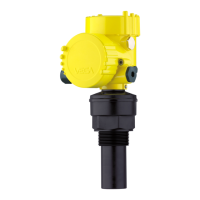
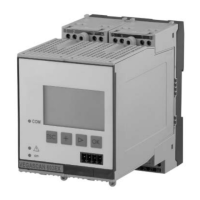
9.5 Exchanging the electronics module
If the electronics module is defective, it can be replaced by the user.
In Ex applications, only instruments and electronics modules with ap-
propriate Ex approval may be used.
If there is no electronics module available on site, the electronics
module can be ordered through the agency serving you. The electron-
icsmodulesareadaptedtotherespectivesensoranddierinsignal
output or voltage supply.
The new electronics module must be loaded with the default settings
of the sensor. These are the options:
•
In the factory
•
Or on site by the user
In both cases, the serial number of the sensor is needed. The serial
numbers are stated on the type label of the instrument, on the inside
of the housing as well as on the delivery note.
Whenloadingonsite,theorderdatamustrstbedownloadedfrom
the Internet (see operating instructions " Electronics module").
Caution:
Allapplication-specicsettingsmustbeenteredagain.That'swhyyou
have to carry out a fresh setup after exchanging the electronics.
Ifyousavedtheparametersettingsduringtherstsetupofthesen-
sor, you can transfer them to the replacement electronics module. A
fresh setup is then not necessary.
9.6 Software update
The following components are required to update the instrument
software:
•
Instrument
•
Voltage supply
•
Interface adapter VEGACONNECT
•
PC with PACTware
•
Currentinstrumentsoftwareasle
Youcanndthecurrentinstrumentsoftwareaswellasdetailed
information on the procedure in the download area of our homepage:
www.vega.com.
Reaction after fault recti-
cation
24 hour service hotline



 To Next Page