31
Operations & Maintenance Manual: Setting Up
0900‑5017‑ETEE REV‑05
PROcEDURE 7. ATTAcH THE USB DEVIcE (OPTIONAL)
Connecting a USB drive to one of the USB ports allows you to export exams that were saved to the internal
memory. The ports also allows a Nonin
3231 USB External Pulse Oximeter to be attached. The SpO
2
reading
from the sensor is shown on the Core display for convenience, but should not be used for diagnostic
purposes.
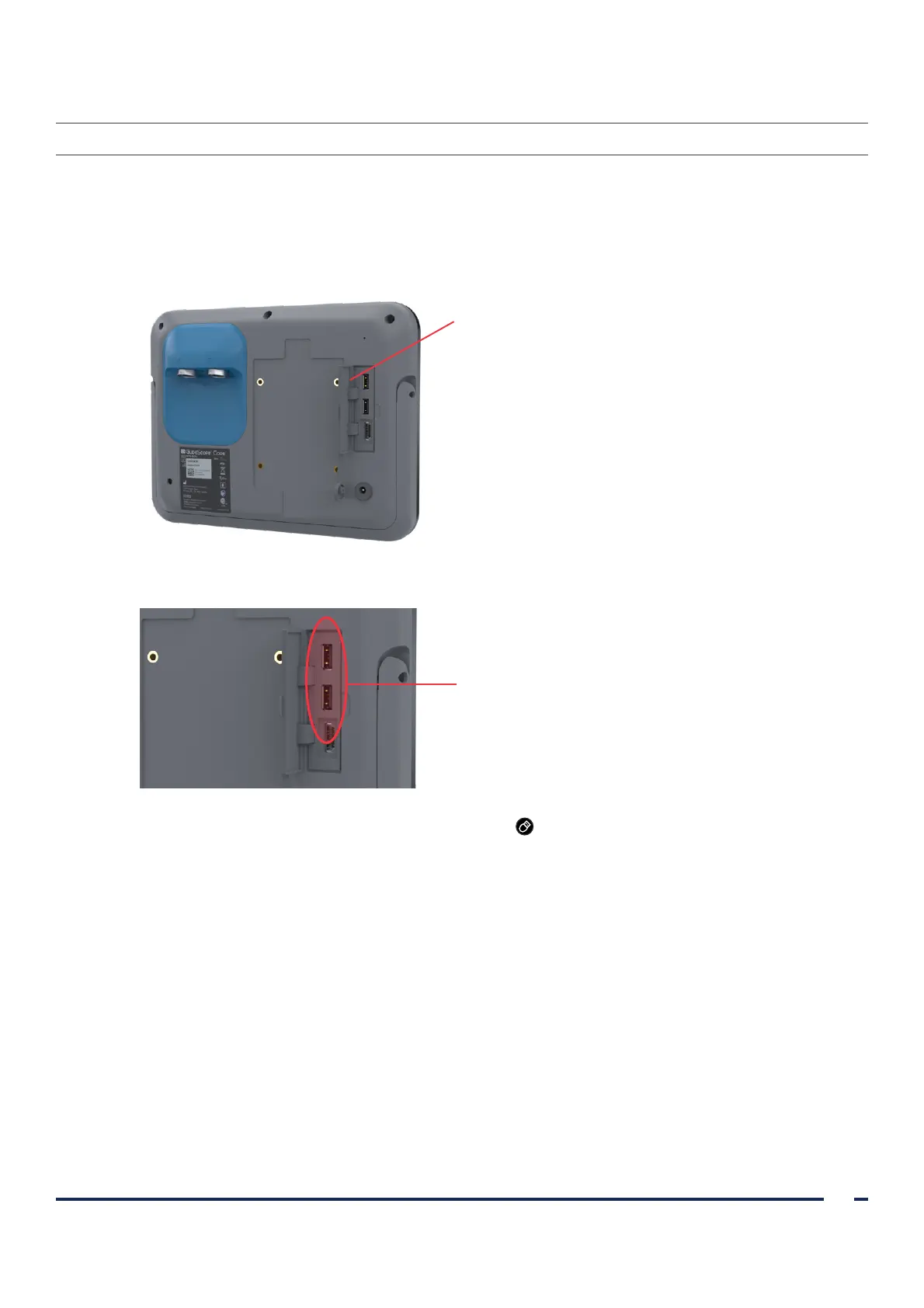
1. On the back panel of the monitor, remove the rubber cover from the USB and HDMI connector panel.
Connector panel cover
2. Connect the USB device to the one of the USB ports.
USB ports
3. If you connect a USB drive, the display shows a USB icon to indicate a drive is attached and available to use.
If you are using a pulse oximeter, the SpO
2
information from the pulse oximeter appears on the screen.













 To Next Page