87
S
ETUP
A
G
F
INITI
SETUP
AGFINITI
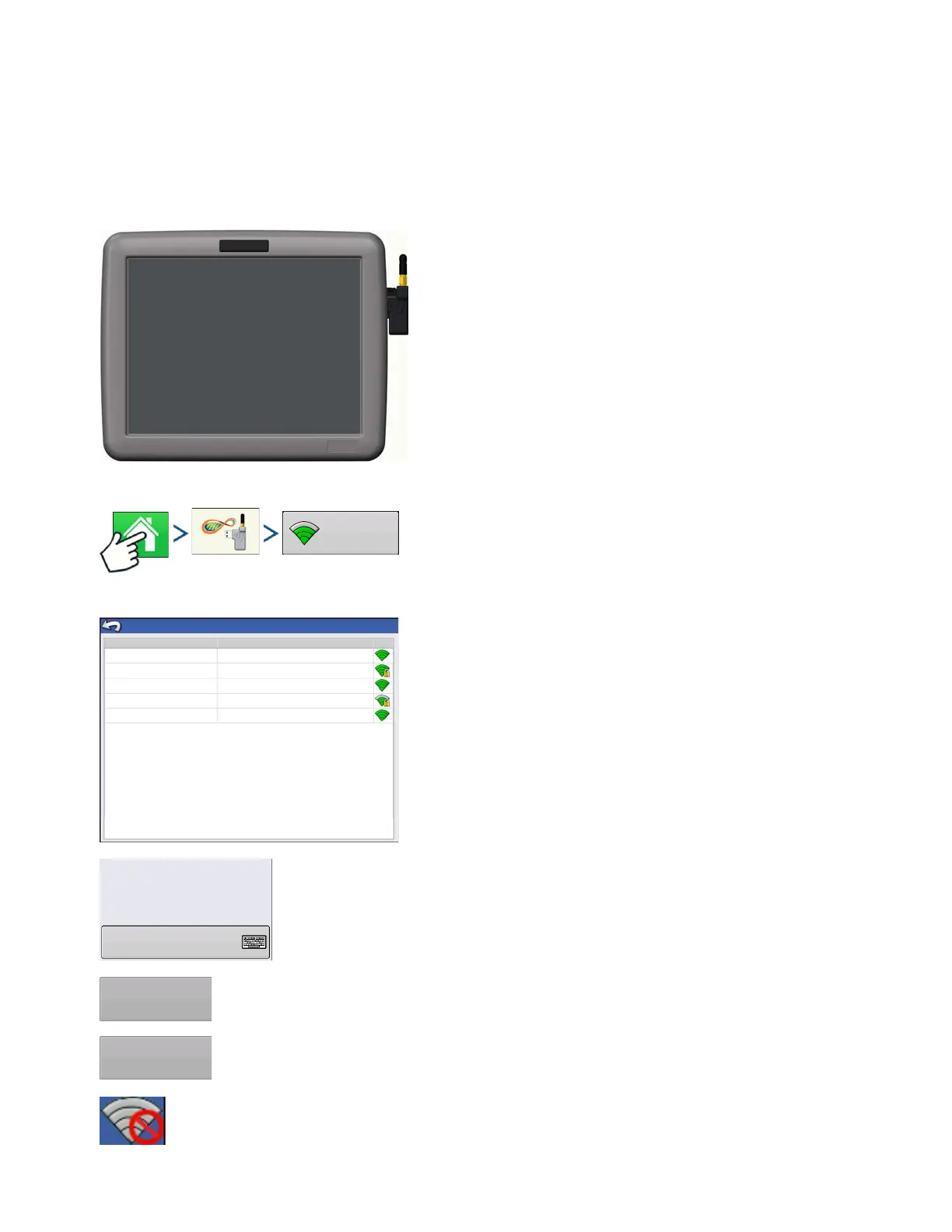
CONNECTING TO WI-FI NETWORK
Insert USB Wi-Fi Adapter to USB port of the display.
To connect to a Wi-Fi network:
Press: Home button > AgFiniti button > Networking button
Select network you wish to use. Secured networks are
indicated by a lock on the signal strength icon and require a
password.
Press Connect to connect to a network.
If you no longer want to be connected to a network you can press Forget, which will disconnect
the network.
No networks in range. User will not be able to connect to a Wi-Fi network when this icon is shown.
Network Name (SSID)
Wireless Networking
Verizon Tablet
David’s iPad
iPhone
AT&T Mobile HOTSPOT
Office
Connected
Secured with WPA/WPA2
Not Secured
Secured with WEP
Not Secured
Status
Status:
Signal Strength:
Security:
Password
Connected
Excellent
WPA/WPS2



 To Next Page