238 Firmware Version 5.4
LOAD CONFIGURATION
1. Press: Select Event button.
Select a Season, Grower, Farm, and
Field on the Management Selection
screen. For more information, see
“Setup Event” on page 45.
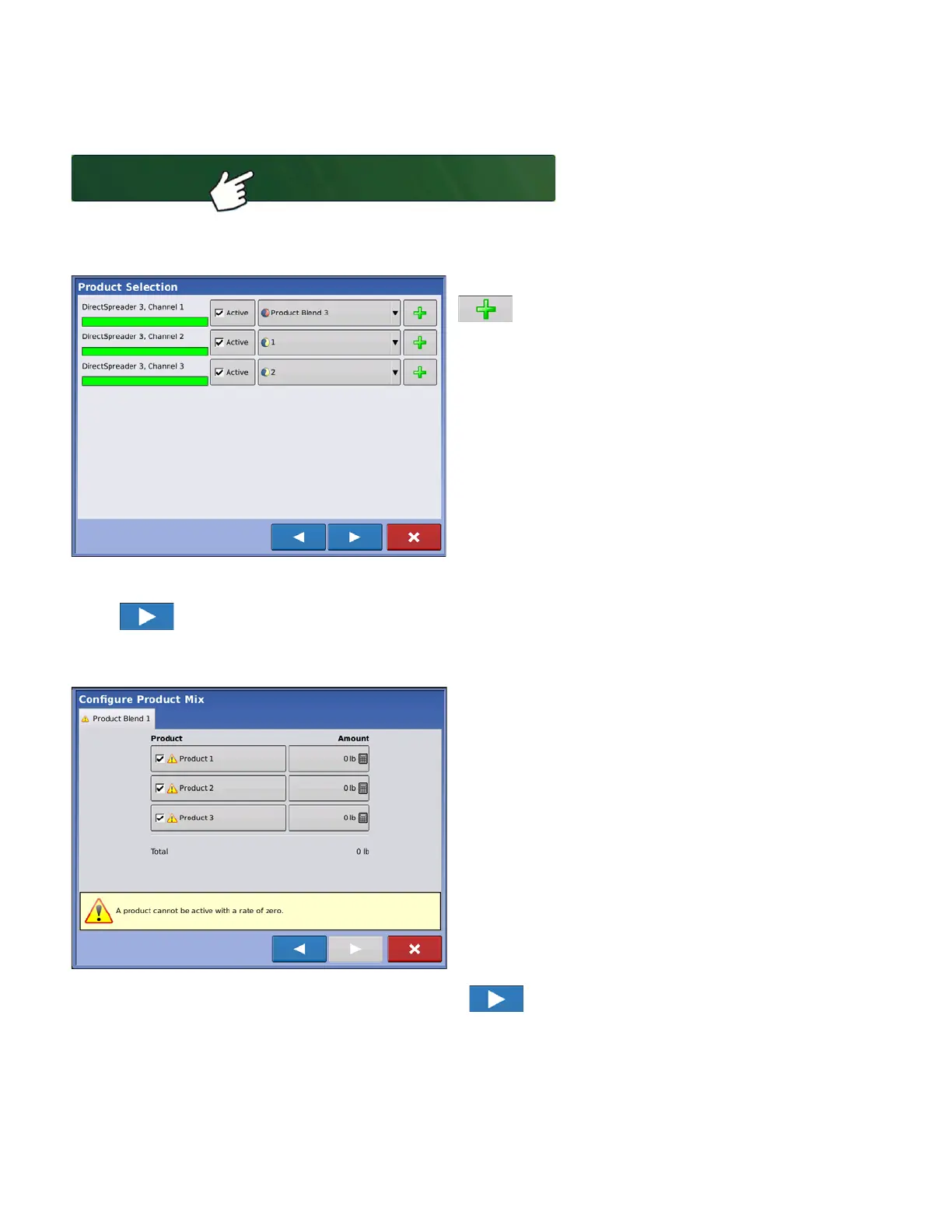
2. Product Selection
Select product from the drop-down list or press
to create a new one.
More than 7 products can be part of a Mix/Blend but 7 or fewer can be active at the same time.
Press to continue.
3. Configure Product Mix
Product Blends can be adjusted after they are
created by:
-a.activating or de-activating products
-b.changing rate or total amount of a product
-c.changing total amount of the product or overall rate of
product application
These values can be changed on the Configure
Product Mix screen which is available in the event
setup wizard or by pressing a product line on the
home screen.
A product can not be active with a rate of zero.
When all product mixes have been configured press .



 To Next Page