231
A
PPLICATION
S
PREADER
APPLICATION
SPREADER
DirectCommand for spinner spreaders is capable of controlling the product conveyor, spinner speed,
monitoring bin level, and providing multiple prescription rate control for up to three granular products.
The control modules support PWM, motorized servo, Mark IV.2, Mark IV.4, and Mark V hydraulic control
valves. DirectCommand granular application system also supports application control of multiple bin
spreaders.
CREATE CONFIGURATION
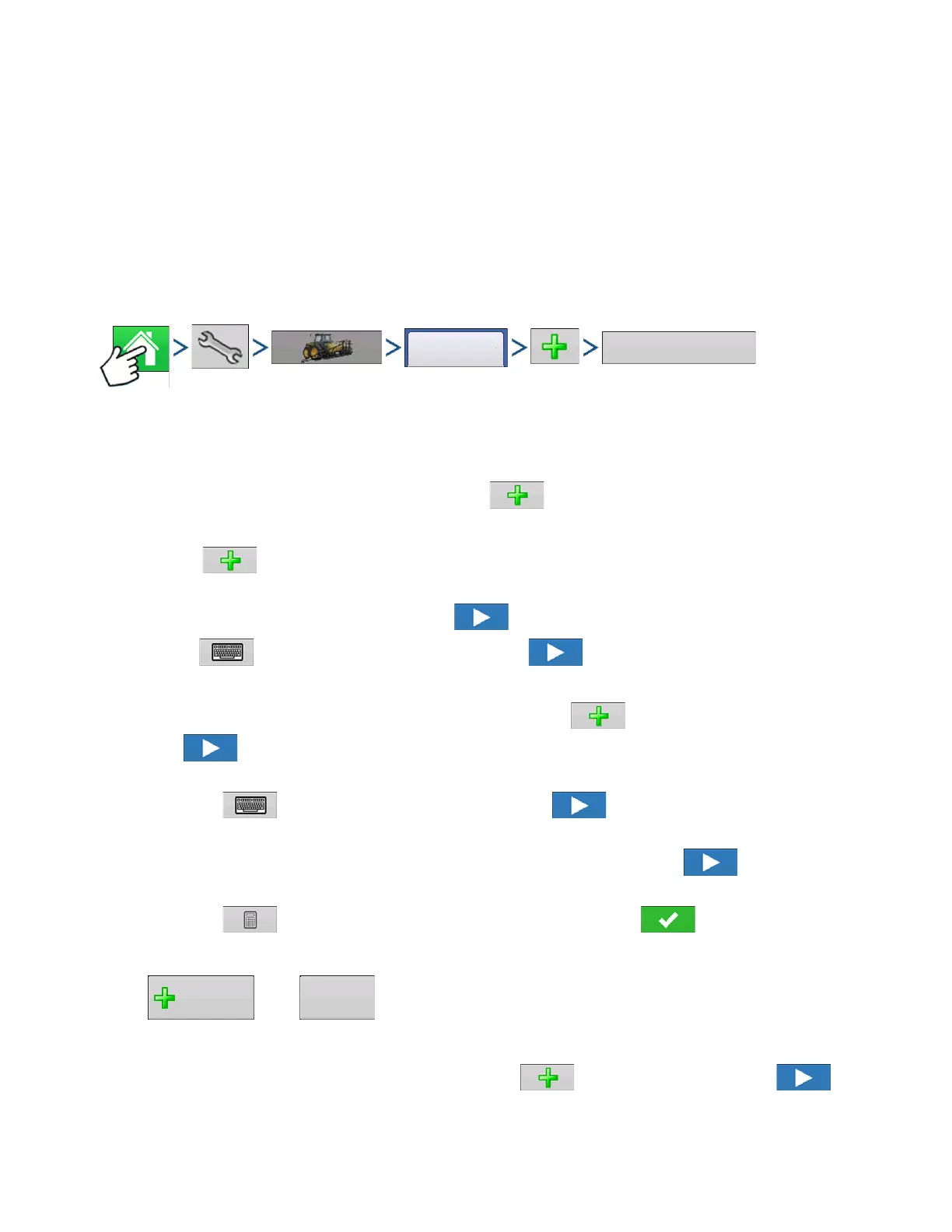
Press: Home button > Setup (wrench) button > Configuration (tractor) button > Configuration tab > Add
(+) button > Application button
1. Select Vehicle
Use drop-down menu to choose a vehicle, or press to enter a new vehicle.
2. Self-Propeller Applicator
Press to create a new vehicle
Use drop-down to choose Vehicle Type and Select Self-Propelled Applicator
If applicable, Select All Wheel Steer. Press to continue.
Press to enter Make and Model name. Press to continue.
3. Drawn Spreader
Select an implement from the drop-down list menu, or press to create a new implement. Press
to continue.
Enter Implement Make and Model
- Press to enter Make and Model name. Press to continue.
Select Attachment Point
- Use the drop-down list to select an implement attachment method. Press to continue.
Enter Hitch to Implement Axle Distance (Rear Drawbar Only)
- Press to enter the hitch to implement axle distance. Press to accept.
4. Add Granular Functionality
Press then to add Spinner Spreader functionality to the implement.
5. Select Controller
Use the drop-down menu to select a controller or press to add a controller. Press to
continue.



 To Next Page