89
S
ETUP
A
G
F
INITI
FILE TRANSFER
File Transfer requires a File Transfer license (one per display). AgFiniti is compatible with Ag
Leader Integra and Versa displays.
IMPORTING AND EXPORTING FILES
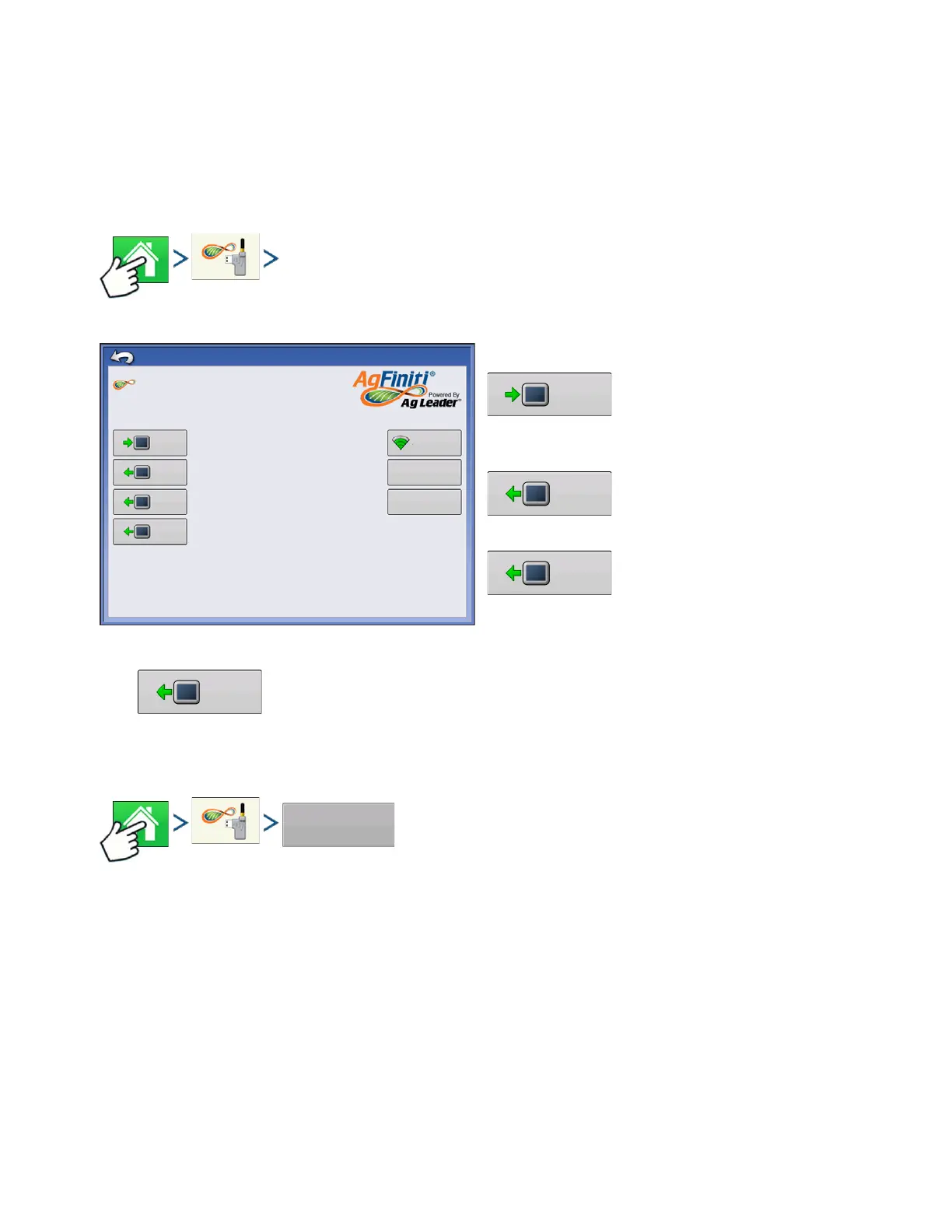
Press: Home button > AgFiniti button
Import an AgSetup file with setup
data from AgFiniti. See
“.AGSETUP” on page 283 for
information on AgSetup files.
Export an AgSetup file with setup
data to AgFiniti
Exports logged data in the display
since the last time log files were exported to AgFiniti
via a AgData file. See
“.AGDATA” on page 283 for
information on AgData files.
• Exports Reports saved on internal memory to AgFiniti. See
“Smart Report Auto-
Generation” on page 67
for more information.
VIEWING FILES
Press: Home button > AgFiniti button > View Files button
AgFiniti Options
criemersma
Display Registration Expires 12/09/2020
Import
Export
Export
AGL-Public
View
Files
Export an AgSetup file with
setup data to AgFiniti.
Export an AgData file with
logged data to AgFiniti.
Import an AgSetup file with
setup data from AgFiniti.
Advanced
Options
Export
Export automatically
stored reports to AgFiniti.



 To Next Page