185
A
PPLICATION
L
IQUID
R
ATE
C
ONTROL
FENCE ROW NOZZLE INDICATORS
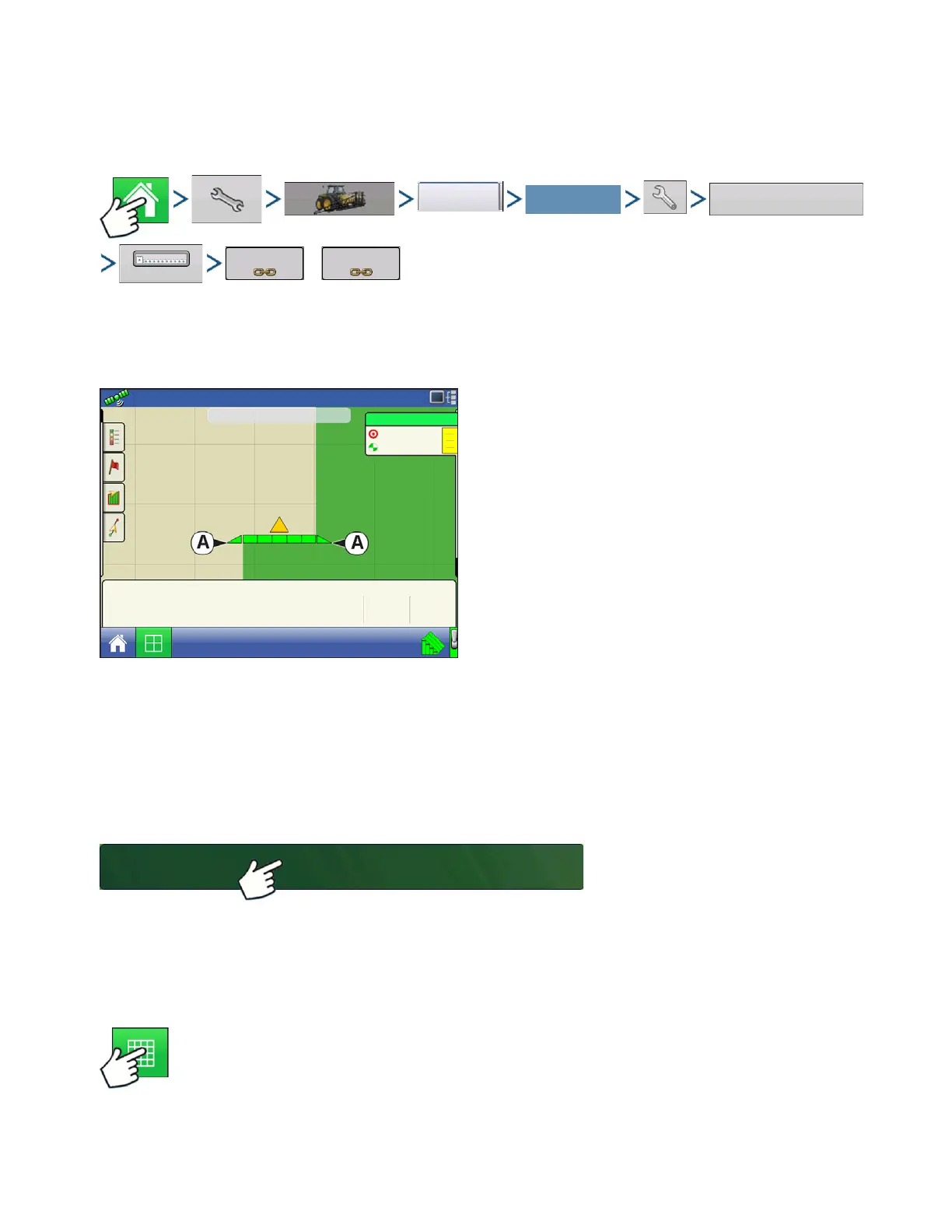
Control fence row nozzles through the DirectCommand system by mapping the switches in Auxiliary
Input Settings. Fence row nozzles can be mapped to any switch.
or
Press: Home button > Setup (wrench) button > Configuration (tractor) button > Configuration tab > select
your specific configuration > Setup (wrench) button > Auxiliary Input button > Assign button > Left Fence
Row or Right Fence Row. For more information on Auxiliary Input Settings, see
“Auxiliary Input” on
page 74
.
After specifying Fence Row Nozzle settings at the
Auxiliary Input Assignment screen, the Fence Row
Nozzle Indicators (A), which are shaped like
triangles, appear on either side of the sections behind
the vehicle icon.
Notes:
If a switch is selected as a Left or Right Fence Row Nozzle, the system sends power out of Boom Pin 11
for the left fence row, and Boom Pin 12 for the right fence row.
The boom sections next to the fence row nozzles must be turned on before the fence row nozzle can be
turned on.
LOAD CONFIGURATION
Press: Select Event button.
Select a Season, Grower, Farm, and
Field on the Management Selection
screen.
For more information, see
“Setup Event” on page 45.
RUN CONFIGURATION
Once a configuration has been completed, the Map View button appears at the bottom of the
Home screen. Press the Map View button to see the Map screen. The map below is displayed
in Zoom to Detail view.
Select Your Specific
Configuration
20
20
41
43
47
Pressure (PSI)
fl oz/ac
5.0 mph
38.4 ac
Main
Auxiliary
Agitation
Valmax



 To Next Page