22 Firmware Version 5.4
PRODUCT TAB
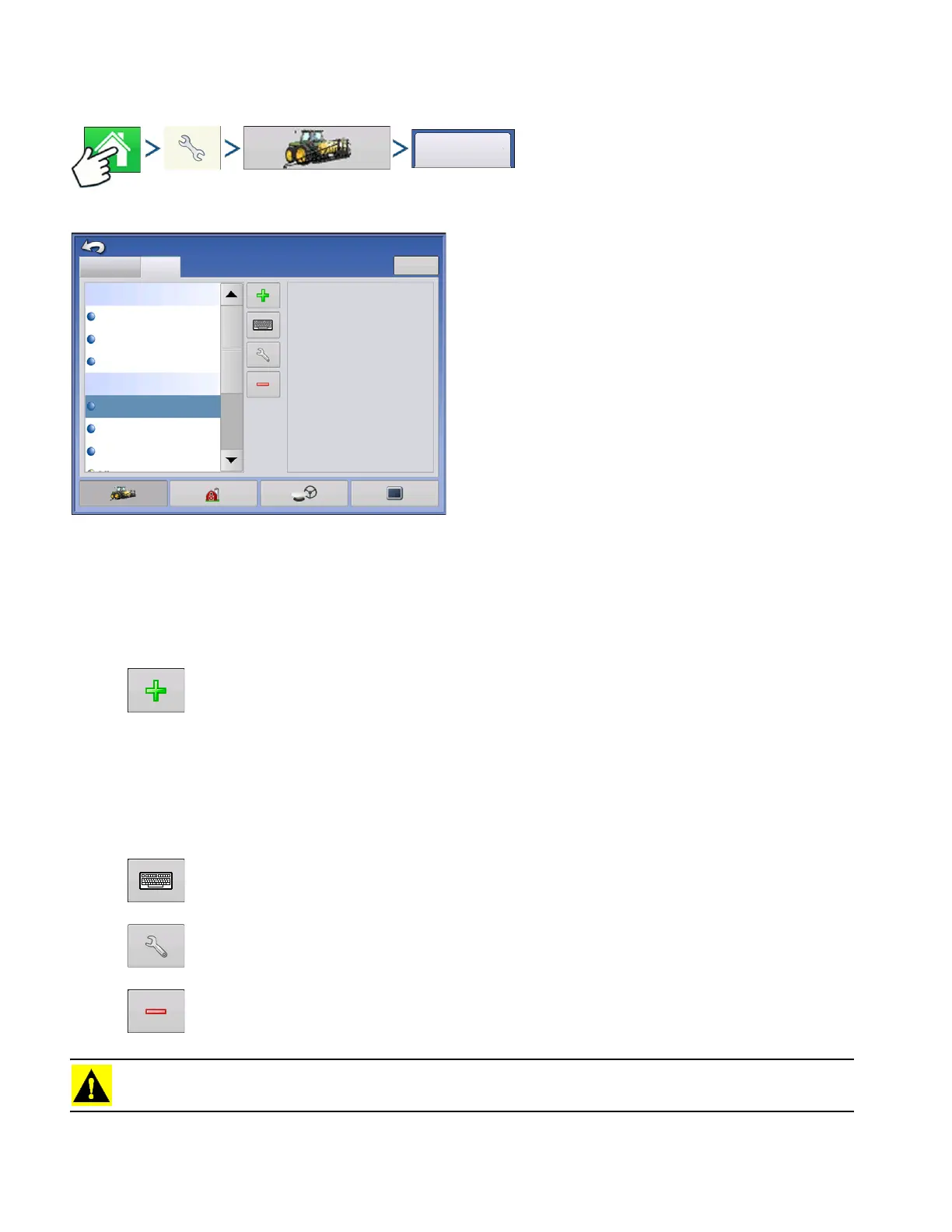
Press: Home button > Setup (wrench) button > Configuration (tractor) button > Product tab
The Product tab is where you can add, edit. or
remove product information.
The Product tab is where you can perform the following tasks:
• Add or import Planting products.
• Add or import Application products.
• Add Product Template (such as a tank mix, or a dry blend of multiple products).
• Add or import Harvest products.
• Add button
Press to add or import a Product. At the following screen, choose a Product Option: Add
Product, Import Product, or Add Product Mix (if in Application). From here, an on-screen
wizard continues you through each step of the setup process.
• When finished, the new product appears in Product Tab.
• When you highlight the product, information about the product appears on the right side of the screen.
• Specific planting and application product information can be viewed in those respective chapters.
• Rename button
Press to rename the product.
• Setup button
Press to adjust configuration settings.
• Remove button
Press to remove a product.
CAUTION: When you remove a product all regions using that product will also be removed!
Configuration
Configuration Setup
Product
Equipment
Manufacturer:
Type:
Units:
Restricted Use:
EPA Number:
Fertilizer
No
Planting
Application
T5423
28% UAN
30% UAN
Ag Lime
CSX56A11VT3PRO
CSX56B10CONV
gallons



 To Next Page