141
T
ILLAGE
TILLAGE
TILLAGE
CREATE TILLAGE CONFIGURATION
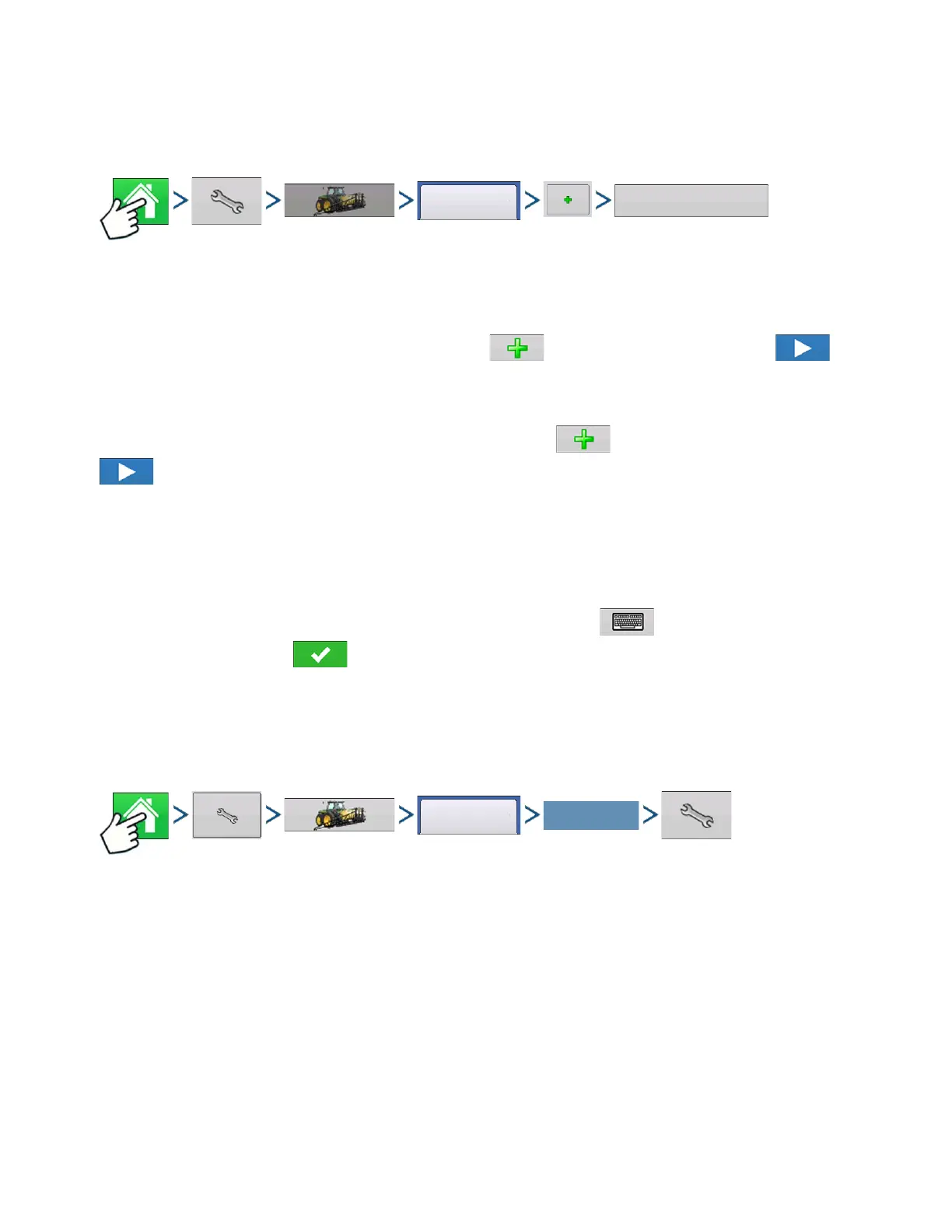
Press: Home button > Setup (wrench) button > Configuration (tractor) button > Configuration tab > Add
(+) button > Tillage button
1. Select Vehicle
Use drop-down menu to choose a vehicle, or press to enter a new vehicle. Press to
continue.
2. Select Implement
Select an implement from the drop-down list menu, or press to create a new implement. Press
to continue.
3. Select Speed Source
Use drop-down menu to select Primary Source, set Backup Source, and Auxiliary Channel. Press
Calibrate Speed Sensor to launch the Speed Sensor Calibration Wizard.
4. Enter Configuration Name
A suggested name for the configuration appears. If desired, press to enter a different name for
your configuration. Press when complete.
Your Operating Configuration will then be viewable when you start a new Field Operation with the Field
Operation Wizard.
CONFIGURATION SETUP
Press: Home button > Setup (wrench) button > Configuration (tractor) button > Configuration tab > select
your specific configuration > Setup (wrench) button
Select Your Specific
Configuration



 To Next Page