57
S
ETUP
F
IELD
O
PERATIONS
Headland Types
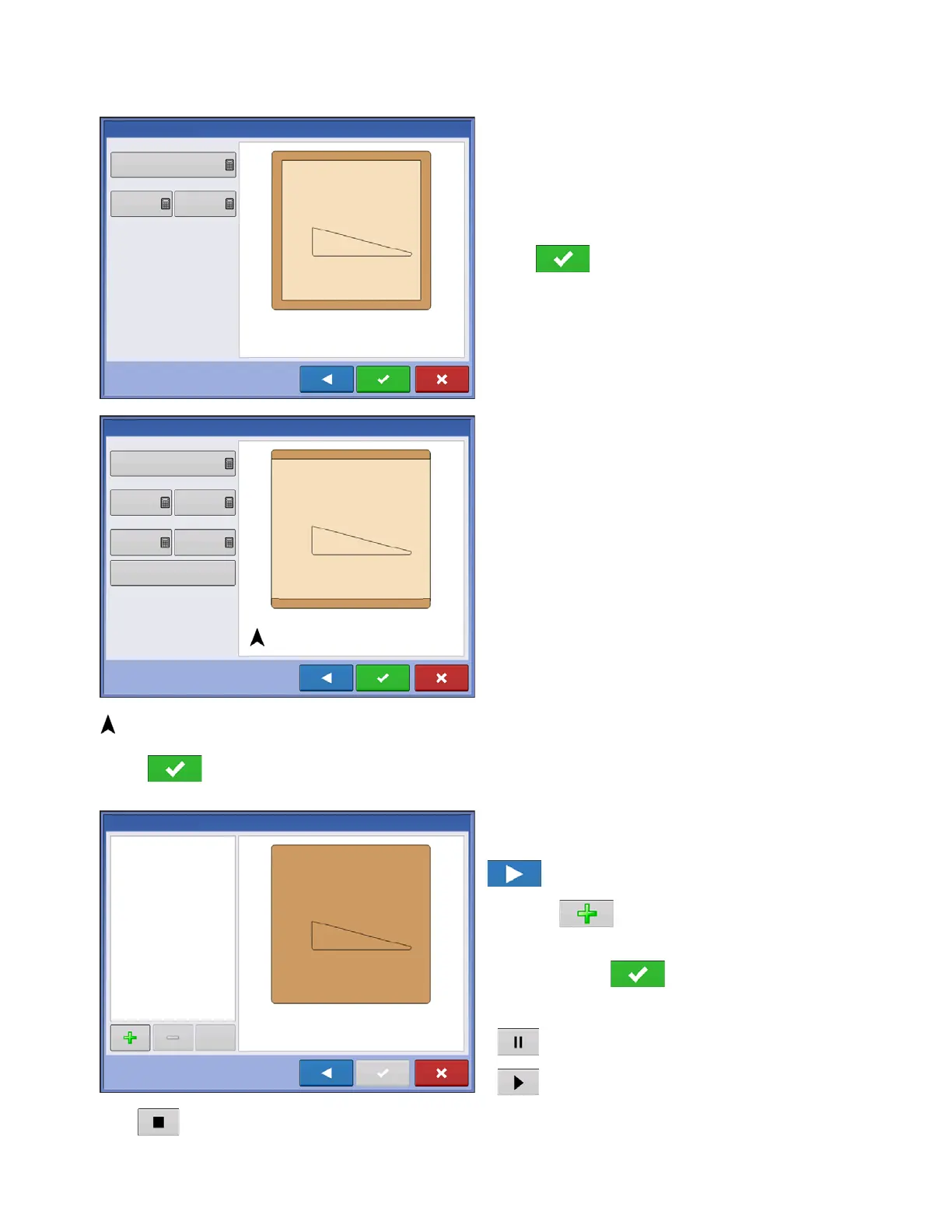
All-Around
Offset Implement Width - number of implement
widths used to set the headland width
Offset Distance - distance used to set headland
width.
Press to accept.
Top Bottom
Offset Implement Width - number of implement
widths used to set the headland width
Offset Distance - distance used to set headland
width.
Heading - used to generate boundary, headlands
are created perpendicular to heading
Scaling - sets the amount of variation that is allowed
(from perpendicular) to include part of field boundary
in the headlands
Use AB - select AB line to set heading for
determining headlands
Shows the heading used for Headland creation.
Press to accept.
Driven
1. Select Driven from drop-down menu and press
to continue.
2. Press on New Headlands screen.
3. Input Headland Offset Distance and Direction (Left
or Right). Press to accept.
4. Drive Boundary
• pause
• resume recording after pausing
• stop recording
Offset Implement Widths
New Headlands
2
Offset Distance
80
0
Offset Implement Widths
New Headlands
2
Offset Distance
80
0
Heading
0
Scaling
7.8
Use AB



 To Next Page