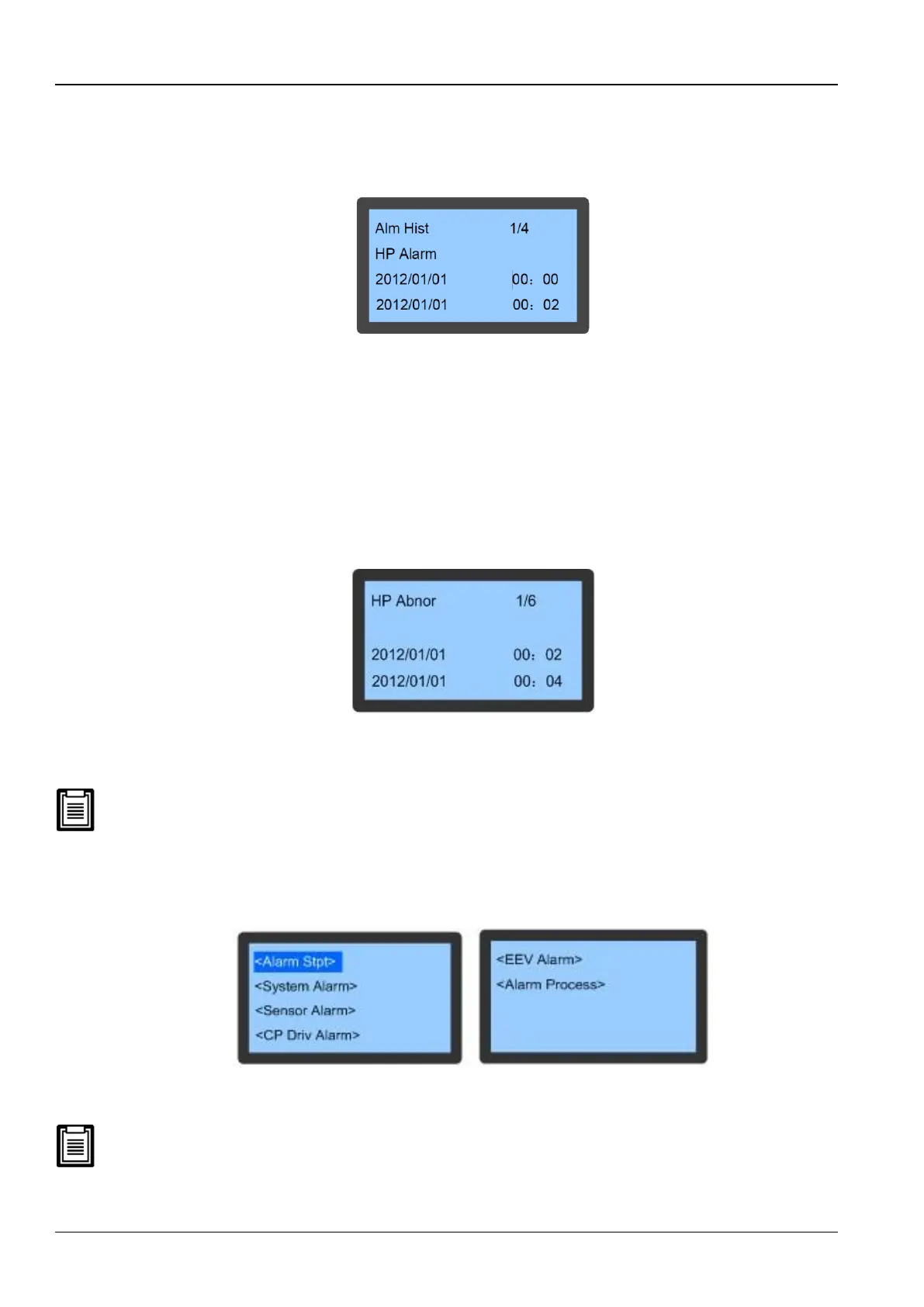
Alarm History
The Alarm History menu is used to view the historical alarm records of the AC unit. It also displays the Alarm type,
Alarm Start time and Alarm End time.
Figure 3-8 depicts the Alarm History screen:
Figure 3-8 Alarm History menu
Press the Up or Down button in order to scroll through the historical alarm records if there is more than one activated
alarm.
The Alarm History function can store up to 400 Historical Alarm records; however, unlike the Active Alarm mode, the
historical records will not be cleared despite the system being powered off.
HP Abnormal
The HP Abnormal menu is used to view the abnormal records related to high pressure. It is depicted in XX/YY format
where XX is the serial number of the high pressure abnormal record and YY is the total number of the high pressure
abnormal records. It also includes the start time and end time of the abnormal record.
Figure 3-9 shows the HP Abnormal screen:
Figure 3-9 HP Abnormal menu
At times, there is more than 1 abnormal record. In such scenarios, press the Up and Down button to scroll through
the several abnormal records.
There is a provision of storing up to 50 records which will not get erased even when the system is powered off.
Alarm Set
On selecting the Alarm Set option on the Alarm Menu screen, the users will be directed to the Alarm Settings menu as
depicted in Figure 3-10.
Figure 3-10 Alarm Setting menu
Press the UP and Down to scroll through the menu. The Alarm Set settings will not be lost despite a power failure.
Changing the default value of the Alarm settings is not recommended. However, if a change is necessary, change the
settings under the guidance of trained professionals.



 To Next Page