Alarm Set point (Alarm Stpt)
Select the Alarm Setpoint (displayed as Alarm Stpt) to view the Alarm Setpoint menu. Press the Up and Down buttons
to scroll through the menu.
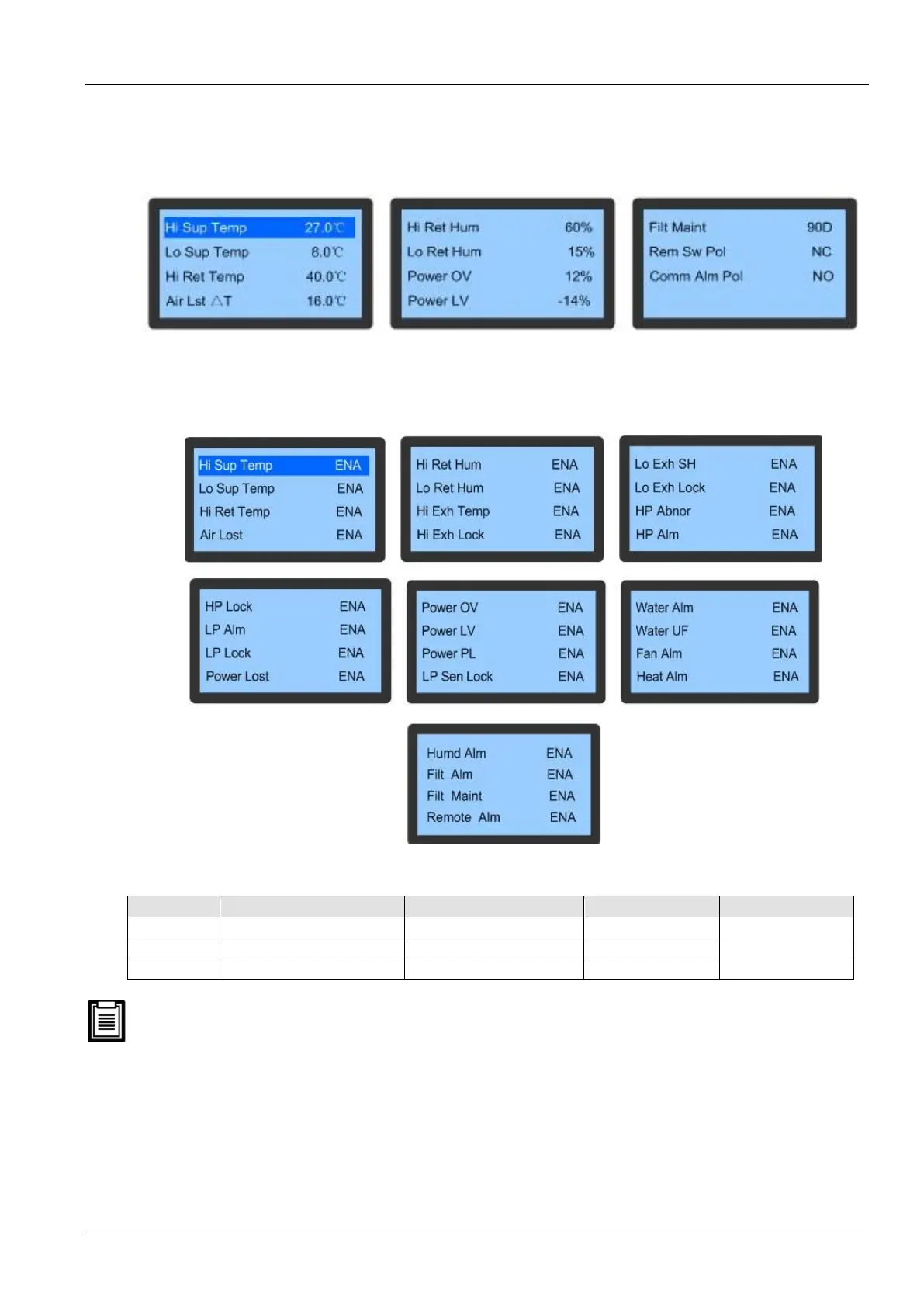
Figure 3-11 depicts the Alarm Setpoint menu:
Figure 3-11 Alarm Setpoint menu
System Alarm
Select the System Alarm item on the Alarm Set screen to enter the screen as depicted in Figure 3-12. Press the Up
or Down button to scroll through the menus.
Figure 3-12 System Alarm Menu
Table 3-5
The following alarms are critical fault alarms and hence, cannot be set to OFF. However, they can be set to ENA and
DISA.
⚫ Air Lost
⚫ Hi Exh Temp
⚫ Hi Exh Lock
⚫ Lo Exh SH
⚫ Lo Exh Lock
⚫ HP Abnor
⚫ HP Alm
⚫ HP Lock









 To Next Page