System State
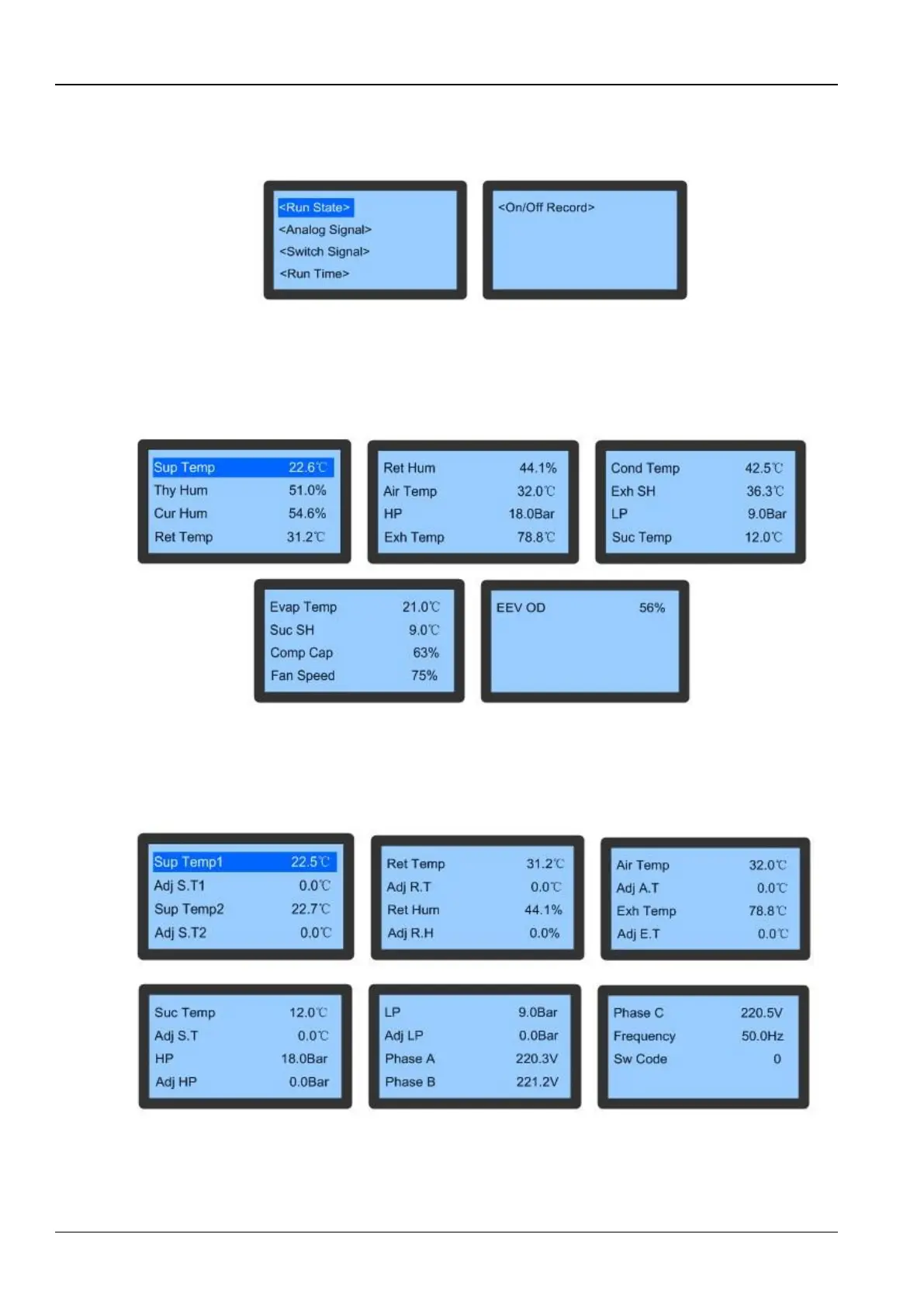
Select the cursor to System State on the Main Menu screen to enter the system state screen. On choosing System
State, the users will be directed to the following figure (Refer 3-18)
Figure 3-18 System State screen
Run State
The Run State item, on being selected in the System State menu, displays the important operating parameters of
devices, including ambient temperature/humidity, and the prevalent states of the compressor, fan, and EEV.
Figure 3-19 depicts the Run State displaying the running state of the compressor, fan and EEV:
Figure 3-19 Run State
Analog Signal
The Analog Signal displays the Temperature and Humidity of the device environment, pressure, temperature, 3-ph
voltage, and frequency relevant to the compressor in addition to adjustments of these analog signals as depicted in
Figure 3-20.
Figure 3-20 Analog Signals
Switch Signals
After going through the menu, the current input and output states of the devices can be viewed using the Switch
Signals utility.









 To Next Page