USER MANUAL-S600E
89
S600E
Use the following procedures to switch the UPS on when it is in the fully switched off state.
1.
Ensure that the internal maintenance bypass switch Q3 is off, and that the input cables and copper bars are
connected securely. Ensure that the input cables and copper bars are connected securely according to the 3-in 1-
out power distribution mode configuration.
2.
Before switching the system on, use a multimeter to measure the voltage on the rectifier terminals (mA-mB-mC),
and make sure that there are no circuits; if so, check that the connections are correct.
3.
Unplug the REPO terminal at rear of the cabinet, and then close the rectifier input switch Q1, at this point the
system is switched on.
4.
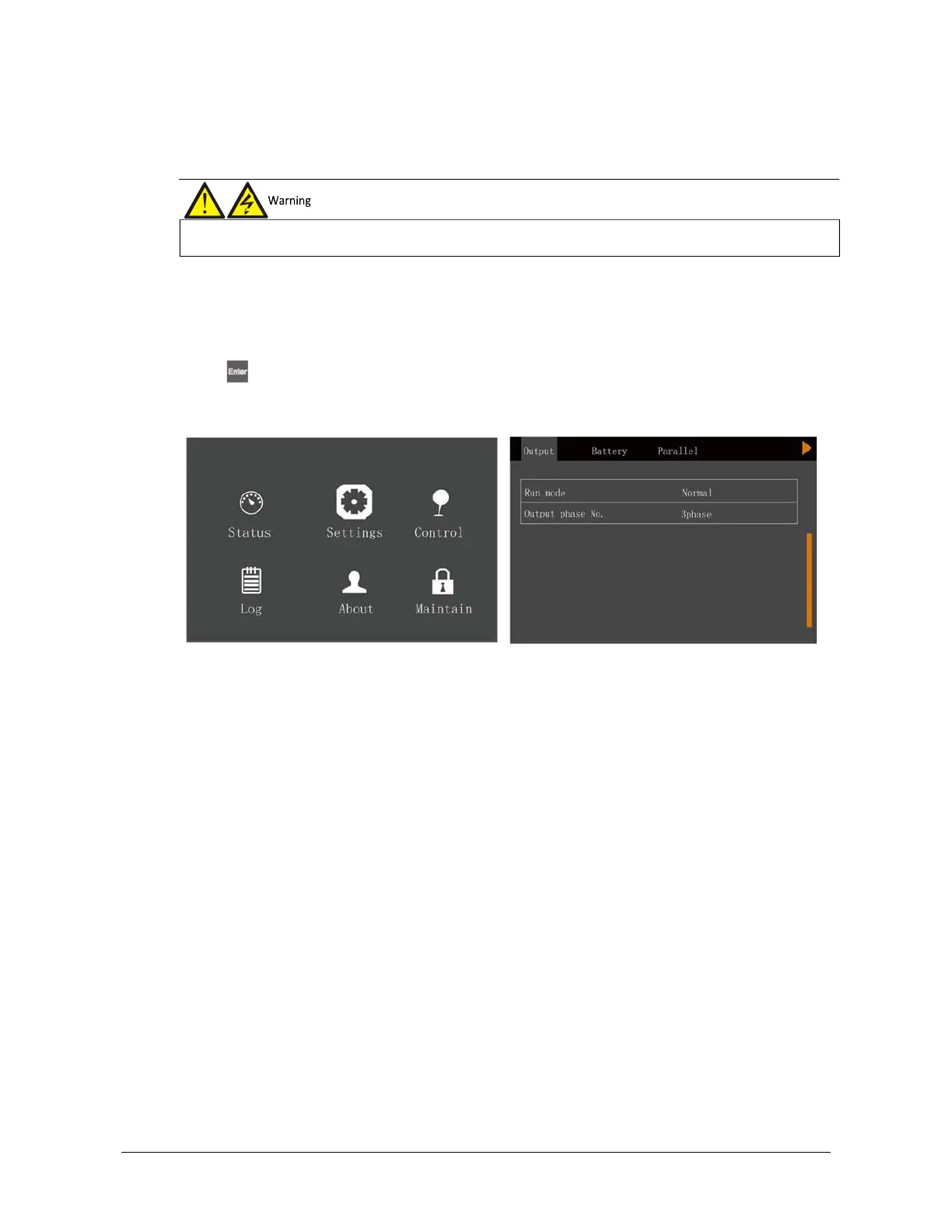
Press
, and access -> Settings (default password is
‘111111’)
-> Output -> Output phase No., then set the
system to
‘1
phase’. After the system is switched off, switch it on again, access this menu once more and confirm
that this setting has been applied.
Figure 8-20 Prompt window
5.
Set the rectifier input switch Q1 to the off position to shut the UPS down completely.
6.
Plug-in the REPO terminal, close the UPS bypass input switch Q2 and the rectifier input switch Q1 in that order.
At this point, the system is switched on.
7.
After the rectifier starts, close the output switch Q5 and all the external output isolation switches (if any).
8.
Press the power button for two seconds to start the inverter.
position, the operation must be completed within three seconds.











 To Next Page