USER MANUAL-S600E
62
S600E
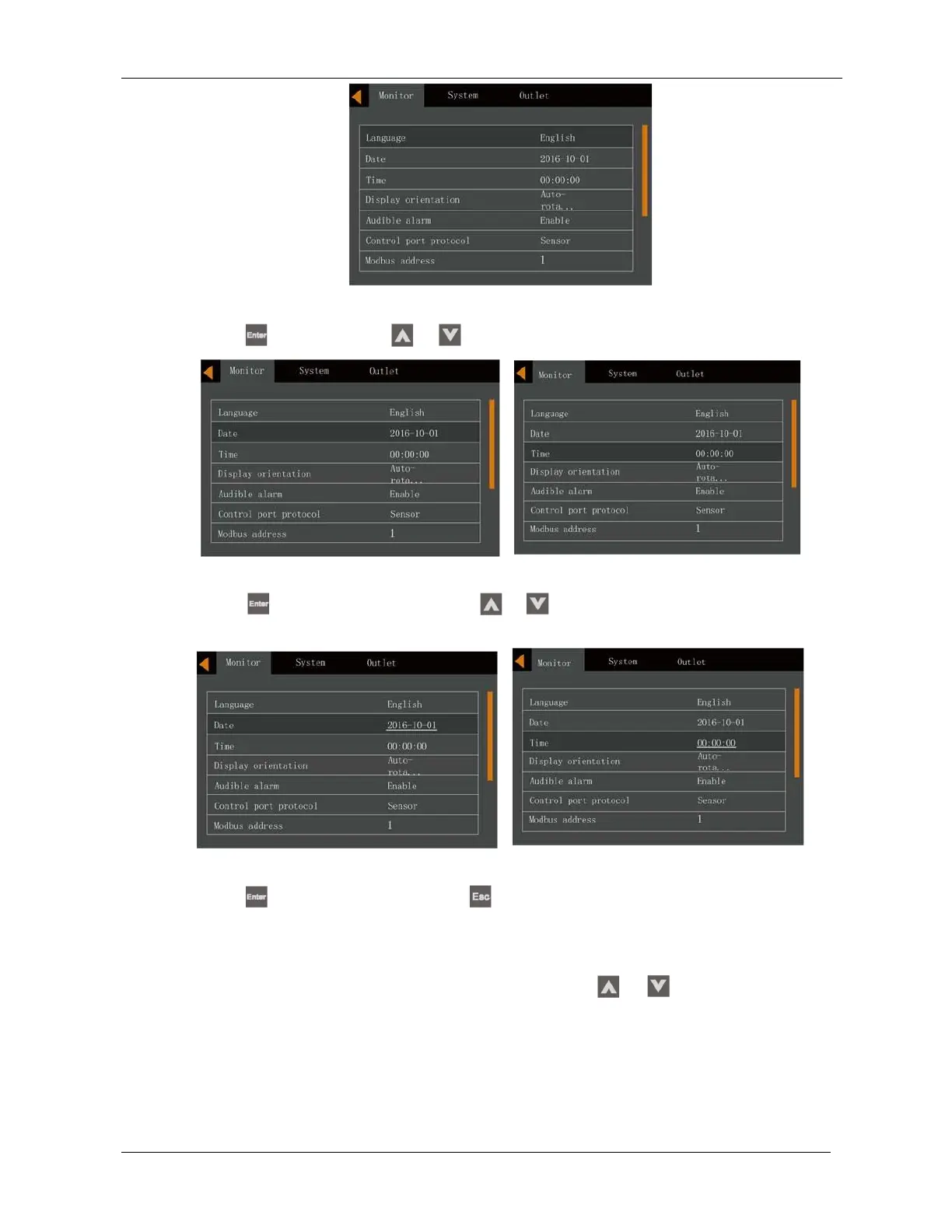
Figure 5-19 Monitor interface
3.
Press the
key, followed by the
or
key to highlight the date and time, see Figure 5-20.
Figure 5-20 Selecting date and time
4.
Press the
key, move the cursor and press the
or
key to change the date and time as required.
See Figure 5-21.
Figure 5-21 Changing date and time
5.
Press the
key to confirm, and then press the
key several times to return to the main menu screen.
5.9
Setting the Password
1.
After switching the UPS on, access the main menu screen and press the
or
key to move the cursor to
select 'Settings'. See Figure 5-22.











 To Next Page