USER MANUAL-S600E
41
S600E
4.2
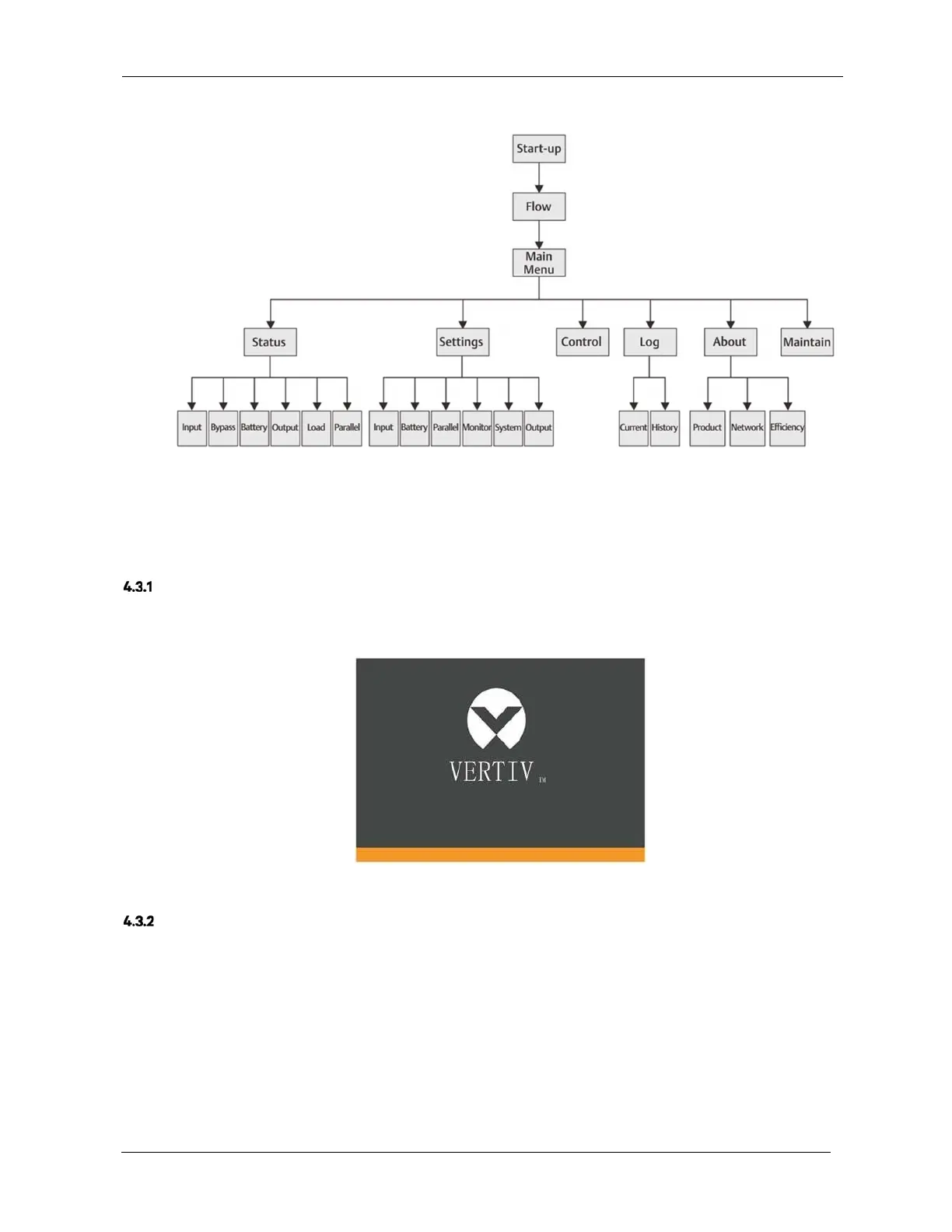
LCD Menu Structure
4.3
LCD Screen Types
Figure 4-10 LCD menu structure
Start Screen
When the UPS is started up it performs a system self-test, during which the Start Screen is displayed for
approximately 10 seconds, as shown in Figure 4-11.
Figure 4-11 Start screen
Flow Screen
Once the UPS self-test is complete, the flow screen shown in Figure 4-12 will appear.
The flow screen provides a total status overview of the UPS, including the input, bypass, rectifier, battery, inverter
and output, etc. Operating modes are displayed in colour, while invalid are displayed in grey.











 To Next Page