35
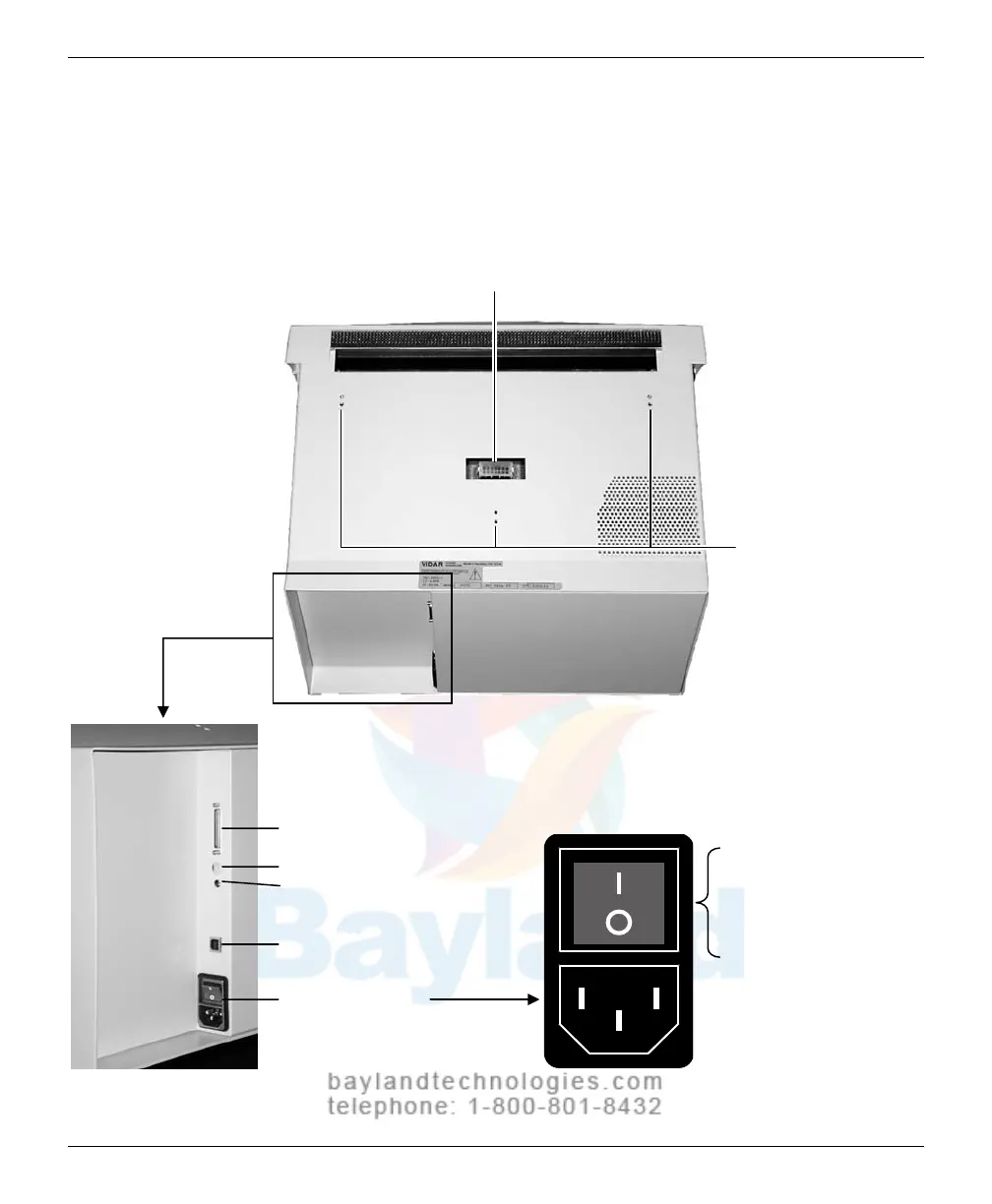
Identify important features
Look
over the digitizer base and locate the features shown in this section.
Y
ou will need to know where these features are
when you assem
b
le and
operate the digitizer in later chapters.
Film feeder connector
Film feeder screw holes
Digitizer base, top view from rear
SCSI port
Digitizer base, rear view Power entry module
SCSI ID switch
SCSI term
ination switch
USB port
Power ent
ry module
ON/OFF switch
(a rocker switch)
Press I to turn po
wer ON.
Press 0 to turn power OFF.
VIDAR CADPRO Advantage Installation Guide



 To Next Page