48
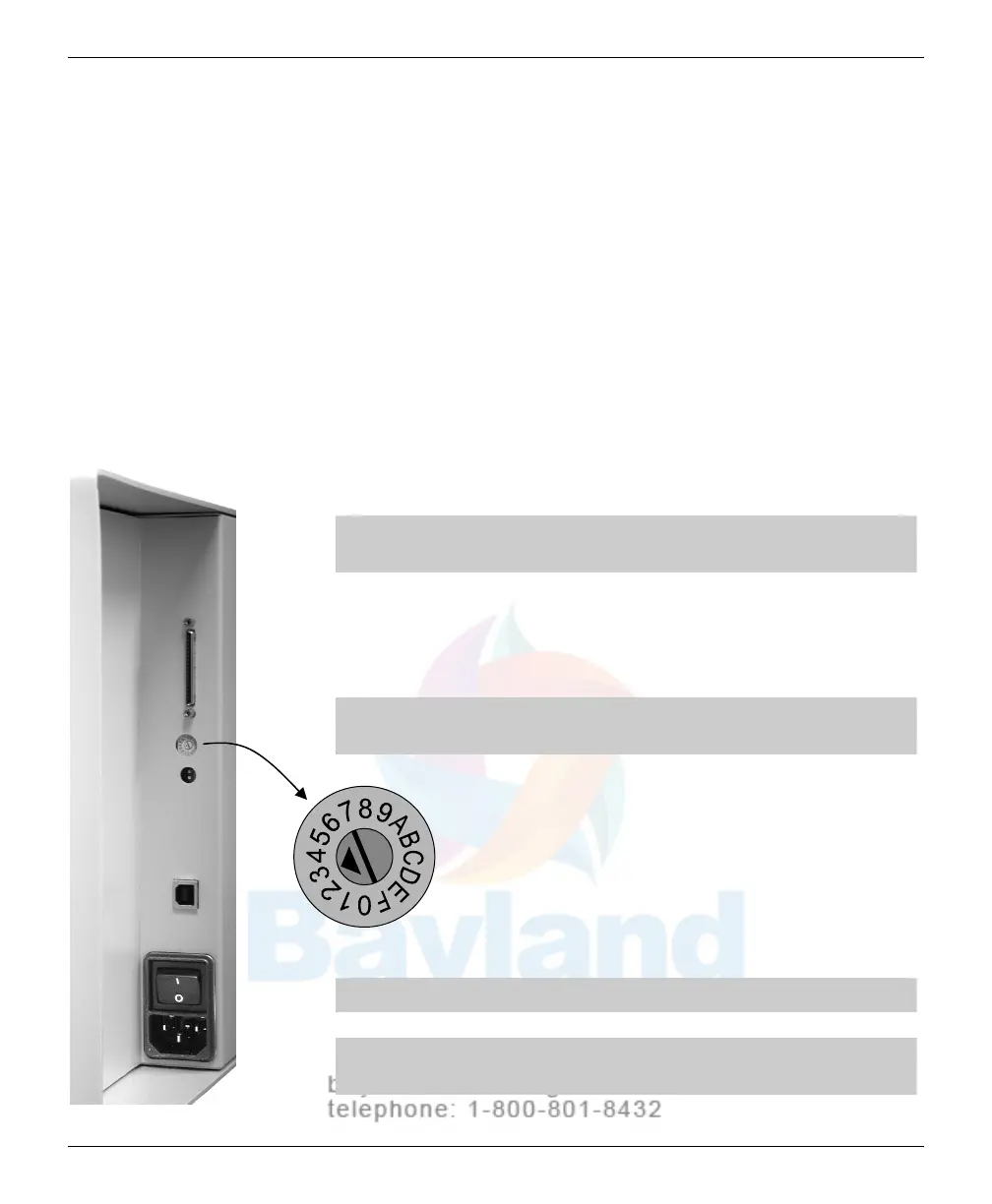
If necessary, set the digitizer’s SCSI ID
A
computer equipped with a SCSI bus can communicate with multiple
SCSI devices
(for exam
ple
: a film
digitizer, a scanner and a disk drive).
Each device must have a unique SCSI ID number so the computer can
distinguish it from other SCSI devices. Valid SCSI ID numbers range
from 1 to 6.
When selecti
ng SCSI ID numbers:
The SCSI Card 2930U is preset to SCSI ID 7 and should not be
changed.
Set the film digitizer to any SCSI ID between 1 and 6, as long as that
num
ber is not used by another SCSI device attached to the computer
.
Note: The digitizer is shipped from the factory with the SCSI
ID preset to 3.
If the system is configured to boot from a SCSI disk drive, it’s best to
set the disk’
s SCSI ID to 0 or 1. Most SCSI disks are
preset to SCSI
ID 0 at the factory
.
CAUTION: The digitizer and computer MUST be turned OFF
before changing the SCSI ID.
T
o set the digitizer’s SCSI ID:
1.
Locate the SCSI ID switc
h on the back of the
digitizer belo
w the SCSI port connector.
2.
Change the SCSI ID switch using a 1/8"
or #2
flat blade scr
ewdriver
.
Note: Do not set the switch to 0, 7, 8, 9, A, B, C, D or F.
CAUTION: Do not force switch rotation. Do not use a large
screwdriver to rotate the switch.
VIDAR Advantage Series Installation and Operation Guide



 To Next Page