54
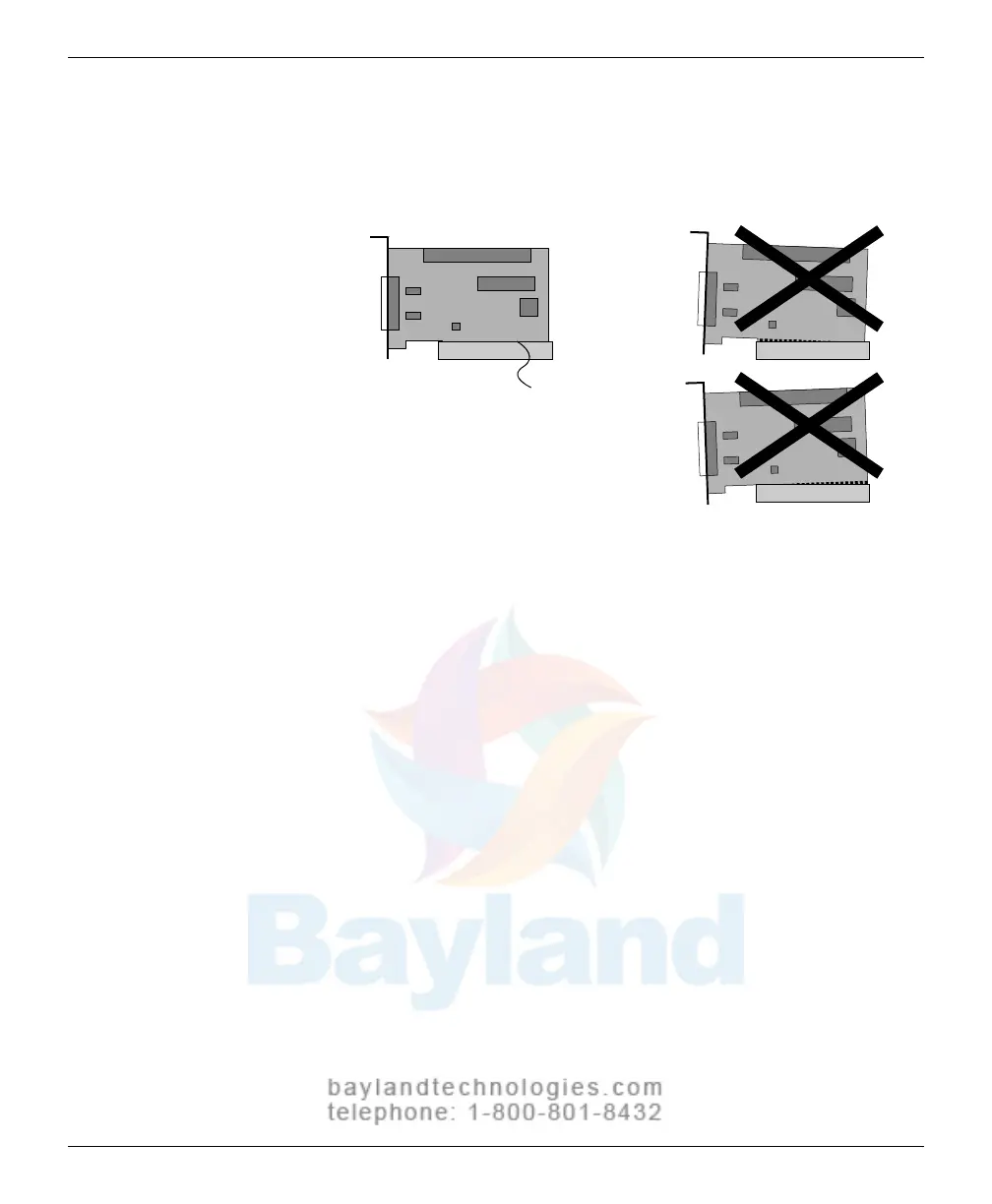
f. Insert the SCSI Card into the PCI expansion slot. Press down firmly
until the SCSI card clicks i
n
to place.
When properly seated, the gold
fingers along the bottom of the
card should hardly show
These slightly tilted cards are
incorrectly seated in the slot
g.
Secure the SCSI card with the expansion slot screw you rem
oved in
step c.
h. Replace the cover on the computer.
VIDAR Advantage Series Installation and Operation Guide



 To Next Page