78
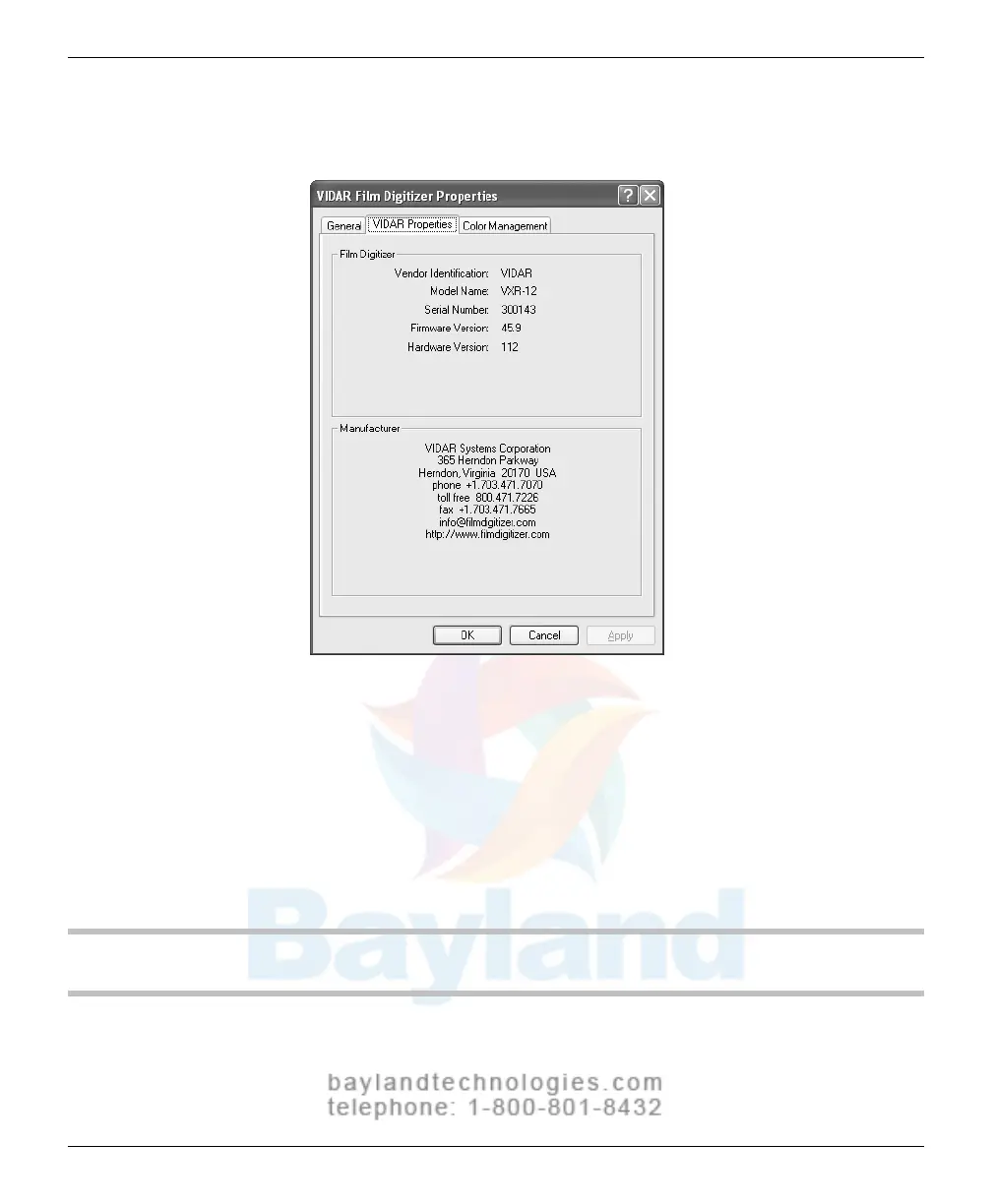
22. In the VIDAR Film Digitizer Properties window, click the VIDAR
Pr
operties
tab.
Note
that:
The digitizer will report as “VXR-12” for backward compatibility
.
You may not see the same firmware and hardware version as
shown in the window above.
The serial number will not report if the digitizer was just powered
on. Your digitizer’s serial number will be different from the one
shown in the example above.
NEXT: Go to “Updating the VIDAR Toolkit”
VIDAR Advantage Series Installation and Operation Guide



 To Next Page