Conguring Client Settings
Conguring Service Access Settings
110
110
Connection Type: Remote Web Access
To access remote applications, please do the following:
1. Double click the created shortcut on the desktop.
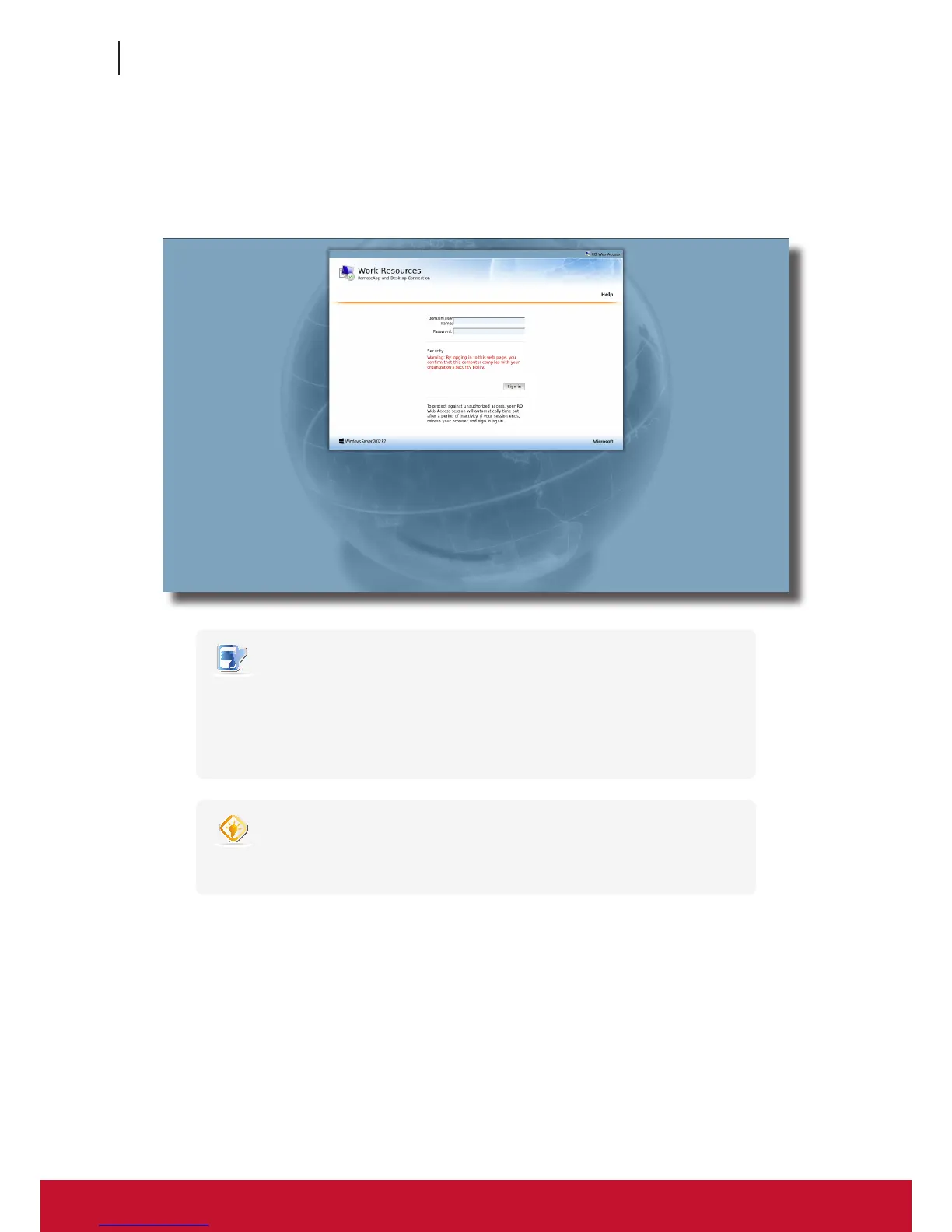
2. A window appears prompting for credentials.
NOTE
• A warning message “This Connection is Untrusted“ might appear. Consult the
IT administrator for details and ensure the connection is secure rst. To import
a security certicate, please refer to section “4.2.11 Importing Certicates for
Remote Computers” on page 55. To bypass, click I Understand the Risks > Add
Exception > Conrm Security Exception.
TIP
• To exit this Logon screen or other screens and return to the local desktop, please
press Alt + F4.
3. Provide your credentials, and then click Sign in.



 To Next Page