Conguring Client Settings
Conguring System Settings
55
55
4.2.11 Importing Certicates for Remote Computers
You can import certicates for remote computers through:
• A local device (from a USB storage device)
• The network (from a remote computer or the management console)
NOTE
• The available management console for SC-T46 is ViewSonic Device Manager,
a remote and group management console for multiple thin clients. For more
information, please refer to the User’s Manual for ViewSonic Device Manager.
Importing certicates through a USB storage device
To import certicates for remote computers through a USB storage device, please do the following:
1. Copy your certicates to a USB storage device, and then connect this storage device to your SC-T46.
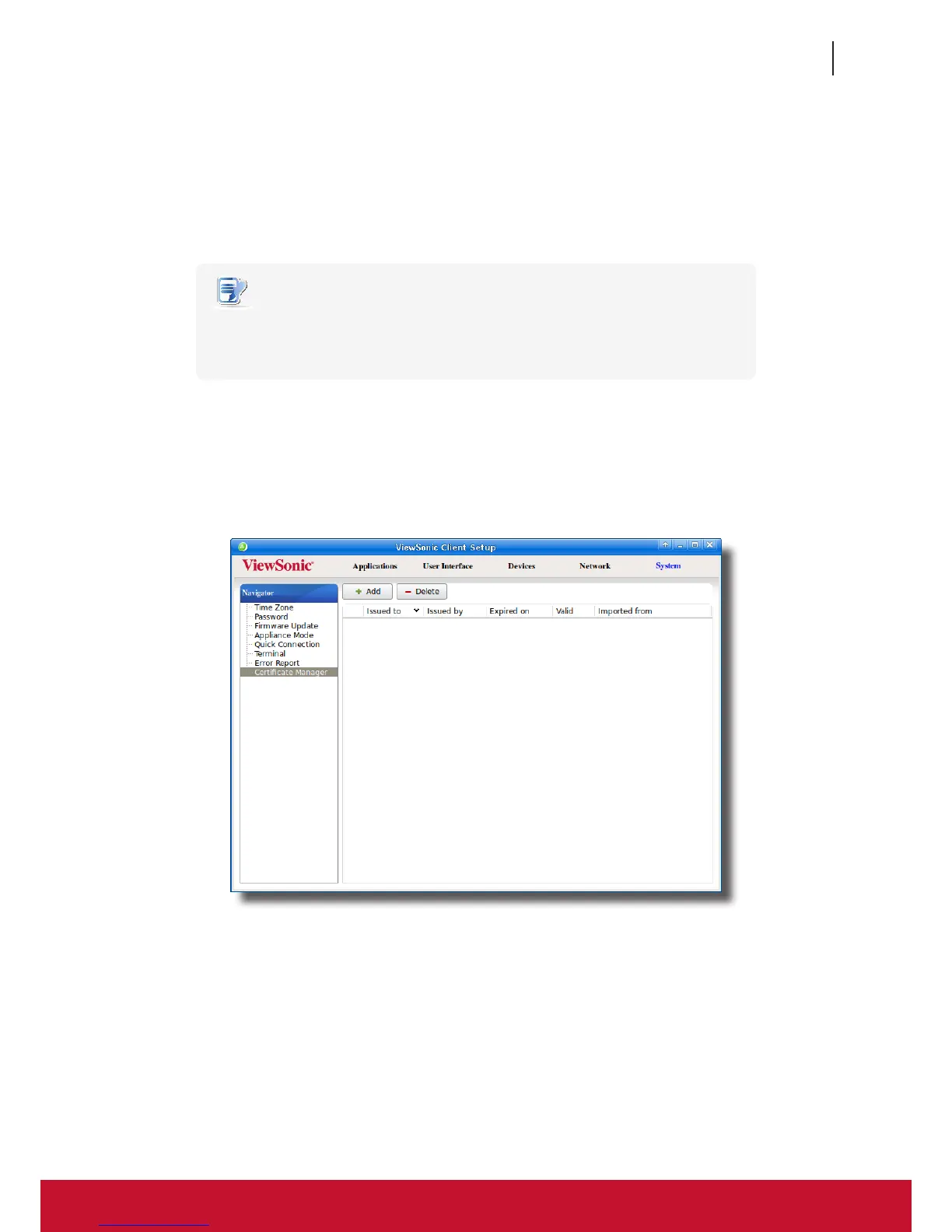
2. On ViewSonic Client Setup, click System > Certicate Manager.
3. Click Add on the top of the Certicate list.



 To Next Page