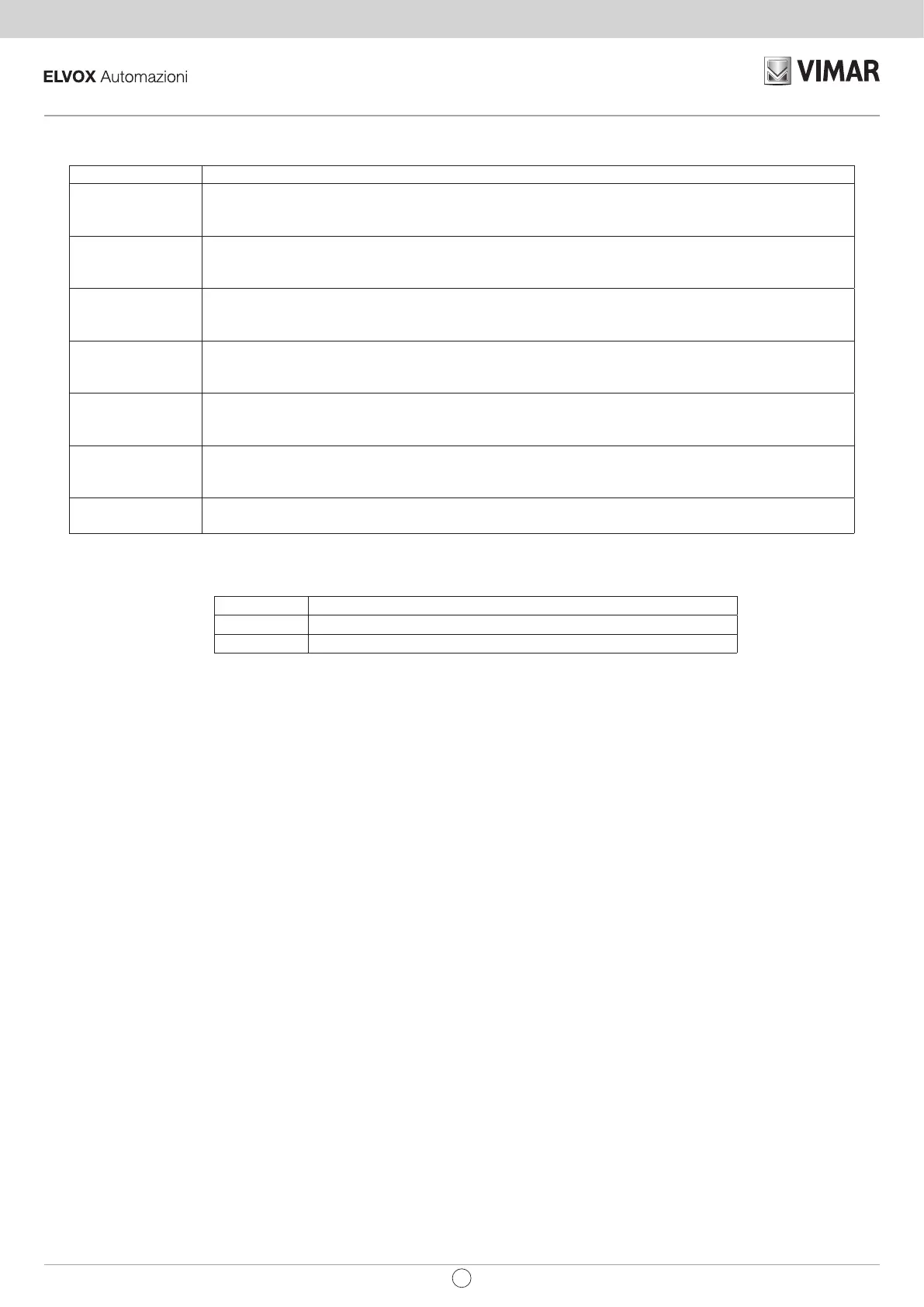
6. Description of the LEDs in the circuit.
ABBREVIATION DESCRIPTION
DL1 Displays the status of input SEQ (terminal number 1).
If not engaged, the LED remains o.
Used to control the sequential opening (opens, stops, closes) or start (opens, closes).
DL2 Displays the status of input STOP (terminal number 2).
If not engaged, the LED remains on.
Used to control the gate stoppage.
DL3 Displays the status of input PED (terminal number 3).
If not engaged, the LED remains o.
Used to control the partial opening of the gate (pedestrian)
DL4 Displays the status of input SCL (terminal number 4).
If not engaged, the LED remains on.
Used for closing safety devices, otherwise jumper between terminal COM and SCL.
DL5 Displays the status of input SOP (terminal number 5).
If not engaged, the LED remains on.
Used for opening and closing safety devices, otherwise jumper between terminal COM and SOP.
DL6 Displays the status of input P.IN (terminal number 13).
If not engaged, the LED remains o.
Used to control the opening of the gate or safety edge, otherwise set Dip switch 11 to OFF.
DL7 Displays the programming and test status.
If not engaged, the LED remains o.
7. Push buttons in the circuit.
Abbreviation Description
P1 Travel learning push button
P2 Remote controls learning push button
8. Preliminary check.
After powering up the control unit the DL7 LED comes on for a second.
Check the diagnostics LEDs DL2, DL4 and DL5 are on.
If one of the normally closed contacts or one of the normally open contacts is not in the rest status, the DL7 LED ashes quickly to indicate a fault.
Should one of the safety inputs STOP, SCL, SOP not be used, insert a jumper between COM and the input not being used.
28
SW230.T / SW230.T.120
EN



 To Next Page