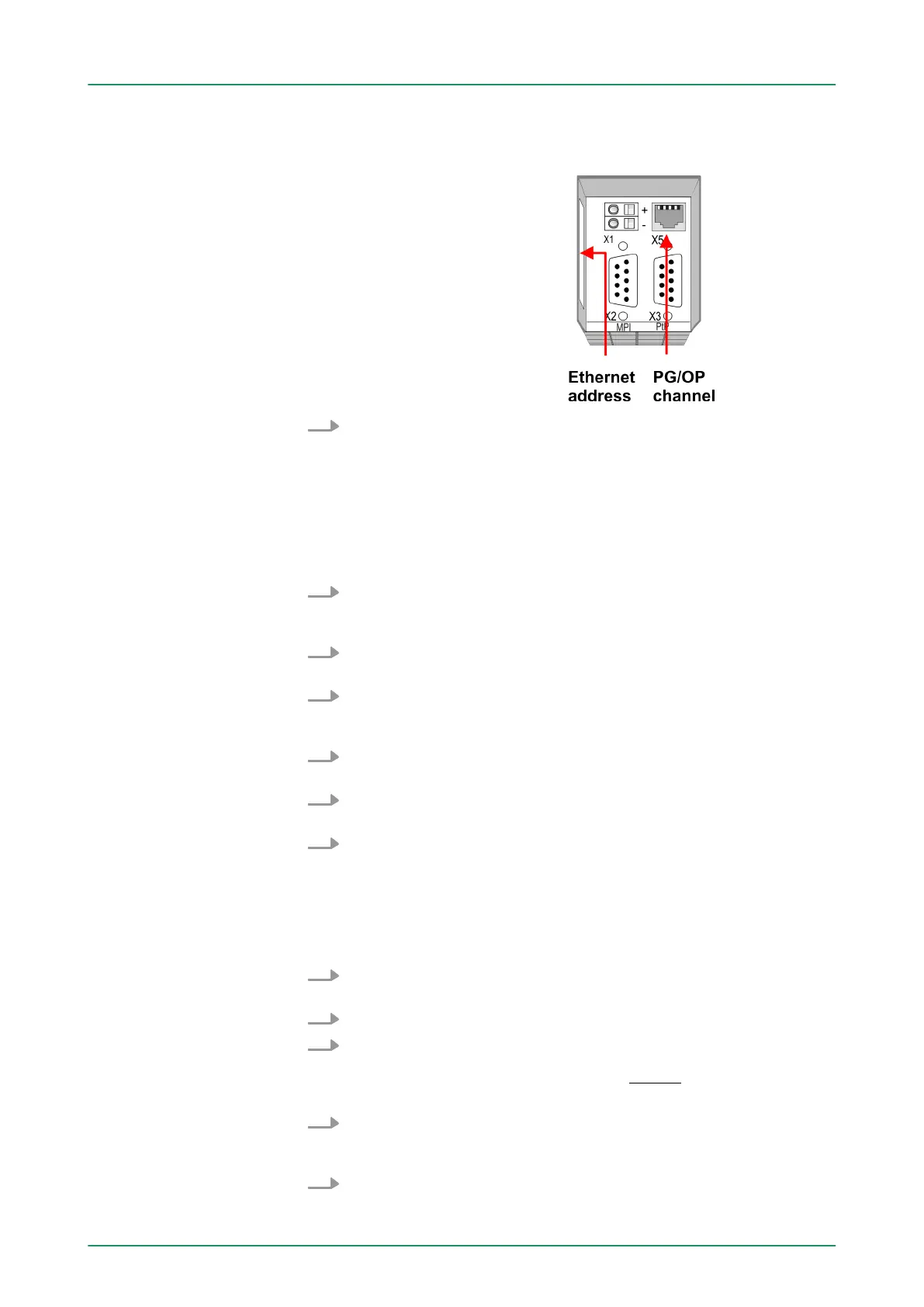
The initialization via PLC functions takes place with the following pro-
ceeding:
Determine the current Ethernet (MAC) address of your Ethernet
PG/OP channel. This always may be found as 1. address under
the front flap of the CPU on a sticker on the left side.
You get valid IP address parameters from your system administrator.
The assignment of the IP address data happens online in the Sie-
mens SIMATIC Manager starting with version V 5.3 & SP3 with the
following proceeding:
1. Start the Siemens SIMATIC Manager and set via ‘Options
è Set PG/PC interface
’ the access path to ‘TCP/IP -> Network
card ....’ .
2.
Open with ‘PLC è Edit Ethernet Node n
’ the dialog window with
the same name.
3. To get the stations and their MAC address, use the [Browse]
button or type in the MAC Address. The Mac address may be
found at the 1. label beneath the front flap of the CPU.
4. Choose if necessary the known MAC address of the list of found
stations.
5. Either type in the IP configuration like IP address, subnet mask
and gateway.
6. Confirm with [Assign IP configuration].
ð
Direct after the assignment the Ethernet PG/OP channel
may be reached online by these address data. The value
remains as long as it is reassigned, it is overwritten by a
hardware configuration or an factory reset is executed.
1. Open the Siemens hardware configurator und configure the Sie-
mens CPU 312C (6ES7 312-5BE03-0AB0 V2.6).
2. Configure the modules at the standard bus.
3. For the Ethernet PG/OP channel you have to configure a Sie-
mens CP 343-1 (SIMATIC 300 \ CP 300 \ Industrial Ethernet
\CP 343-1 \ 6GK7 343-1EX11 0XE0) always below the really
plugged modules.
4. Open the property window via double-click on the CP
343-1EX11 and enter for the CP at ‘Properties’ the IP address
data, which you have assigned before.
5. Assign the CP to a ‘Subnet’ . Without assignment the IP address
data are not used!
"Initialization" via PLC
functions
Assign IP address
parameters
Take IP address param-
eters in project
VIPA System 300S Deployment CPU 312-5BE13
Hardware configuration - Ethernet PG/OP channel
HB140 | CPU-SC | 312-5BE13 | GB | 15-50 51


 To Next Page