14
Battery charger setting (for disc machines with on-board battery charger)
7. Remove the screws (A, B, C, D, Figure 4.1).
8. Open the charger and find the sw1 (E, Figure 4.1).
9. Set the switches as the table of (Figure 4.1).
10. Install the screws (A, B, C, D, Figure 4.1) after setting complete.
ACCORDING TO THE TYPE OF BATTERIES (WET OR GEL / AGM), SET THE MACHINE AS FOL-
LOWS: (only for orbital machine)
NOTE
Regarding the factory setting, learn the bat-
tery type from boot time display according
to above table
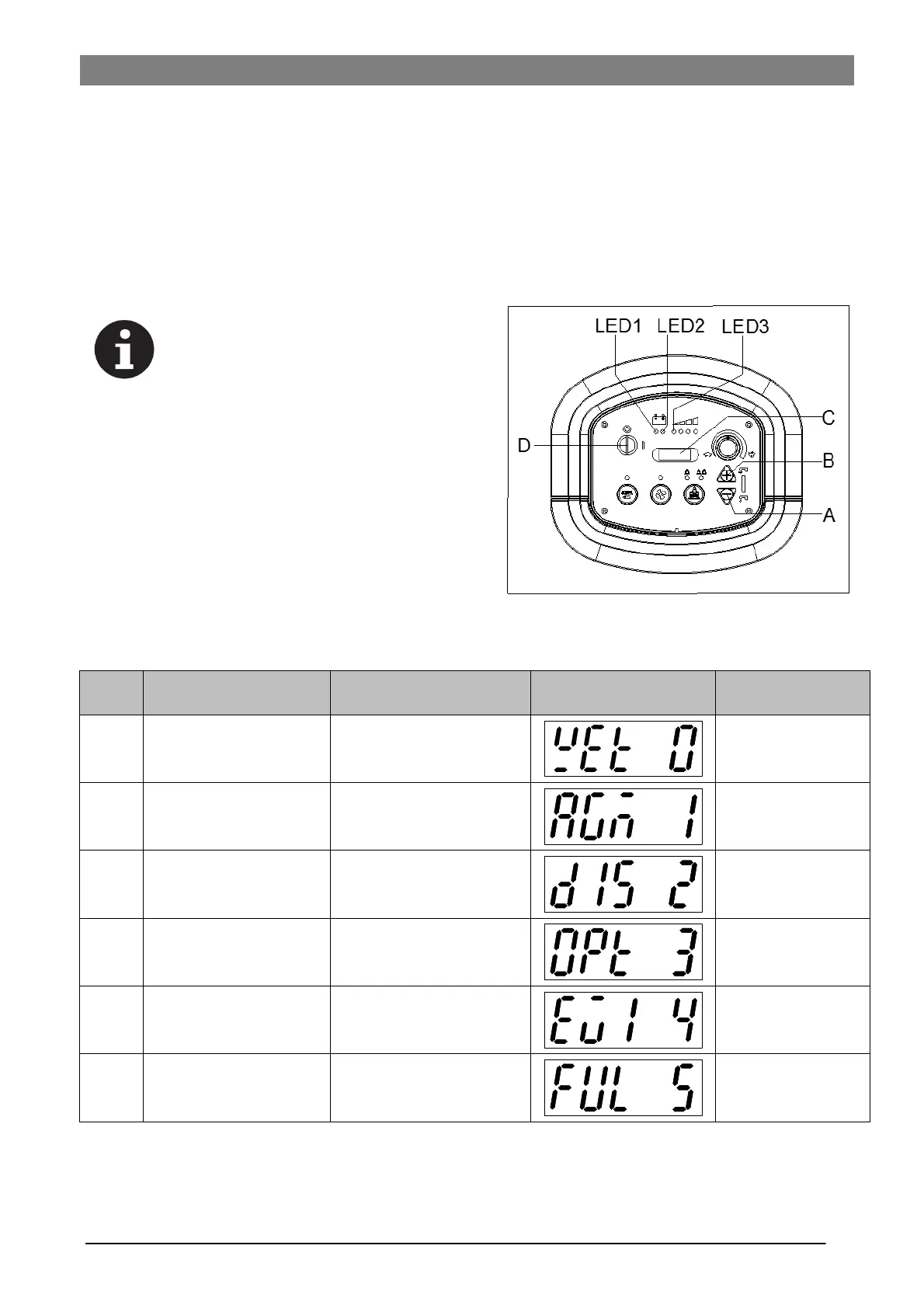
1. Press both the buttons (A, Figure. 4) and (B) at the same
time, Insert the ignition key (D) and turn on the power,
after 0.5 second, enter battery setting mode. LED dis-
play during setting (C), Release the buttons.
2. The mode can be shift from 0 to 5 by pressing button
(B), or shift from 5 to 0 by pressing button (A). After the
battery mode setting is completed, turn off the power (D)
and the new setting of battery mode can be saved auto-
matically.
3. The battery type setting is completed.
Battery type/Battery
manufacturer
LED display during
setting (C, Figure. 4.2)
Both LED1 and
LED2 blink
twice
Both LED1 and
LED3 blink
twice
Both LED2 and
LED3 blink
twice



 To Next Page