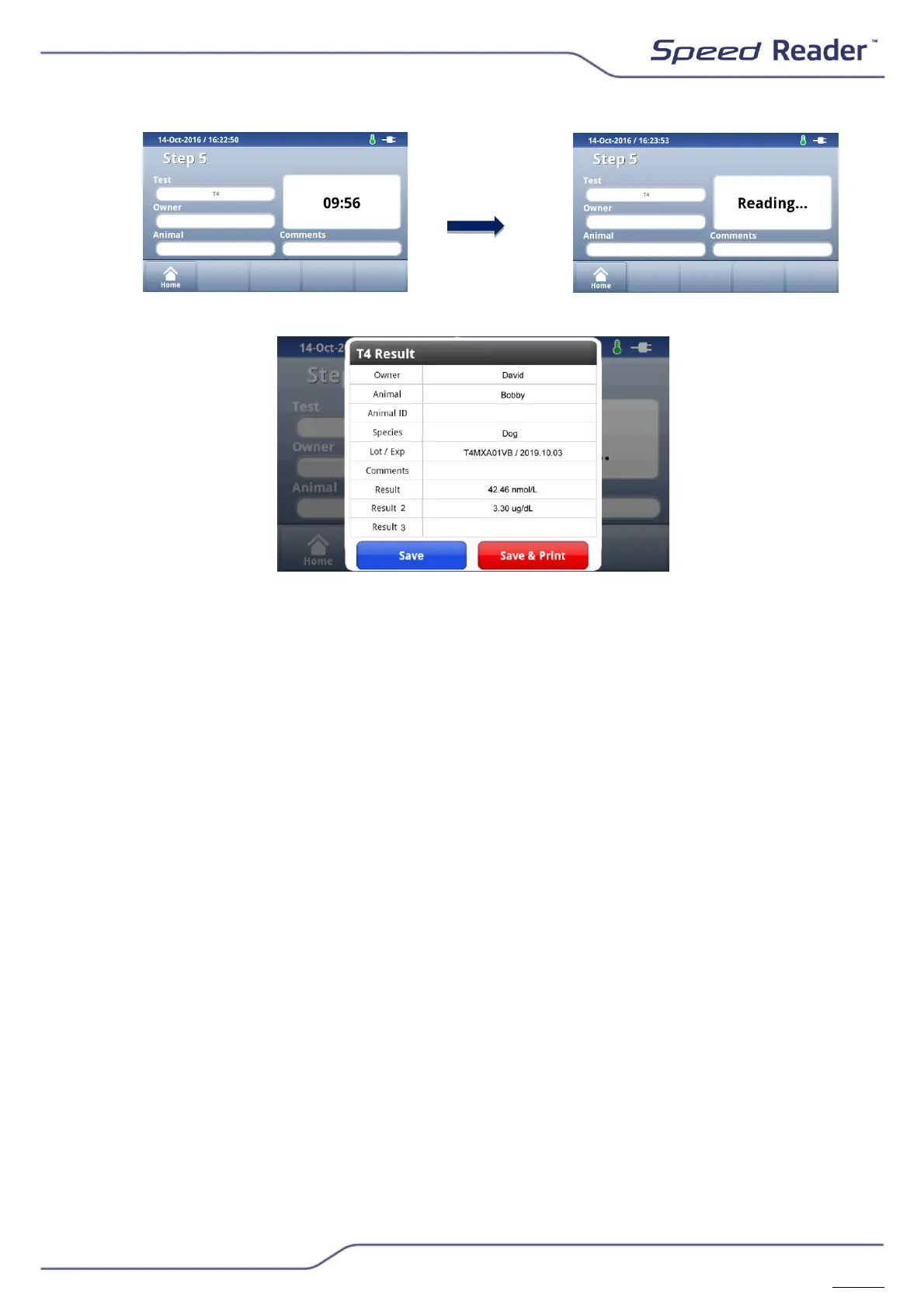
o At the end of the countdown, when the reaction time is finished, the
result appears automatically on the screen.
o For T4, Cortisol and Progesterone tests, the result is displayed with 2
units
o Select “Save” to validate the result, save it in the device’s memory and
return to the main screen. Select “Save & print” to validate, save and
print the result and then return to the main screen.
NB: It is possible to enable or disable an automatic printout when
obtaining the result. Go to the Menu Settings/System/Printer/Auto-
Print Option.
o Next, remove the test tape from the loader and dispose of it, with its
reagent vial, in a suitable container.
o Close the test loader by pressing the “Open/Close” button on the main
screen.


 To Next Page