Selecting and regulating the voices (Voicing menu)
Ranks Balance
(mixture voices only)
Octave – Fifth ranks balance.
Settings: -8 to +8
Noise of the air blowing through the pipe.
Settings: -4 to +4
Chiff
(not for reed voices)
Chiff noise at the key attack.
Settings: -4 to +4
Celeste Type
(detuned voices only)
Types of beating.
Settings: Orig (original), A-, A+, B-, B+, C-, C+ (different detuning curves)
Celeste Depth
(detuned voices only)
Depth of beating.
Settings: 0 to 8
Mix Brilliance
(mixture voices only)
Mixture brilliance.
Settings: -4 to +4
Ranks Swirl
(mixture voices only)
Random pitch lock/unlock between the different pipe ranks.
Settings: 0 to 8
Wavering
(not for mixture voices)
Random pitch variations.
Settings: 0 to 8
Frequency Skew
(reed voices only)
Gradual pitch variation in the attack and release phases.
Settings: 0 to 8
Release Detune
(not for reed voices)
Gradual pitch variation in the release phase.
Settings: 0 to 8
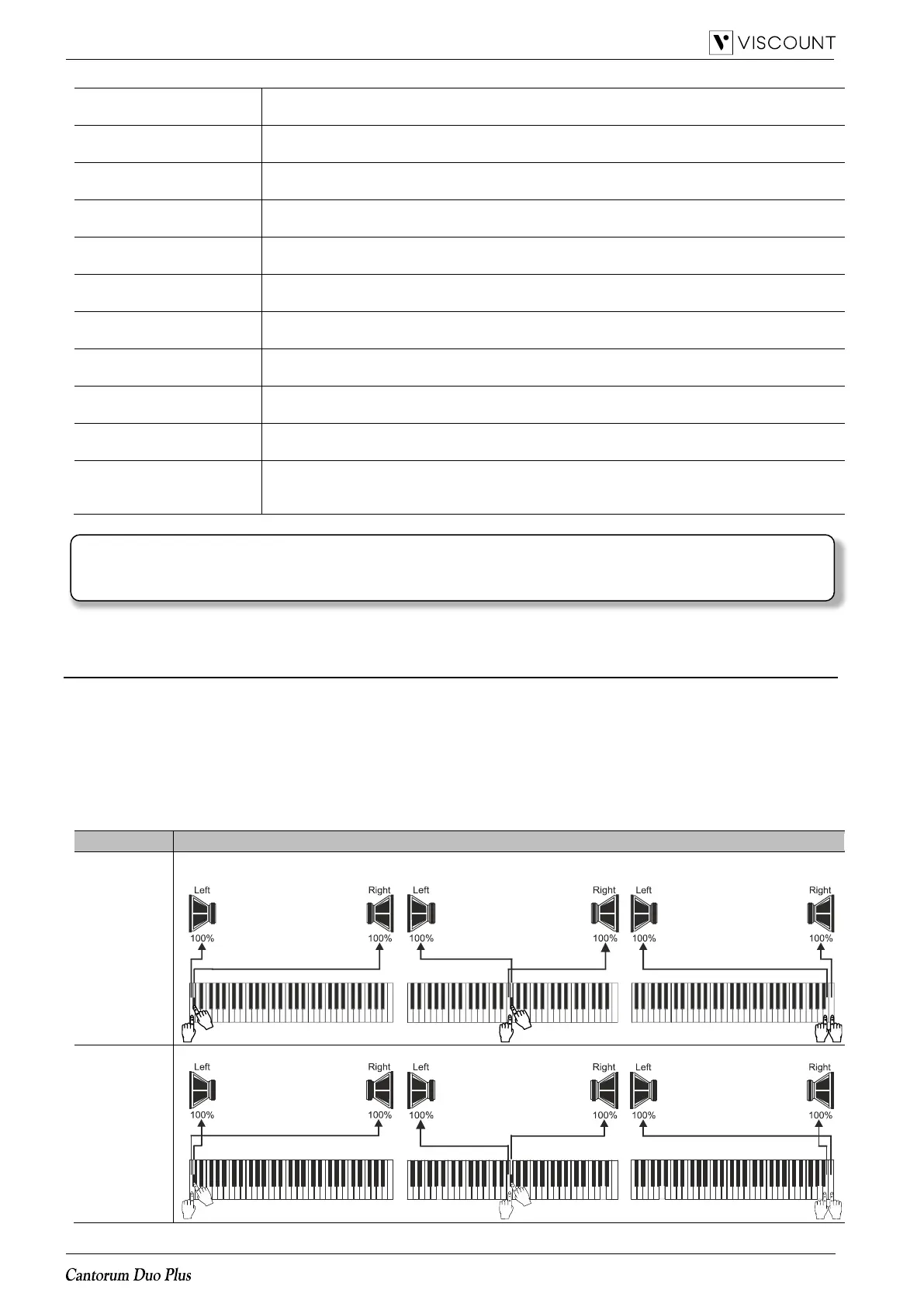
Voices stereophonic reproduction (panning) in the internal amplification (see below).
Settings: C-C#, C#-C, Wing L (left), Wing R (right), Cusp, Dbl Csp (double cusp), Dbl
(double) Wing, Pan L (left), Pan R (right), Center, Poly, Off
Explanation of the INT. CHEST (Internal Windchest parameter)
An important option to customize the sound configuration of the organ is to arrange the voices’ stereophonic
reproduction (this is also called panning).
The organ is equipped with one left and right internal audio channels. The simultaneous diffusion through both
channels simulates a third, central channel.
Arranging the voices in the two channels simulates the position of the windchests of real pipe organs, since they
were usually placed in different areas. It also simulates the different position of the pipes inside the windchest,
which could vary according to the stop played, the period when the organ was built and the wishes of the builder.
The following options are available:
The notes sound alternated (one right, one left) from C (left) to C# (right).
The notes sound alternated (one right, one left) from C (right) to C# (left).
NOTE
Several sound generation parameters are available in the “Physis Plus The Editor” application for a more
advanced customization of each voice.














 To Next Page