EN - 37
Playing and recording of musical sequences (Sequencer)
PLAYING AND RECORDING OF MUSICAL SEQUENCES
(SEQUENCER)
The Cantorum Duo Plus is equipped with an internal sequencer (digital recorder)
capable of recording performances on the instrument, the commands and controls
used and MIDI data received through the MIDI [IN] port. Recordings can then be
saved on the USB stick or in the internal memory as MIDI files (Standard MIDI file,
format 1 to 125 beats per minute, 384 ticks per quarter note) and played back at
any time. Song lists can also be played.
To recall the sequencer press the [SONG] button under the display.
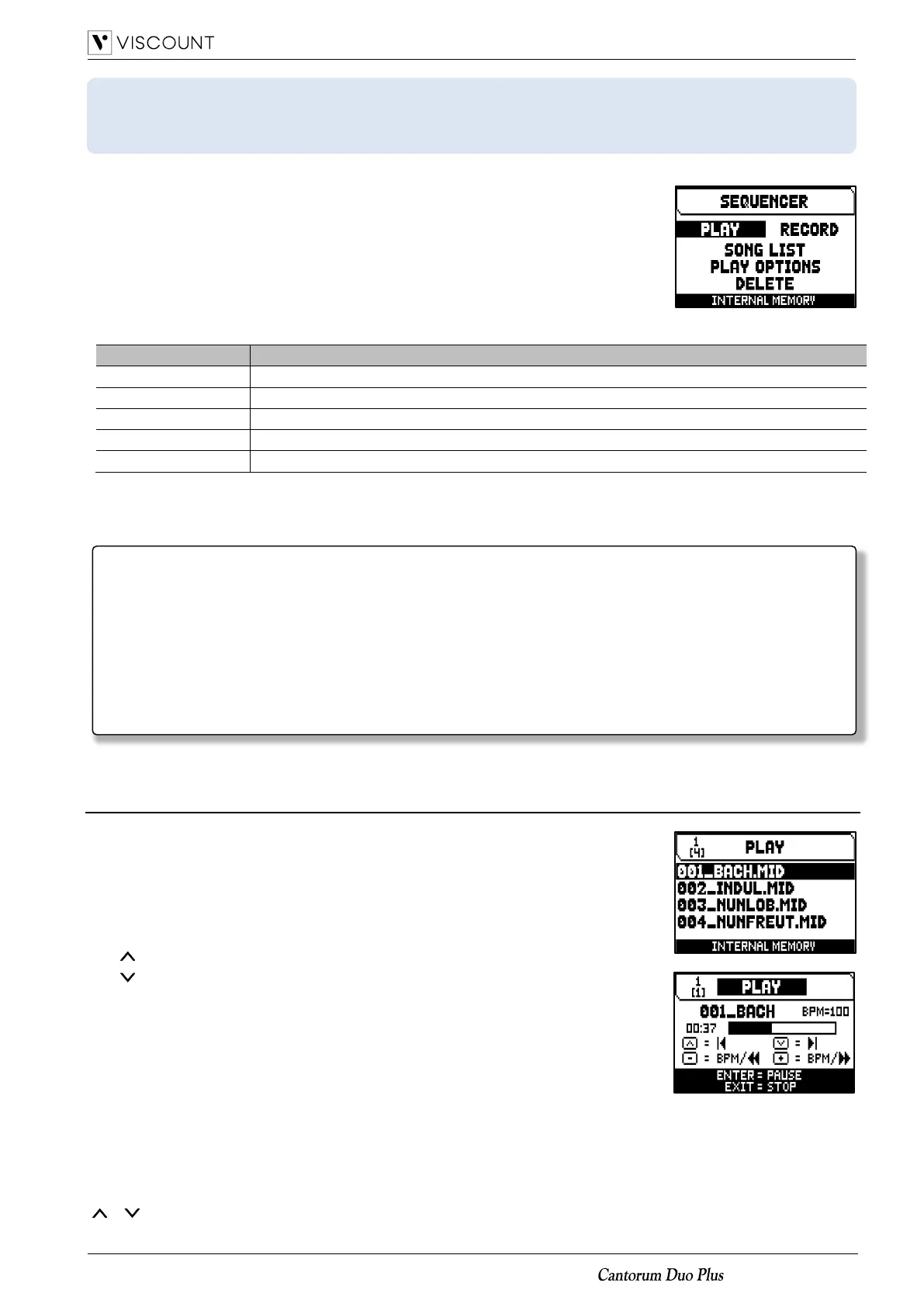
The SEQUENCER menu contains the following functions:
Playing back of the songs or song lists saved in the internal memory or the USB flash drive.
Programming lists of songs.
Options for playing back songs.
Deleting songs or songs lists.
The memory unit currently used appears in the bottom of the screen. Remember that the USB stick has priority
over the internal memory; to use the latter, first remove the USB stick.
Playing back a song or a song list (PLAY mode)
In the sequencer menu described above, select the PLAY field. The display shows
the MIDI or List files stored in the memory unit currently in use.
Now select the .MID file (single song) or .LST file (song list) you wish to play back.
The new screen provides information about all the controls necessary for use of the
sequencer:
▪ [MENU/ENTER]: starts playback of the song.
▪ [EXIT]: quits the sequencer.
▪ [ ]: selects the previous song saved in the memory or from a song list.
▪ [ ]: selects the next song saved in the memory or from a song list.
▪ [-] (press once): slow down play speed. It can be seen on top left as
percentage (BPM=100 in the picture on the right).
▪ [+] (press once): increase play speed. It can be seen on top left as percentage
(BPM=100 in the picture on the right).
▪ [-] (press and hold): rewind.
▪ [+] (press and hold): fast forward.
Once the playback of a song has been started, the display changes, the functions of the [MENU/ENTER] and
[EXIT] buttons have changed to:
▪ [MENU/ENTER]: pause /restart playback of the piece.
▪ [EXIT]: stop playback of the piece.
[ ], [ ], [-], [+] keep the functions already described.
-
Once the USB flash drive is inserted please wait some seconds before recalling the sequencer. In case
of failed recognition, press [EXIT] to leave the sequencer, then re-enter
- If using a USB flash drive, remember to format it with FAT or FAT32 (no NTFS) file system.
-
If using a USB flash drive, the system will use and save the recordings as .MID file in the “v_songs”
directory. Please pay attention not to delete or rename this folder to avoid losing or making unusable the
recordings.
-
Transposition set in the TUNING menu does not have any effect on playback of songs (unlike recording,
where the notes are acquired transposed). To do this you have to set the transposer described at page
41.














 To Next Page