Audio settings (Setup / Audio menu)
AUDIO SETTINGS (SETUP / AUDIO menu)
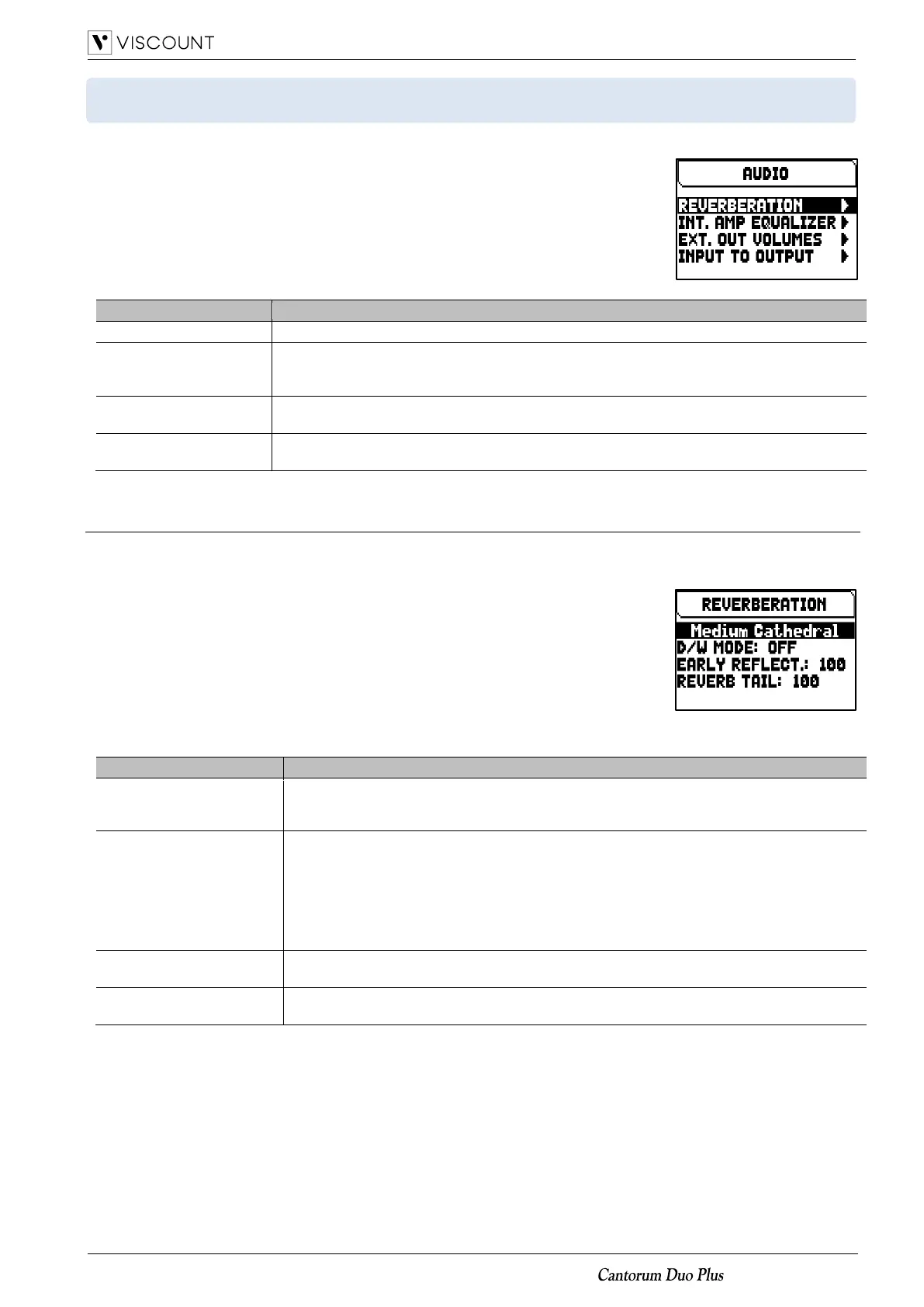
The AUDIO menu contains all the audio settings of the organ.
To access to this menu, in the main video page,
1. press the [MENU/ENTER] button,
2. place the cursor on the SETUP field and press [MENU/ENTER],
3. place the cursor on the AUDIO field and press [MENU/ENTER].
The AUDIO menu contains the following settings:
Settings relating the reverb internal effect.
INT. AMP EQUALIZER
(Internal Amplification
Equalizer)
Settings relating the 5-band equalizer of the internal amplifier.
EXT. OUT VOLUMES
(External Out Volumes)
Volumes of the each PROG. OUT output of the rear panel (page 6).
Routing of the input signals present in the INPUT of the rear panel to the PROG. OUT outputs
of the rear panel (page 6).
Adjusting the internal Reverb effect (REVERBERATION function)
Reverberation is the result of a series of sound reflections in a closed environment. Order and value of each
reflection depend on many factors of the environment, such as the size of the room, the number and material of
the objects inside the room, the listener’s position and so on.
The digital processors of the Cantorum Duo Plus organ can recreate artificially the
complex factors affecting the reverberation of a real pipe organ, generating the
right reverberation to complete an already excellent sound quality.
The REVERBERATION function allows to adjust several parameters of the reverb
effect.
To access the adjustment screen, select the REVERBERATION field in the
AUDIO menu.
The settings which can be made are:
[reverb style]
(“Large Cathedral” in the
screen shown above)
The simulated environment, and thus the reverberation effect generated.
Settings: Large Cathedral, Medium Cathedral, Large Chapel, Medium Church, Modern
Church, Cantoria, Trio Sonate.
Dry (sound without reverb) and Wet (reverberated sound) signals control mode by the
REVERB potentiometer.
Settings:
• Off: the REVERB potentiometer only modifies the amount of Wet signal.
• Low, High, Full: the REVERB potentiometer controls, on three scales, the balance
between the Wet signal and the Dry signal, and the quantity and quality of acoustic
reflections of the environment, simulating an ever deeper and mellow effect.
Early Reflect.
(Early Reflections)
Level of the reverb early reflections.
Settings: 0 to 100
Level of the reverb tail (time lenght).
Settings: 0 to 100














 To Next Page