Selecting and regulating the voices (Voicing menu)
Selecting and adjusting the orchestral voices
The same operations described in the chapter above can be performed also with
orchestral voices, with a single exception: the list of alternative voices and audio
parameters are the same, regardless of which register is selected at the moment.
To access the VOICING menu for the orchestral voices, follow the same procedure
described at the beginning of this chapter.
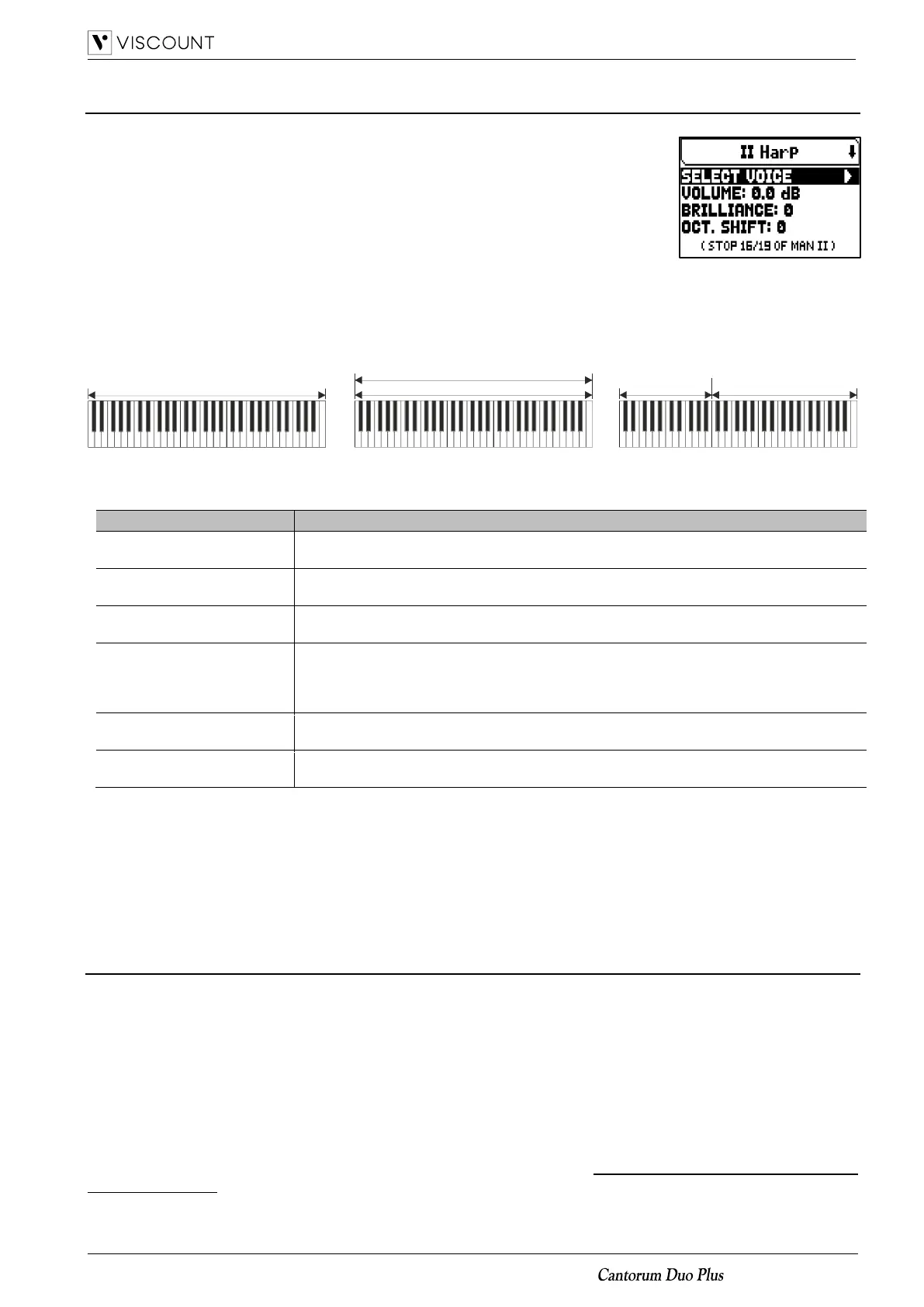
As you may notice in the voices list, there are three types of orchestral stops:
- Single: a single stop played on the whole manual / pedalboard. This kind of
voice is shown with the name of the single stop.
- Split: two stops (named Left and Right) played in two different halves of the manual / pedalboard. The split
point can be changed. This kind of voice is shown as the names of the two stops hyphenated.
- Layer: two stops (named 1 and 2) overlapped along the whole manual / pedalboard. This kind of voice is
shown as the names of the two stops with a “+” in between.
The settings which can be made are:
Stop volume.
Settings: -12.0 dB to +12.0 dB
Sound brilliance.
Settings: -8 to 8
Shift the notes played with the stop one octave higher or lower.
Settings: -1 to 1
Sets the status of the sustain pedal. This function is useful for those orchestral voices for
which applying a sustain effect is unrealistic. Select NO to prevent the sustain effect from
affecting the stop.
Settings: Yes, No
Stereophonic distribution of the sound.
Settings: -6 L (left) to 6 R (right)
Split Key
(splitted double voices only)
Split point key.
Settings: F2 to E6
The sound parameters that can be modified are shown in a different manner, according to the kind of voice.
Parameters of the Single voices clearly relate to the single stop.
Parameters of the Split voices identified by “LEFT” relate to the stop active on the left of the split point, while
parameters identified with an “RIGHT” relate to the stop active on the right half of the manual / pedalboard.
Parameters of the Layer voices identified with “1st” relate to the first stop of the voice (the one before the “+”
symbol). Parameters identified with “2nd” relate to the second stop, after the “+” symbol.
Saving different orchestra voices and parameters in the combinations
General and divisional combinations make possible to save the voice and the settings for each Orchestra stop,
so that different voices can be played for each combination (including the Tutti). For example, recalling a
previously programmed combination, the pedal Orchestra voice may be an acoustic bass, with a 1-octave
transposition, while using a second combination the Pedal Orchestra voice may be a cello, with no transposition,
but a bit brighter than the standard setup.
To program combinations with different Orchestra voices, first of all you have to enable the saving, setting the
ORCHESTRA PARAMS IN COMBINATIONS parameters in the SETUP / COMBINATIONS menu (see page 26)
as “YES”.
Now, simply select the required voice and/or adjust the parameters keeping pressed for a few moments the
Orchestra thumb piston that you desire to edit in the position of voice ON, while the main video page is displayed
and the voice is off. The video page that is displayed is the same as the one described above.
Left orchestral timbre Right orchestral timbre
Split key
2nd orchestral timbre
1st orchestral timbre
Orchestral timbre
Single Layer Split














 To Next Page