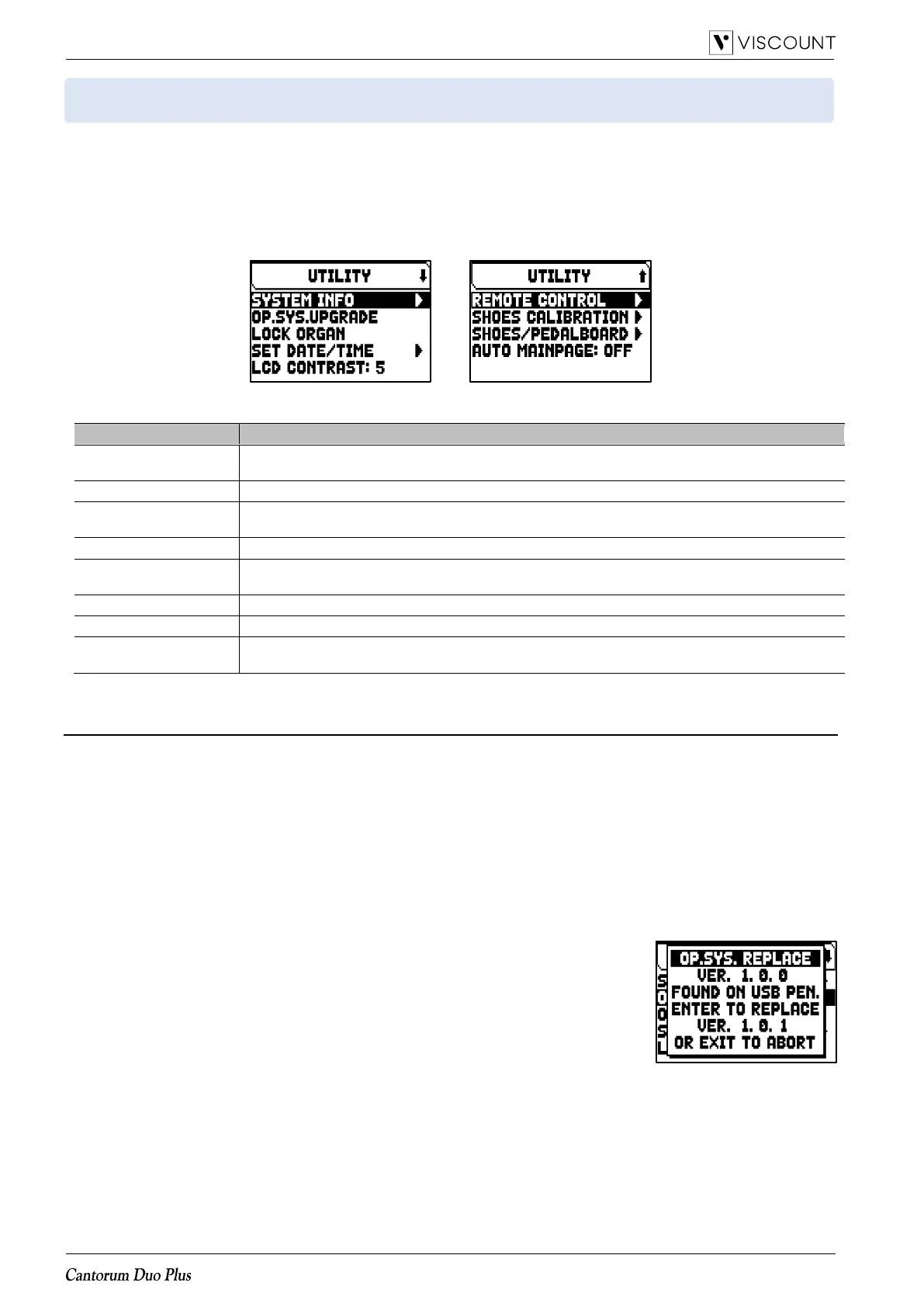
UTILITIES FUNCTIONS (UTILITY menu)
The UTILITY menu contains general functions like informations concerning the organ model, update of the
operating system, lock of some functionality of the organ, expression pedals calibration and others.
To access to this menu, in the main video page,
1. press the [MENU/ENTER] button,
2. place the cursor on the UTILITY (2nd page) field and press [MENU/ENTER],
The UTILITY menu contains the following settings:
Upgrading the operating system (OP. SYS. UPGRADE function)
Each time an update file is released it will be made available on the website http://www.viscountinstruments.com.
Update files are named upgrade-X.X.X.PHX, where X.X.X stands for the update version.
To check the currently running operating system version, access the SYSTEM INFO page.
To update the operating system, follow this procedure:
1. after the .ZIP file has been downloaded, extract the .PHX file and copy it to the main folder (root) of a USB
flash drive,
2. insert the USB flash drive with the .PHX file in the USB [TO DEVICE] connector on the rear panel,
3. in this phase the system checks the upgrade installation files in your flash drive, so please wait some seconds,
4. in the main video page press the [MENU/ENTER] button,
5. select the UTILITY field,
6. select the OP.SYS.UPGRADE field,
7. now a pop-up (similar the one illustred on the right) shows you the operating
system version found on the USB flash drive and the one installed in the
instrument. If you are sure about the new version, press [MENU/ENTER] to
proceed with the upgrade or [EXIT] to abort.
8. If the version on you flash drive is same or older than the one already installed
in your organ, the system will inform you with a message “OS.SYS REPLACE
WITH SAME OR OLDER VERSION, ARE YOU SURE?”. Also in this case,
press [MENU/ENTER] to proceed with the upgrade or [EXIT] to abort.
9. Once the update is confirmed, the display will show the messages concerning the phases of the update. When
the update is complete the display shows the message “DONE PLEASE SWITCH OFF THE ORGAN.
10. Switch off and on the instrument.














 To Next Page