Page 42 Vision Microsystems Incorporated
User Definable Engine Parameters
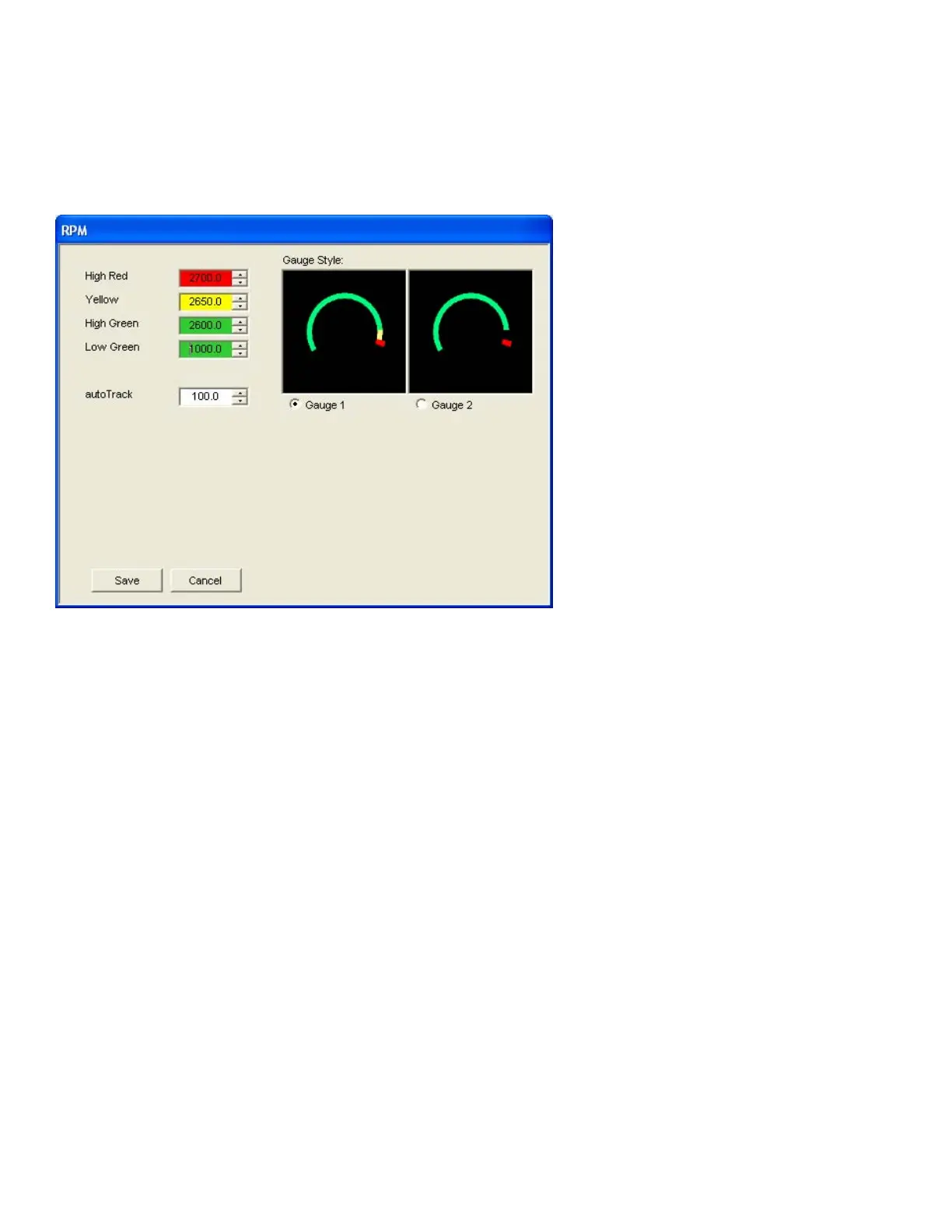
Clicking on a User Definable Engine Parameter name will bring up a
dialog that allow you to set the specific parameters for that gauge. For
example, clicking on RPM would bring up a dialog like this:
The High Red, Yellow, High Green and Low Green values describe
where the gauge sweep should begin and end for the particular color.
High Red (and Low Red for some gauges) signifies the engine’s
“redline” limit and are used to set the VM1000C’s alarm values.


 To Next Page