VISUAL
TECHNOLOGY
INCORPORATED,
540
MAIN
STREET,
TEWKSBURY,
MA
01876
SET-UP B
TO
EXIT PRESS
"SET-UP"
1
mm
3 [!I[[!]
4
[ID]l!1
T
SPEED
9600
R
SPEED
9600
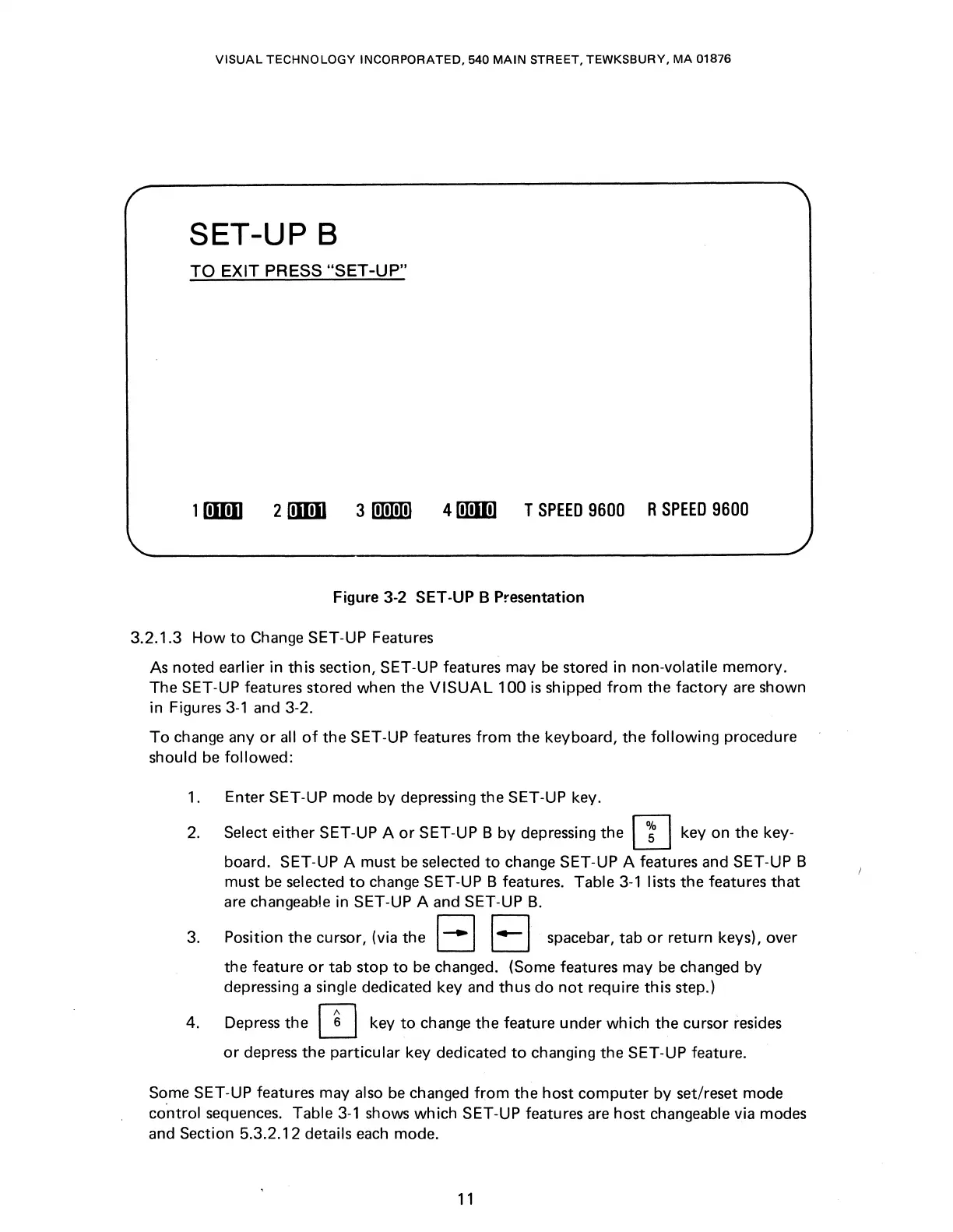
Figure 3-2 SET-UP B Presentation
3.2.1.3
How
to
Change SET-UP Features
As
noted
earlier
in
this
section, SET-UP features may be
stored
in
non-volatile memory.
The
SET-UP features
stored
when
the
VISUAL
100
is
shipped from
the
factory are
shown
in Figures
3-1
and
3-2.
To
change any
or
all
of
the
SET-UP features from
the
keyboard,
the
following
procedure
should be followed:
1.
Enter
SET-UP
mode
by depressing
the
SET-UP key.
2. Select
either
SET-UP A
or
SET-UP B by depressing
the
[1J
key
on
the
key-
board. SET-UP A
must
be selected
to
change SET-UP A features
and
SET-UP B
must
be selected
to
change SET-UP B features. Table
3-1
lists
the
features
that
are changeable
in
SET-UP A
and
SET-UP
B.
3. Position
the
cursor, (via
the
I • I 1
4
I spacebar,
tab
or
return
keys), over
the
feature
or
tab
stop
to
be changed. (Some features may be changed by
depressing a single
dedicated
key and
thus
do
not
require
this
step.)
4. Depress
the
0 key
to
change
the
feature
under
which
the
cursor
resides
or
depress
the
particular
key
dedicated
to
changing
the
SET-UP feature.
Some
SET-UP features may also be changed from
the
host
computer
by
set/reset
mode
control sequences. Table
3-1
shows which SET-UP features are
host
changeable via modes
and
Section
5.3.2.12
details each mode.
11



 To Next Page