EasyManua.ls Logo

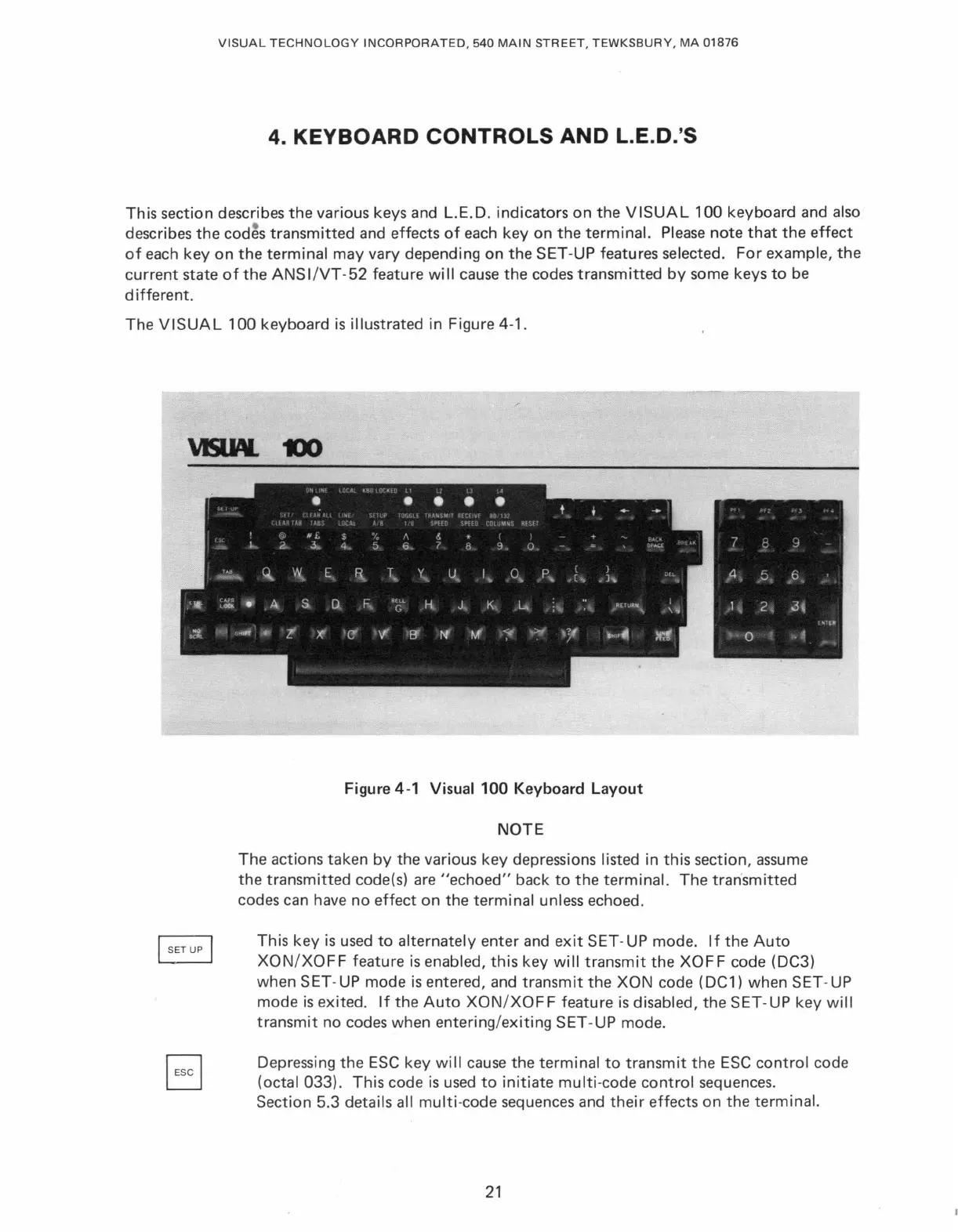
VISUAL 100 - Keyboard Controls and L.e.D.s; Figure 4-1 Visual 100 Keyboard Layout

VISUAL 100
80 pages
Print Icon
To Next Page IconTo Next Page
To Previous Page IconTo Previous Page
Loading...
VISUAL
TECHNOLOGY
INCORPORATED
,
540
MAIN
STREET
,
TEWKSBURY,
MA
01876
4.
KEYBOARD CONTROLS AND L.E.D.'S
This
section
describes
the
various keys and L.E.D.
indicators
on
the
VISUAL
100
keyboard
and also
describes
the
cod
~
s
transmitted
and
effects
of
each key
on
the
terminal.
Please
note
that
the
effect
of
each
key
on
the
terminal
may
vary
depending
on
the
SET
-UP
features
selected.
For
example,
the
current
state
of
the
ANS
l/VT
-
52
feature
will
cause
the
codes
transmitted
by
some
keys
to
be
different.
The
VISUAL
100
keyboard
is
illustrated in Figure 4-1.
Figure 4-1 Visual
100
Keyboard
Layout
NOTE
The
actions
taken
by
the
various
key
depressions listed
in
this
section,
assume
the
transmitted
code(s) are
"echoed"
back
to
the
terminal.
The
transmitted
codes
can
have
no
effect
on
the
terminal
unless
echoed.
This
key
is
used
to
alternately
enter
and
exit
SET-UP
mode.
If
the
Auto
XON/XOFF
feature
is
enabled,
this
key will
transmit
the
XOFF
code
(DC3)
when
SET-UP
mode
is
entered,
and
transmit
the
XON
code
(DC1)
when
SET
-
UP
mode
is
exited.
If
the
Auto
XON/XOF
F
feature
is
disabled,
the
SET-
UP
key will
transmit
no
codes
when
entering/exiting
SET-UP
mode.
Depressing
the
ESC
key
will cause
the
terminal
to
transmit
the
ESC
control
code
(octal
033).
This
code
is
used
to
initiate
multi-code
control
sequences.
Section
5.3
details all
multi-code
sequences
and
their
effects
on
the
terminal.
21

Table of Contents

Related product manuals