EasyManua.ls Logo

VISUAL 100 - First Level Maintenance; General; Rear Panel; Rear Panel Removal

VISUAL 100
80 pages
Print Icon
To Next Page IconTo Next Page
To Previous Page IconTo Previous Page
Loading...
VISUAL
TECHNOLOGY
INCORPORATED,
540
MAIN
STREET,
TEWKSBURY,
MA
01876
7.
FIRST LEVEL
MAINTENANCE
7.1
GENERAL
The
VISUAL
100
terminal
has been designed
with
subassembly
exchange
as
the
prime
mode
of
service.
Fault
isolation
is
provided
in
this
section
to
identify
the
failing
subassembly.
Unless
otherwise
noted
the
power
cord
should
be
disconnected
before
disassembly
of
the
terminal.
·
Hazardous
voltages
may
be
present
.
7.2 REAR
PANEL
The
removal
of
the
rear panel will allow
the
removal
of
the
logic
printed
circuit
board,
removal
of
the
TV
monitor
printed
circuit
board,
and
access
to
the
AC
terminal
block
allowing rewiring
from
110
volts
to
220
volts.
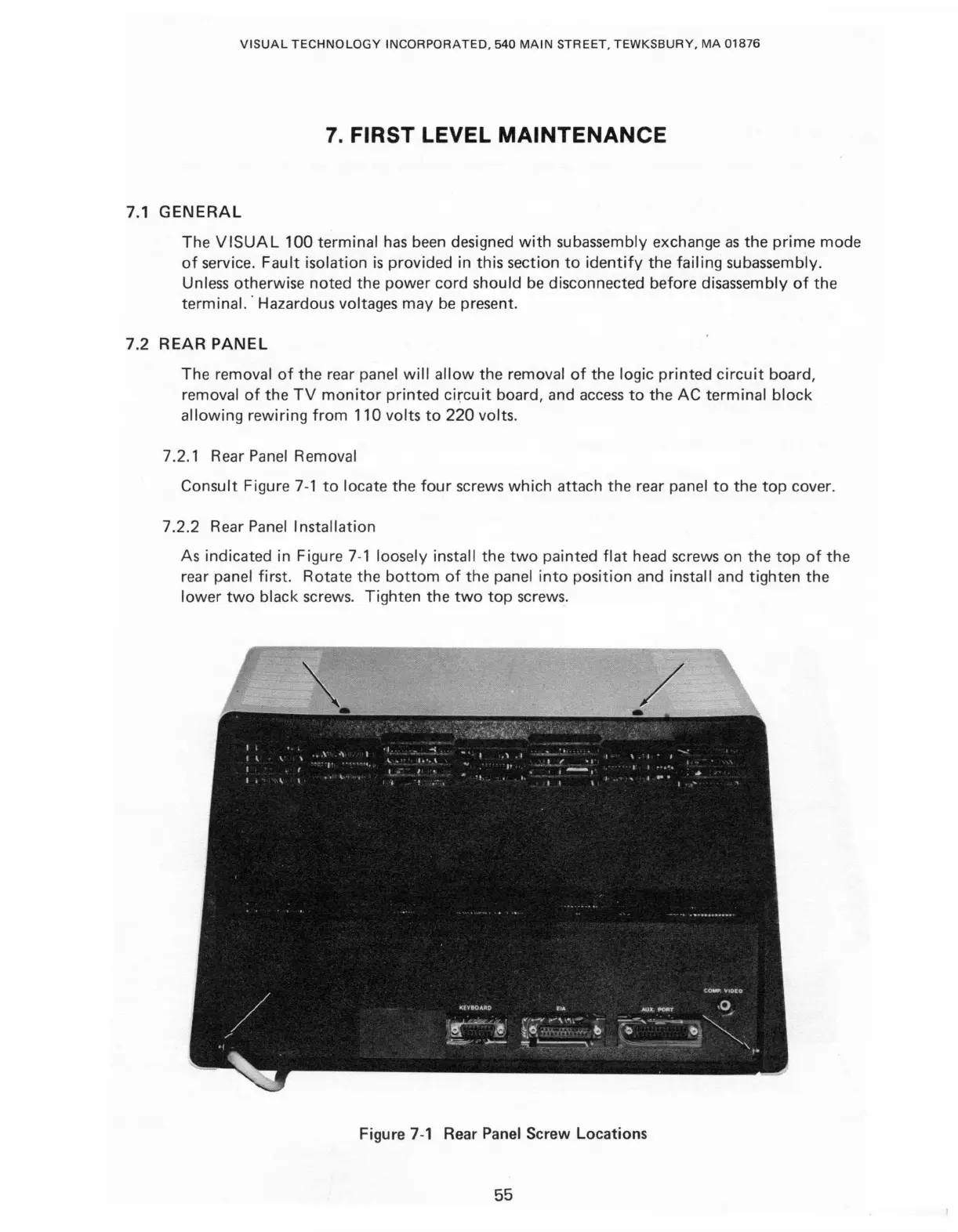
7.2.1 Rear Panel Removal
Consult
Figure
7-1
to
locate
the
four
screws which
attach
the
rear panel
to
the
top
cover.
7
.2.2
Rear Panel Installation
As
indicated
in
Figure 7-1 loosely install
the
two
painted
flat
head screws
on
the
top
of
the
rear panel first.
Rotate
the
bottom
of
the
panel
into
pos
i
tion
and
install
and
tighten
the
lower
two
black screws.
Tighten
the
two
top
screws.
Figure
7-1
Rear
Panel
Screw Locations
55

Table of Contents

Related product manuals