MGW Diamond Multi-Channel HEVC and H.264 Portable Encoder
User Manual, Version 1.6 36
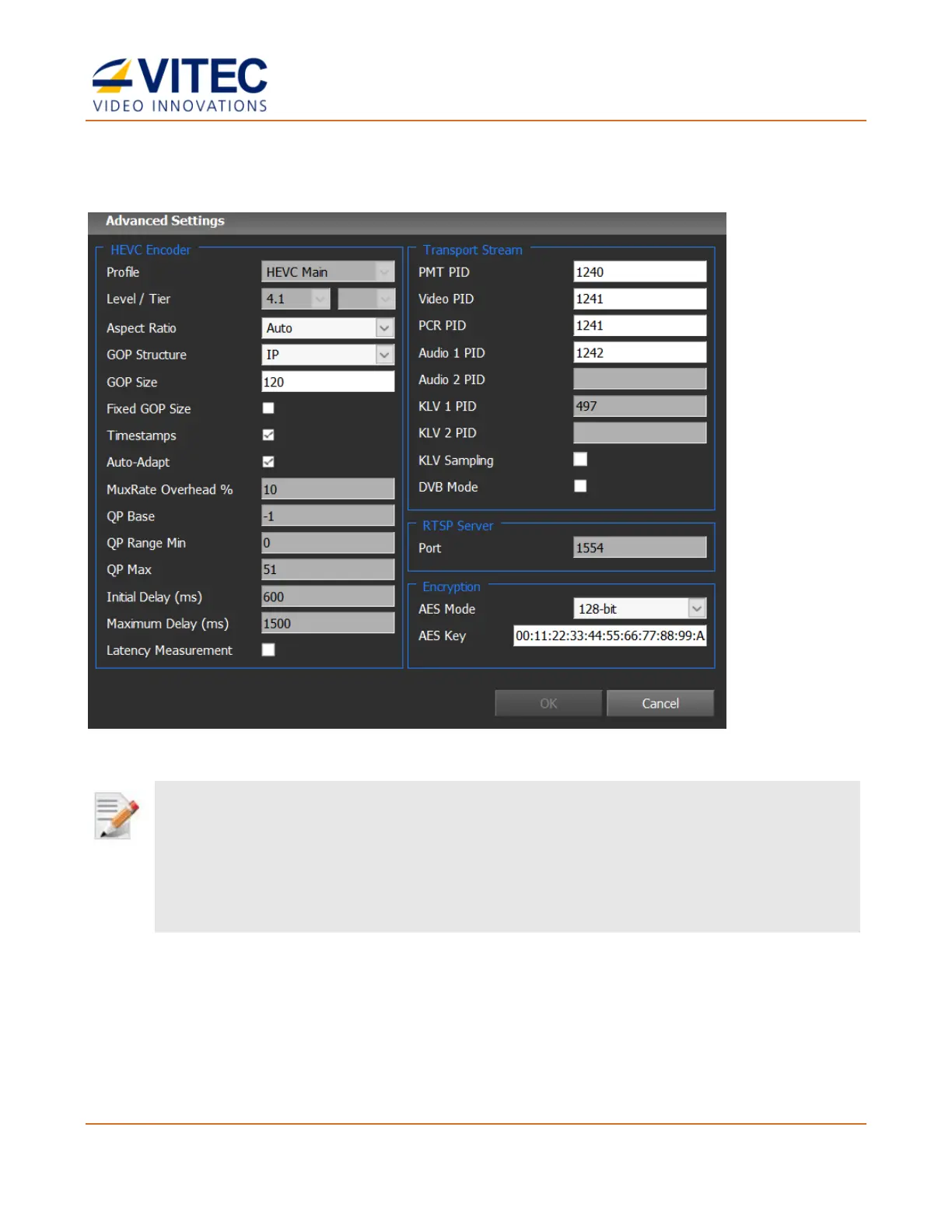
Advanced Settings - HEVC
Figure 4-5: The Advanced Settings - HEVC
By default, many of the advanced parameters are determined automatically by the system’s internal algorithm and are
based on the selected profile, resolution, compression format and bit-rate. However, for certain applications and for unique
scenarios you may be able to optimize video quality, latency, and overall behavior of the codec, by manually modifying
some of the advanced settings fields. Modifying these advanced settings may also lead to degraded video quality and/or
performance in case selected values are not ideal for the targeted application.
Contact VITEC Support Team, to confirm the appropriate settings for an application.
• Profile / Level / Tier – Profile, Level and Tier used by the encoder. It is automatically
calculated based on the encoding resolution, framerate, bitrate, bit depth and color
sampling. The encoder supports the below Profile/Level/Tier:
• Profile: Main, Main10 and Main 4:2:2 10
• Level: up to level 5.2
• Tier: Main / High



 To Next Page
 Loading...

