17
Loading an SD memory card (optional accessory)
The DVR-310 comes with approximately 16MB of internal memory, allowing
you to record video clips, capture still images, record voice/audio, and
play MP3 files. You can expand the memory capacity by using an optional
SD (Secure Digital) memory card so that you can store more content.
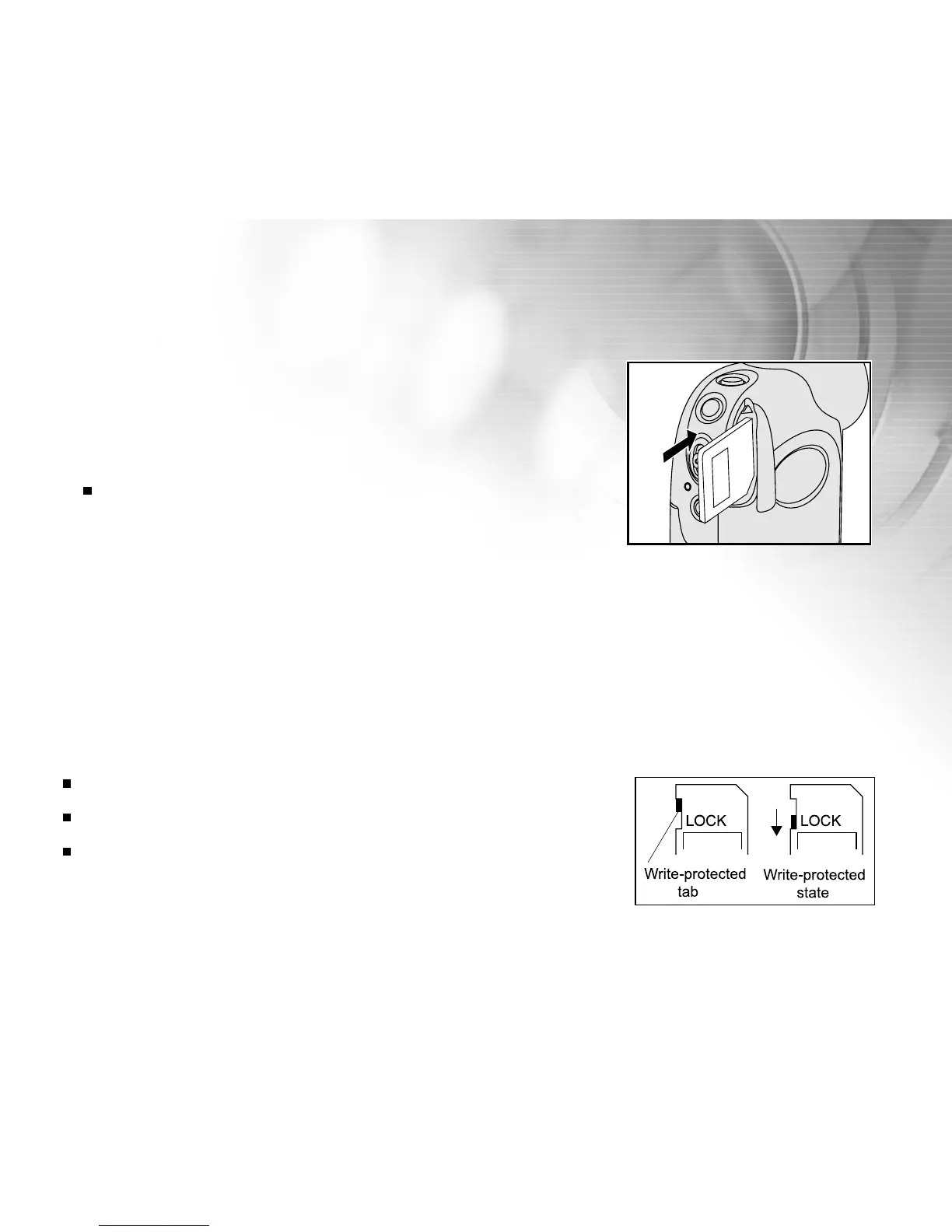
1. Open the SD memory card cover.
2. Insert an SD memory card. (Contact pins first)
If the card cannot be inserted, check the orientation.
3. Close the SD card cover.
To remove an SD memory card
1. Make sure power is off.
2. Open the SD card cover.
3. Press lightly on the edge of the memory card and it will eject.
Note:
It is a good idea to format an SD memory card in the DVR-310 before using it. Refer
to section in the manual titled “Formatting an SD memory card” for further details.
To prevent valuable data from being accidentally deleted from an SD card, you
can slide the write protect tab (on the side of the SD memory card) to “LOCK”.
To save, edit, or delete data on an SD memory card, you must unlock the card.
The DVR-310, like most digital cameras will automatically use a memory card if it is
inserted into the memory card slot. This is called “card preference”. Data stored in
internal memory will not be accessible if a memory card is present. To again access
your data stored in internal memory, simply remove the SD card.



 To Next Page