18
Note:
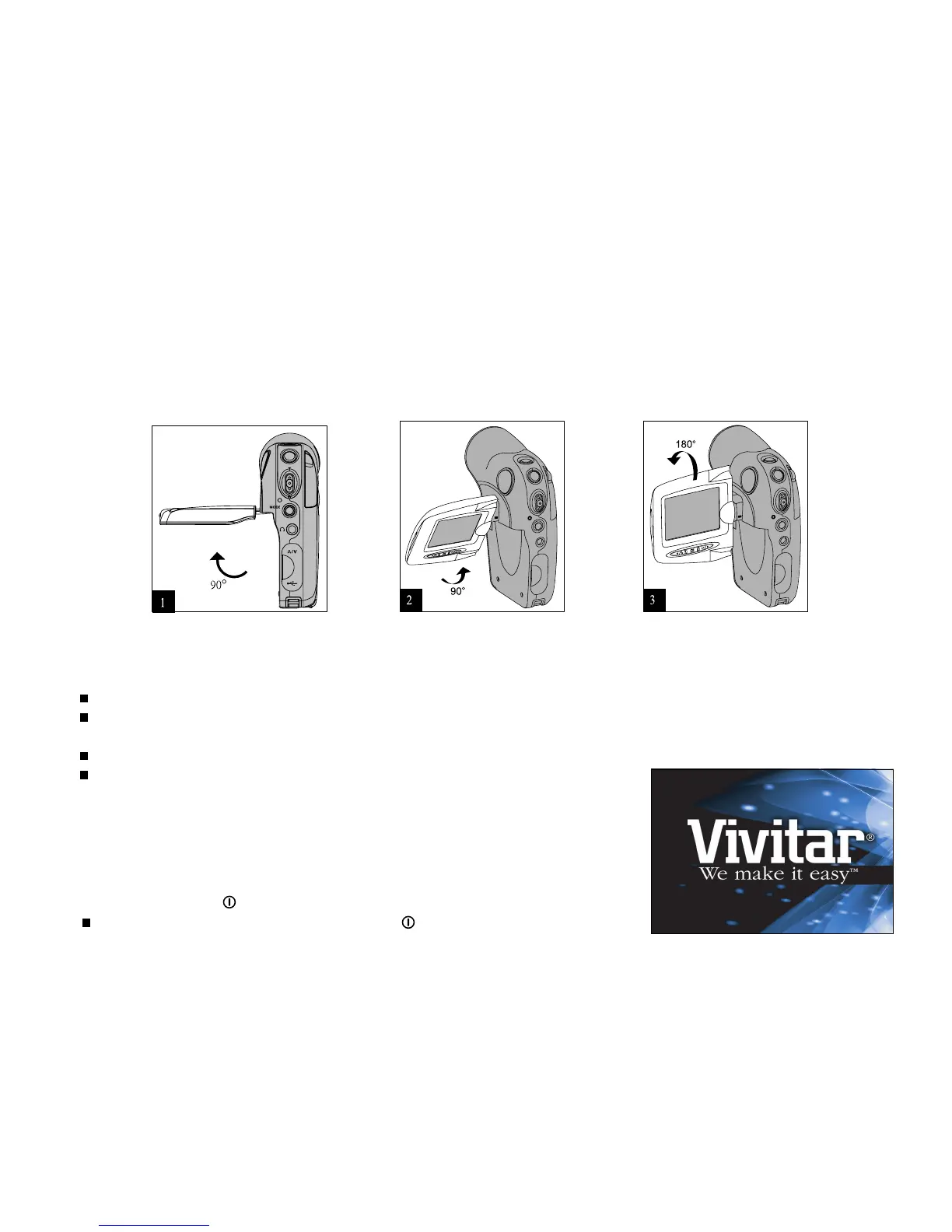
Make sure you open the LCD panel to the 90 degree position before attempting to rotate it.
Rotate the LCD panel carefully and with the correct direction. Over rotation and rotation with the wrong direction may
damage the hinge that connects the LCD monitor to the DVR-310.
Avoid contact with the LCD monitor when moving the LCD panel.
Do not hold the DVR-310 by the LCD panel.
Turning the power on/off
Press and hold the button until the DVR-310 turns on.
To turn the power off, press and hold the button again.
Using the LCD panel
1. Open the panel by pulling it away from the DVR-310.
2. Choose the viewing angle that suits you best by rotating the panel.



 To Next Page