34
VOICE RECORDER MODE
The DVR-310 enables you to record and playback voice files anytime, anywhere.
Recording voice files
1. Turn on the power by pressing and holding the button.
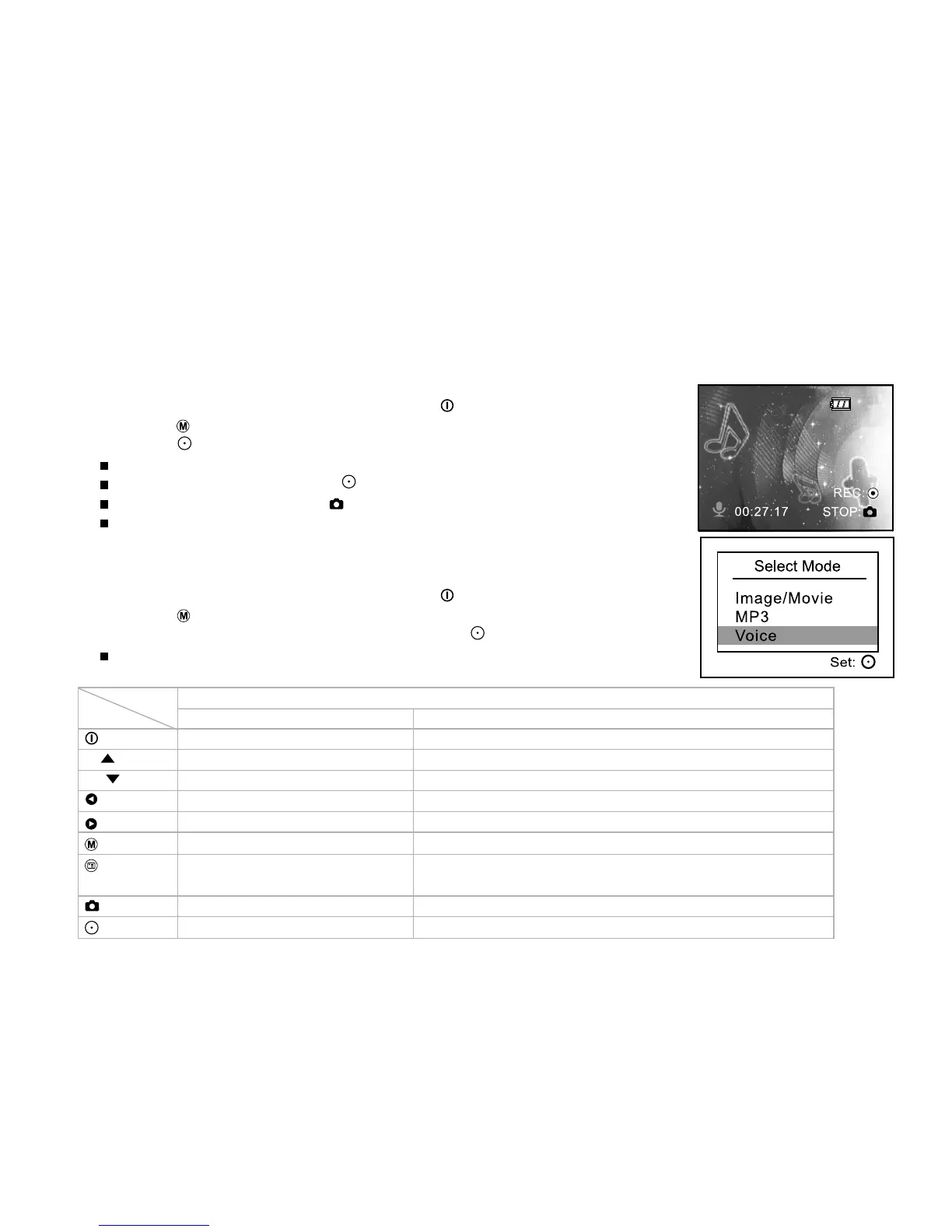
2. Press the button to select voice record mode as the illustration.
3. Press the button.
Voice starts recording.
To pause recording, press the button again.
To stop recording, press the button.
Based on 16MB internal (built-in) memory, the maximum recordable time for
voice recording is 31 minutes and 36 seconds.
Playing back voice files
1. Turn on the power by pressing and holding the button.
2. Press the button twice to go to [Select Mode].
3. Select [Voice] with the zoom lever and press the button.
Voice playlist appears on the screen.
Button operations
Button Playlist During playback
Power off (press & hold) Power off (press & hold)
T/ Scroll up Volume +
W/ Scroll down Volume -
Previous page Playing previous voice file / Fast reverse playback
Next page Playing next voice file / Fast forward playback
Back to LCD preview Repeat 1 / Repeat all / Off
Enter Voice menu Playing previous or next MP3 music / Fast reverse or
forward playback
Select/Un-select Stop playing voice file
Start to play voice file Pause playing voice file
State Voice



 To Next Page