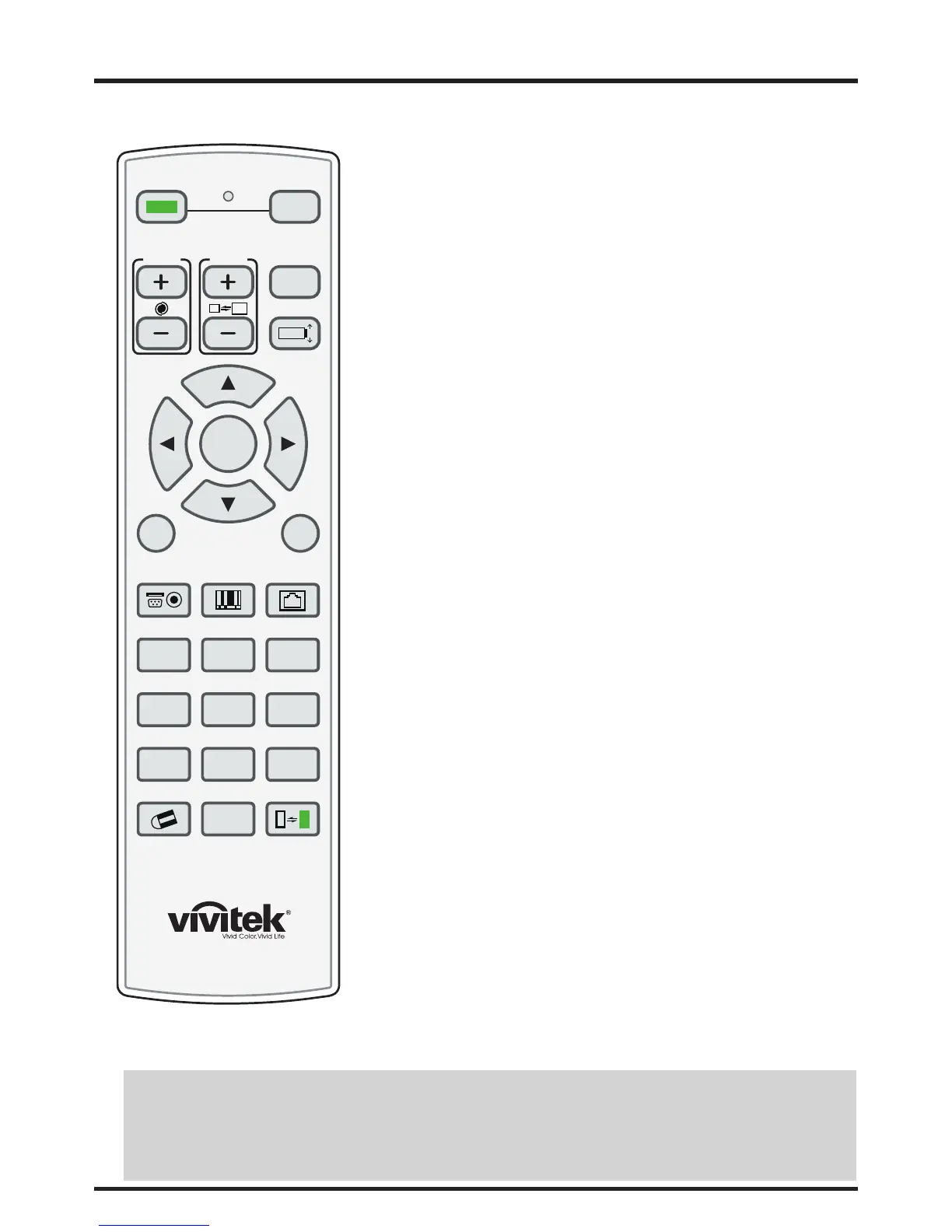
12
y ON
Use this button to turn the projector on.
y OFF
Use this button to turn the projector off.
y FOCUS
Focuses the projected images.
y ZOOM
Zoom in/out the projected image.
y TEST PATTERN
Use this to enter test pattern menu.
y LENS SHIFT
Button to shift control of the lens, up/down or left/right.
y ENTER, , , ,
Use these buttons to select items or settings, adjust settings or switch
display patterns. ENTER: Press to select a highlighted menu item or confirm
a changed setting.
y MENU
Press this button to show or hide the OSD menu.
y EXIT
Press this to go one menu higher or exit the OSD menu.
y INPUT
Press to select a input source.
y PICTURE
Starts the PICTURE function.
y NETWORK
Press this to enter the Network (LAN) menu.
y AUTO SYNC
Press this to re-acquire the current active source.
y ASPECT
Selection Button: Press this button repeatedly to select one of the following
aspect ratios: 16 : 9: For viewing 16:9 DVDs or HDTV programs in their native
aspect ratio.
y PIP
Press this to display the picture-in-picture screen.
y OVERSCAN
Press to select an overscan mode.
y FREEZE
Freeze/unfreezes the on-screen picture.
y LAMP MODE
Press this to select a higher or lower brightness setting.
y 3D MODE
This function is not available for this model.
y INFO.
Starts the SERVICE function.
y LIGHT
Press this to turn on remote control backlight.
y CLEAR
TBD
y SHUTTER
Use the button to turn on/off shutter.
y ID SET
TBD
Remote control
FOCUS ZOOM
LENS SHIFT
TEST
PATTERN
MENU EXIT
ON
POWER
OFF
ENTER
INPUTPICTURE NETWORK
AUTO SYNC
ASPECTPIP
OVERSCAN
FREEZE
LAMP MODE
3D MODE INFO.LIGHT
CLEAR SHUTTERID SET
78
0
9
Notes on Remote Control Operation
y In most situations, you can simply point the remote control at the screen which will reflect the IR signal from the re-mote
back toward the IR receiver on the projector. In some cases, however, ambient conditions may prevent this. If so, point the
remote control at the projector and try again.
y If the effective range of the remote control decreases, or it stops working, replace the batteries with new ones.
y The remote control may fail to operate if the infrared remote sensor is exposed to bright sunlight or fluorescent lighting.



 To Next Page