48
To replace the projector lamp2
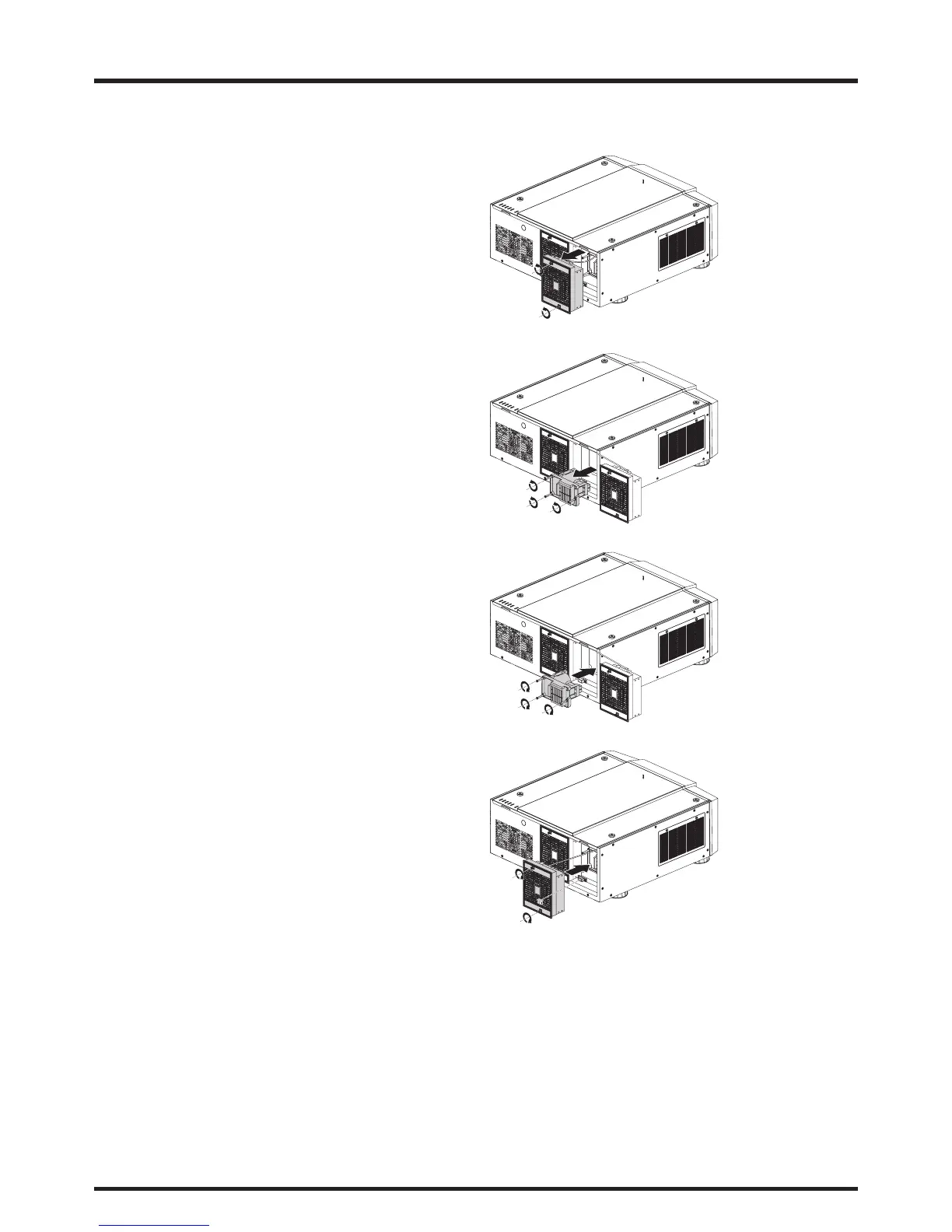
1. Loosen the fan.
2. Use a screw driver to loosen the screws as shown
in the illustration and pull the lamp out.
3. Insert the new lamp in the direction shown in the
illustration into the lamp assembly; tighten the
three screws using a screw diver and make sure the
lamp is firmly secured to prevent the lamp from
shaking or poor contact.
4. Replace the fan and firmly secure the one screw on
the fan.



 To Next Page