20
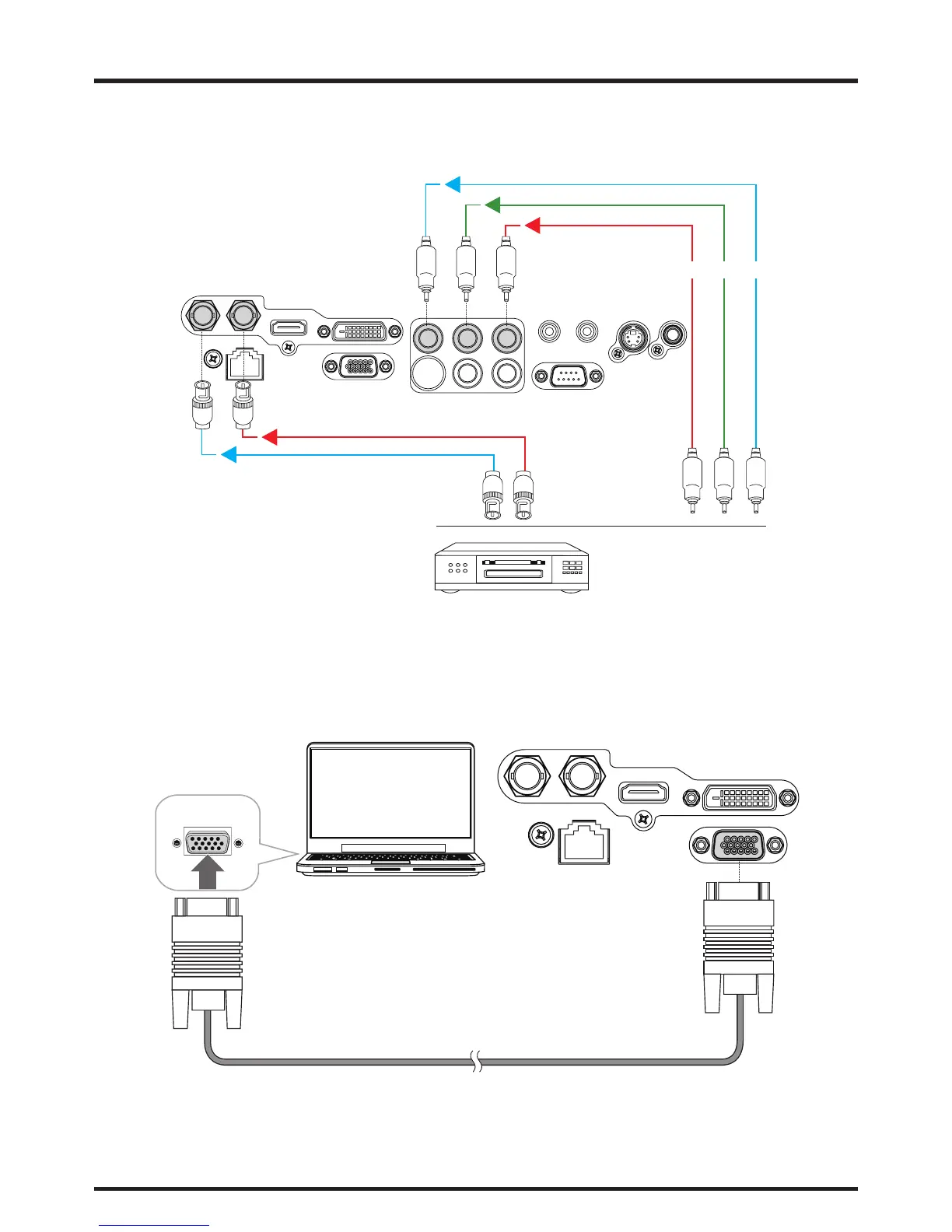
COMPONENT connection
Take the 3/5 cabled RGB component video connectors from the source equipment to the projector’s COMPONENT jacks.
IN SDI OUT
LAN
HDMI
DVI-D
RGB
B/Pb G/YR/Pr
VH
WIRED REMOTE TRIGGER
RS-232
S-VIEDOVIEDO
DTV set-top-box or other compo-
nent (YPbPr) input source
Y PbPr
RS-232 Connection
Connect a PC or home theater control/automation system (if present) to the RS-232 port on the D8800/D8900/D8010W.
Use a standard, 9-pin serial cable, wired straight-through.
IN SDI OUT
LAN
HDMI
DVI-D
RGB
Desk Top or Notebook



 To Next Page