Change Lens
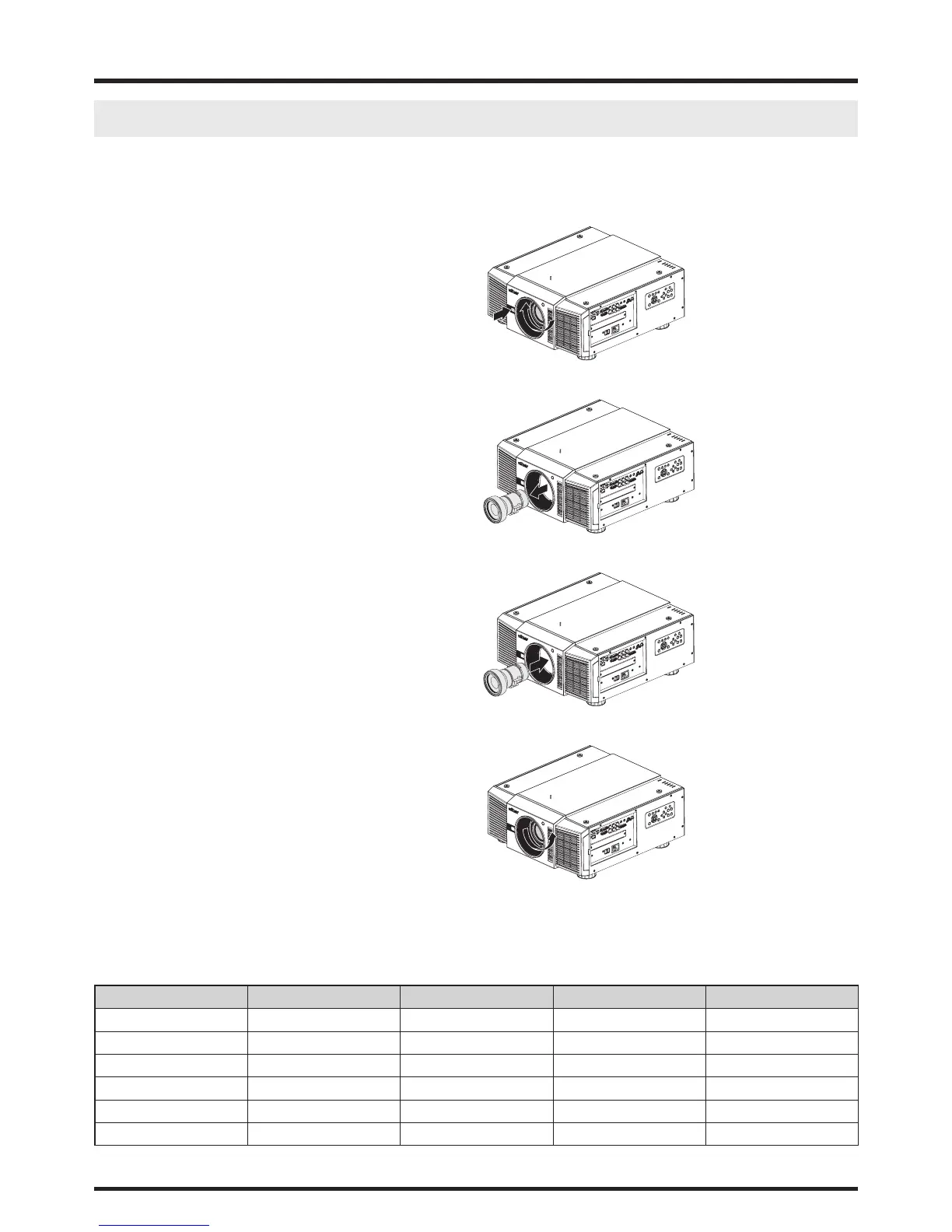
To replace the projector Lens
1. Remove the front cover.
2. Press and hold the lens lock button. Support the
lens with one hand and turn clockwise loose the
lens.
3. Pull the lens backward and slide the lens out of the
lens holder.
4. Insert the lens that female jeck is in front of the
male jack (upper left corner). Ensure the lens
touches the lens holder.
5. Secure the lens in the lens holder by turning coun-
terclockwise the lens to the “locked” position.
6. Check if the lens is really secured by trying to pull
the lens out of the lens holder.
Six models of lens for D8800
Vivitek Part Number Lens F# TR Zoom Ratio
D88-ST001 Standard Lens 1.64 ~ 1.86 1.72 ~ 2.27 1.3
D88-WF18501 Wide Fix 1.85 0.76 N/A
D88-WZ01 Wide Zoom 1.85 ~ 2.50 1.25 ~ 1.79 1.41
D88-SMLZ01 Semi Long Zoom 1 1.86 ~ 2.48 2.22 ~ 3.67 1.65
D88-LOZ101 Long Zoom 1 1.85 ~ 2.41 3.58 ~ 5.38 1.5
D88-LOZ201 Long Zoom 2 1.85 ~ 2.48 5.31 ~ 8.26 1.55



 To Next Page