Chapter 4 AUTOMATIC GOTO SLEWING
1
2
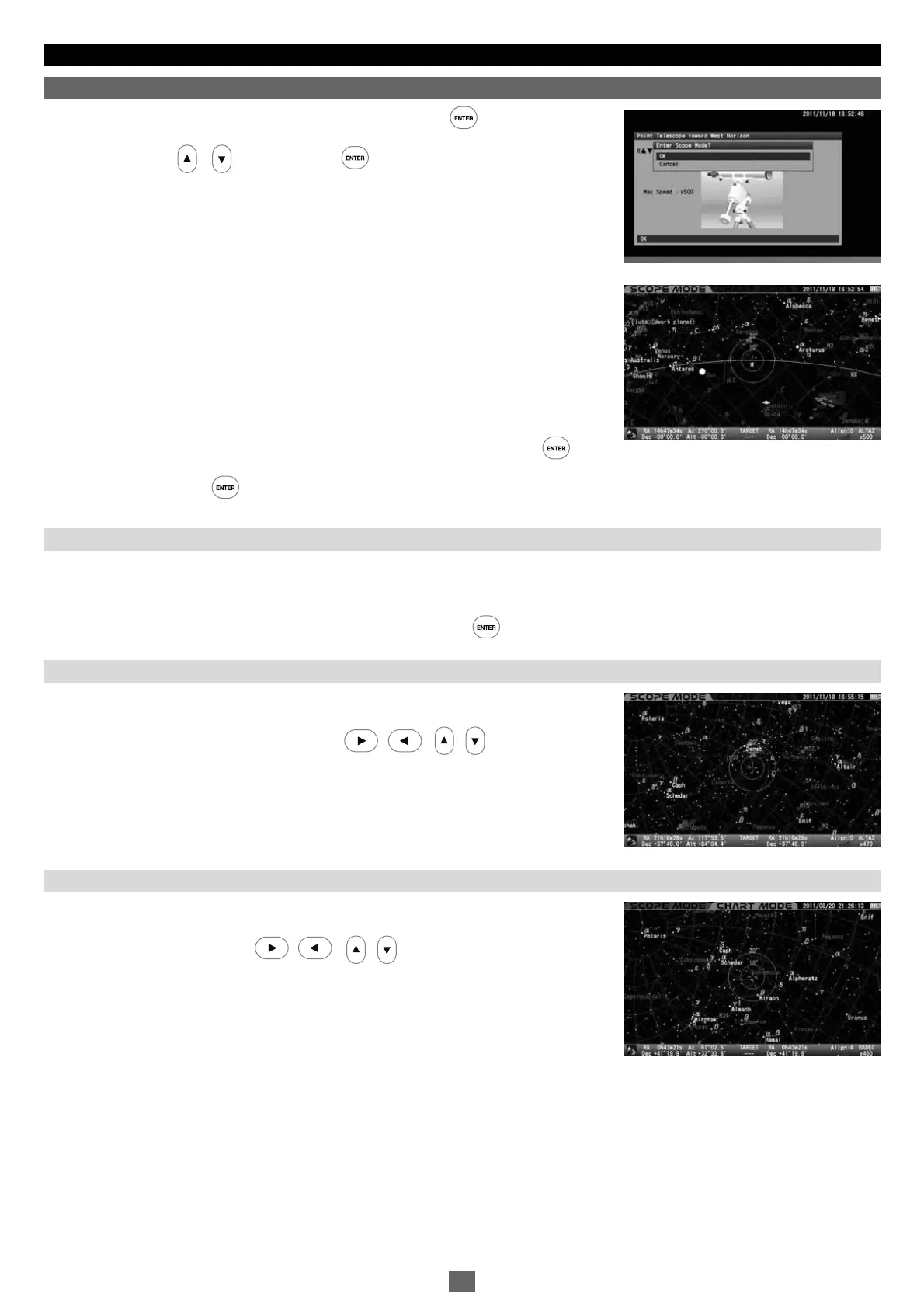
After determining the home position of your telescope, press the key to display the
interactive dialog box on the screen. The dialog box asks you if you enter
SCOPE MODE
.
Choose OK with the or key and press the key.
The star chart in
SCOPE MODE
appears on the screen. The concentric target circles in the
center of the star chart indicate due west. (The target circles indicate due east in the
southern hemisphere.)
The SXD2 mount starts tracking at the celestial rate from that point and now the Go-To
slewing will accurately bring a target object in the finder scope's field of view. You need to
proceed to star alignment to set the pointing accuracy of your telescope.
After this,
CHART MODE
and
SCOPE MODE
will switch over each time you press the key
while the star chart is displayed on the screen. Its status is displayed at the upper left on
the screen. Pressing the key in
CHART MODE
will ask you to proceed to the Go-To
slewing.
The star alignment matches celestial coordinates of stars memorized as location information in the STAR BOOK TEN with positions of stars that
can actually be seen in the sky. The location information is identified with a star and this paring is called “getting an alignment point”.
CHART MODE
and
SCOPE MODE
can switch over each time you press the key.
. Alignment
Ⅲ
What is Star Alignment?
SCOPE MODE
is linked with the movements of your telescope. The top and bottom of the
screen are highlighted in red in
SCOPE MODE
. The telescope follows the target circles on the
star sc r een a s you s c roll t h e star c hart w i t h the • • • d i rection keys in
SCOPE MODE
. The G o - To slewi n g is simp l e with th e command k eys.
What is SCOPE MODE?
CHART MODE
is independent from the movements of your telescope. The top and bottom of the
screen are highlighted in blue in
CHART MODE
. With no linkage to the telescope, scrolling of
the chart is quick and easy with the • • • direction keys. Go-To slewing is
readily available with the command keys. Additionally, you can look for a target directly on the
star chart in this mode.
The screen will turn to
SCOPE MODE
as soon as the telescope gets to the target.
What is CHART MODE?
北
26


 To Next Page